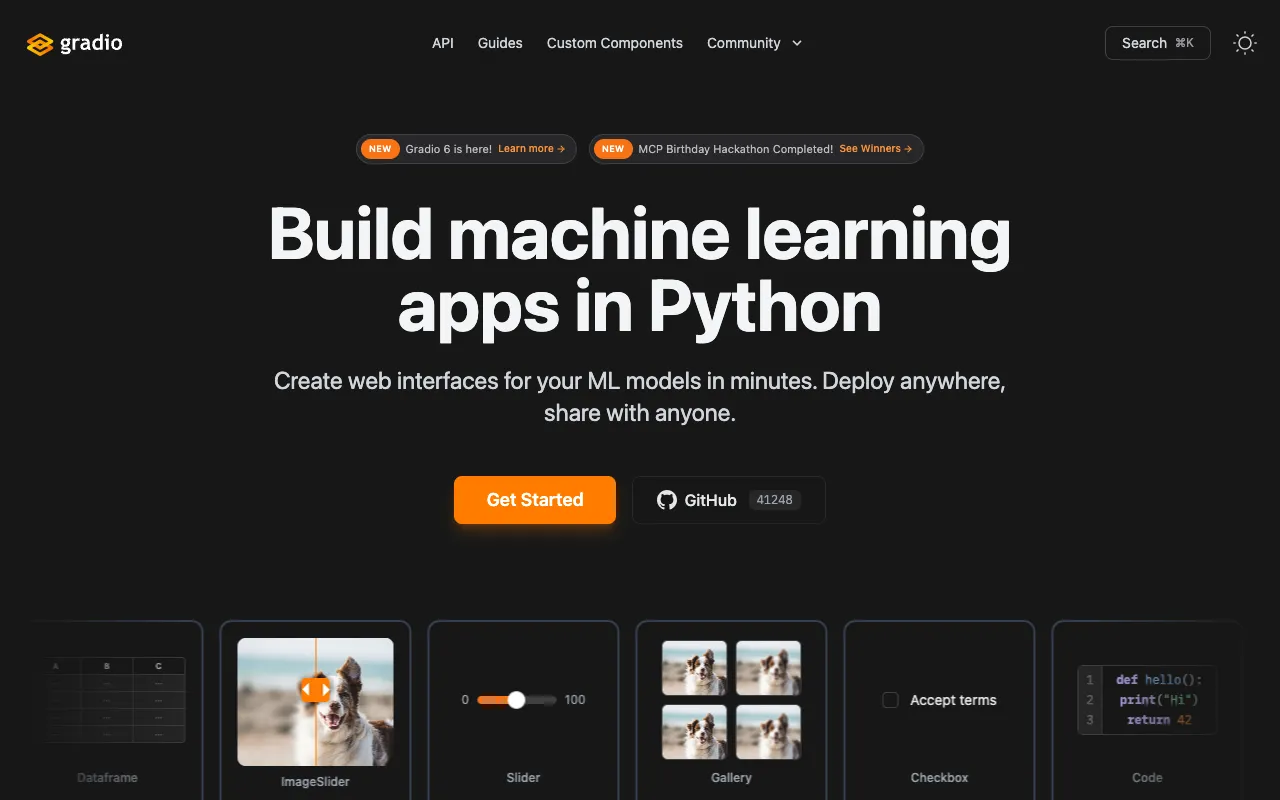
Gradio – The Best Tool for AI Researchers to Demo & Share ML Models
Gradio is the essential Python library for AI researchers who need to quickly move from model training to interactive demonstration. It transforms complex machine learning code into shareable web applications in just a few lines, enabling rapid prototyping, user testing, and seamless collaboration. As a free, open-source framework, Gradio bridges the gap between research and practical application, making it a cornerstone tool in modern AI development workflows.
What is Gradio?
Gradio is an open-source Python library specifically designed for machine learning practitioners. Its core purpose is to eliminate the friction of deploying and sharing machine learning models. Instead of writing extensive backend servers and frontend code, researchers can wrap their model inference functions with Gradio's simple interface, instantly generating a fully functional web application. This application can be run locally, embedded in notebooks like Jupyter or Colab, or shared publicly via a unique, auto-generated link. It serves as a critical tool for validating model behavior, gathering feedback from non-technical stakeholders, and creating reproducible research demos.
Key Features of Gradio for AI Research
Rapid Interface Creation
Create a complete, interactive UI for any machine learning model with as little as 3-4 lines of Python code. Define your model's input (like text box, image upload, microphone) and output (label, image, JSON), and Gradio handles the rest, including all web server logic and component rendering.
Extensive Prebuilt Components
Leverage a wide array of built-in UI components tailored for ML inputs and outputs. This includes components for images, audio, video, text, sliders, dataframes, and 3D models. Each component is customizable, allowing researchers to build interfaces that perfectly match their model's interaction needs.
Instant Public Sharing via Links
Generate a temporary, shareable public URL for your Gradio app with a single flag. This allows you to share your model demo with collaborators, clients, or the broader community without any deployment complexity, facilitating immediate feedback and collaborative research.
Seamless Notebook Integration
Run Gradio interfaces directly inside Jupyter Notebooks or Google Colab, making it ideal for the iterative research process. You can develop, train, and demo your model all within the same environment, streamlining the experimentation workflow.
Stateful & Interactive Demos
Build complex, multi-step demos that maintain state between interactions. This is essential for research tasks like conversational AI, iterative image editing, or any process where the output of one step influences the next, providing a more realistic testing environment.
Who Should Use Gradio?
Gradio is indispensable for AI researchers, ML engineers, data scientists, and academics. It's perfect for anyone developing machine learning models who needs to: demonstrate research findings at conferences or in papers; gather qualitative feedback on model performance from product teams or end-users; create internal tools for model validation and A/B testing; teach machine learning concepts with interactive examples; or rapidly prototype the user experience for a potential ML-powered product. It's particularly valuable in collaborative environments where communicating model capabilities to non-experts is crucial.
Gradio Pricing and Free Tier
Gradio's core library is completely free and open-source under the Apache 2.0 license, with no usage limits for creating and running interfaces. For advanced hosting, team management, and permanent deployment, Gradio offers a commercial cloud platform, 'Gradio Hub', with paid tiers. However, for the vast majority of AI research use cases—creating demos, sharing temporary links, and embedding in notebooks—the free, self-hosted library provides all necessary functionality at zero cost.
Common Use Cases
- Creating an interactive demo for a research paper on text-to-image generation models
- Building a prototype UI to test a new speech recognition model with your team
- Developing a teaching tool to visually explain how a convolutional neural network classifies images
Key Benefits
- Accelerate research validation cycles by getting instant feedback on model behavior from any stakeholder.
- Increase the impact and reproducibility of your research by providing accessible, interactive demos alongside publications.
- Dramatically reduce the time and engineering resources needed to go from a trained model to a functional user-facing prototype.
Pros & Cons
Pros
- Unmatched speed for turning Python functions into shareable web apps.
- Extremely low learning curve, accessible to researchers with minimal web development knowledge.
- Robust free tier that supports all core research and demo needs without restriction.
- Excellent community support and tight integration with popular ML frameworks like Hugging Face Transformers, PyTorch, and TensorFlow.
Cons
- For highly complex, production-grade applications with custom branding and advanced user flows, a more full-featured web framework may be required.
- The free public sharing links are temporary; permanent, scalable hosting requires moving to their paid Hub platform or custom deployment.
Frequently Asked Questions
Is Gradio free to use for AI research?
Yes, absolutely. The Gradio Python library is 100% free and open-source. You can install it via pip and use it to create unlimited machine learning demos, run them locally, share temporary public links, and embed them in notebooks without any cost, making it ideal for academic and industrial research.
Is Gradio a good tool for AI researchers and data scientists?
Gradio is arguably one of the best tools available for AI researchers. It directly addresses a critical pain point: communicating and validating complex models. By enabling instant creation of interactive demos, it facilitates faster iteration, better collaboration, and more impactful research dissemination, all within the familiar Python ecosystem.
Can I use Gradio with models from Hugging Face or PyTorch?
Yes, Gradio has first-class integration with popular ML libraries. It works seamlessly with Hugging Face's `transformers` and `diffusers` libraries, PyTorch, TensorFlow, scikit-learn, and more. There are even dedicated examples and guides for quickly creating demos with pre-trained models from these frameworks.
How do I share my Gradio app with others?
Sharing is incredibly simple. When launching your app, set the `share=True` parameter. Gradio will generate a unique public URL (e.g., a `*.gradio.live` link) that you can send to anyone. The link remains active as long as your local Python script is running, providing a perfect way to share temporary research demos.
Conclusion
For AI researchers prioritizing speed, collaboration, and demonstrable results, Gradio is a non-negotiable tool in the modern toolkit. It elegantly solves the 'last-mile' problem of machine learning research—transforming abstract models into tangible, interactive experiences. By dramatically lowering the barrier to creating and sharing model interfaces, Gradio not only accelerates individual research workflows but also fosters a more open and collaborative AI community. Whether you're publishing a groundbreaking paper, iterating on a prototype, or teaching complex concepts, Gradio provides the fastest and most effective path from code to interactive demo.