Go back
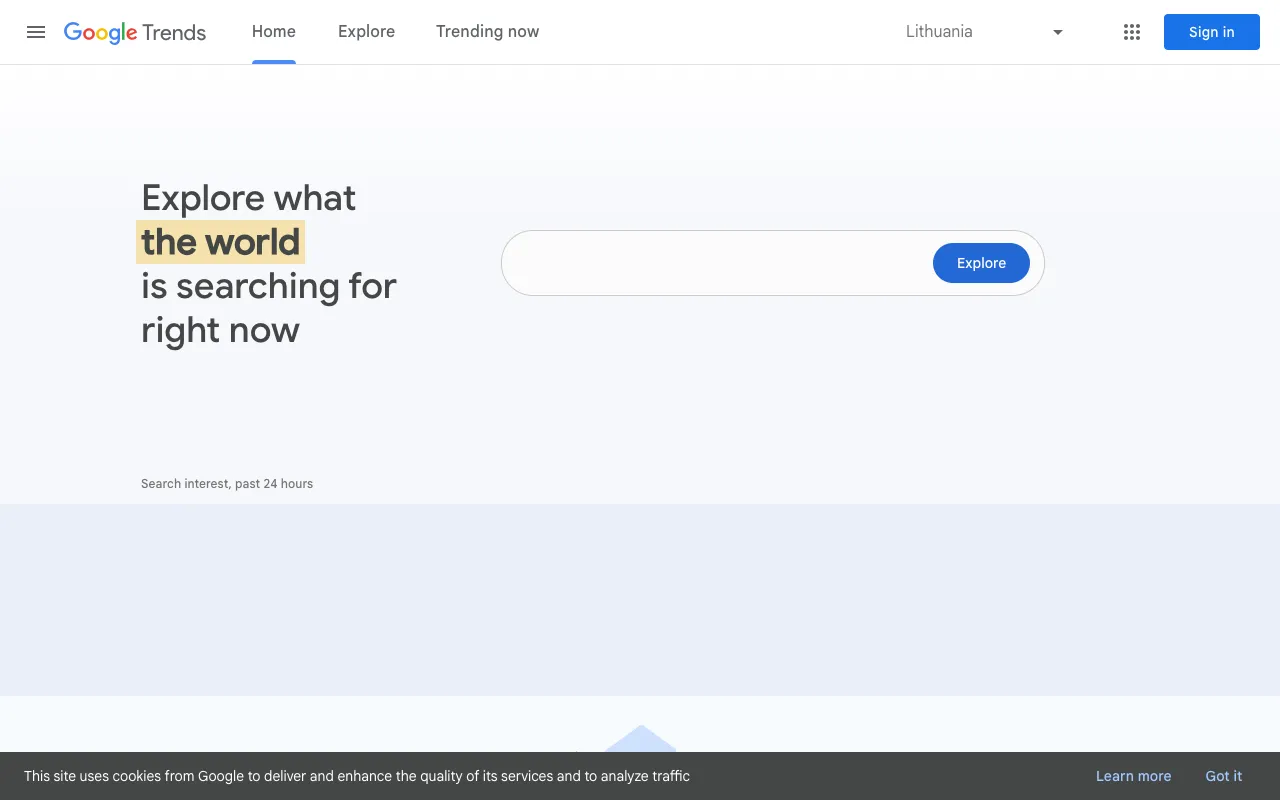
Image of Google Trends – The Free Trend Analysis Tool for Bloggers

Google Trends – The Free Trend Analysis Tool for Bloggers

Google Trends is an indispensable, free research tool for bloggers looking to create content that resonates. By analyzing the relative popularity of Google search queries across time and geography, it provides a direct line into public interest. This isn't just about seeing what's 'trending'—it's about understanding search intent, identifying rising topics before they peak, and validating content ideas with real-world data. For bloggers focused on SEO and relevance, Google Trends transforms guesswork into a data-driven content strategy.

What is Google Trends?

Google Trends is a free public web application offered by Google that visualizes and analyzes the popularity of search terms entered into the Google Search engine. It doesn't show raw search volume but rather indexes search interest on a scale from 0 to 100, allowing you to compare terms, track interest over time, and see geographic and demographic breakdowns. For bloggers, it's a foundational tool for topic research, helping to answer critical questions like 'Is interest in this keyword growing or declining?' and 'Where is this topic most popular?'

Key Features of Google Trends for Bloggers

Explore Trending Searches & Real-Time Data

Discover what's trending right now or in the past 24 hours across different categories and countries. This feature is perfect for newsjacking or creating ultra-timely blog posts that capture immediate search traffic. You can filter by region and category to find trends relevant to your niche.

Compare Search Term Interest Over Time

Input up to five search terms or topics and compare their relative popularity over a custom time range—from the past hour to as far back as 2004. This visual comparison helps bloggers identify seasonal trends, long-term growth patterns, and the perfect timing to publish content on a subject.

Geographic and Subregional Interest Insights

See exactly where in the world (or within a specific country) a search term is most popular. This is invaluable for local bloggers, travel writers, or anyone targeting a specific audience. It helps tailor content to regional interests and identify untapped local markets.

Related Queries and Rising Topics

One of the most powerful features for content ideation. Google Trends shows queries related to your search, categorized as 'Top' (consistently popular) and 'Rising' (queries with the biggest surge in search frequency). 'Rising' queries are goldmines for discovering new angles, questions, and emerging subtopics to cover.

Category and Search Type Filtering

Refine your trend analysis by search type (Web Search, Image Search, YouTube Search, etc.) and by category (e.g., Business, Health, Arts & Entertainment). This ensures the data you see is highly relevant to your blogging medium and topic area.

Who Should Use Google Trends?

Google Trends is essential for any blogger or content creator who wants their work to be discovered. It's particularly powerful for: SEO-focused bloggers researching keyword viability; news and current affairs bloggers capitalizing on trending stories; niche bloggers (e.g., tech, finance, health) tracking interest in specific topics; affiliate marketers identifying products with growing search demand; and local bloggers understanding regional interests. It's a strategic tool for moving from reactive to proactive content creation.

Google Trends Pricing and Free Tier

Google Trends is completely free to use. There is no paid tier, subscription, or account required to access its core features. You can visit trends.google.com and start analyzing data immediately. This makes it one of the most accessible and powerful free tools in any blogger's arsenal, offering enterprise-grade trend insights without any cost barrier.

Common Use Cases

Key Benefits

Pros & Cons

Pros

  • Completely free with no usage limits or account required
  • Data comes directly from Google, making it a highly authoritative source for SEO
  • Intuitive visual interface with powerful filtering and comparison tools
  • Excellent for identifying seasonal trends and forecasting content calendars

Cons

  • Shows relative interest, not absolute search volume, which requires cross-referencing with other SEO tools
  • Data can be broad; requires skill and context to interpret correctly for a specific niche
  • Real-time data is limited to major trending topics, not all keywords

Frequently Asked Questions

Is Google Trends free to use?

Yes, Google Trends is completely free. You do not need a Google account to access most features, and there are no paid plans or usage limits. It's a public tool provided by Google.

How accurate is Google Trends data for blog keyword research?

Google Trends data is highly accurate for showing the relative popularity and interest trends over time. It's perfect for comparing topics and identifying trends. However, for precise search volume numbers, it should be used alongside a keyword research tool like Google Keyword Planner or Ahrefs.

Can Google Trends predict future trends for bloggers?

Google Trends doesn't predict the future, but it is exceptional at identifying recurring seasonal trends and spotting the early growth trajectory of a search term. By analyzing year-over-year data and 'Rising' queries, bloggers can make highly informed predictions about what topics will gain interest.

Conclusion

For bloggers committed to creating relevant, discoverable content, Google Trends is a non-negotiable tool in the research phase. Its unique ability to visualize search interest over time and geography provides insights that pure keyword volume tools cannot. While it works best when paired with traditional SEO software for volume metrics, its trend-spotting and comparative analysis capabilities are unmatched—especially at the price of free. Integrating Google Trends into your weekly content planning is one of the most effective ways to ensure your blog stays ahead of the curve and aligned with what your audience is actively searching for.