Go back
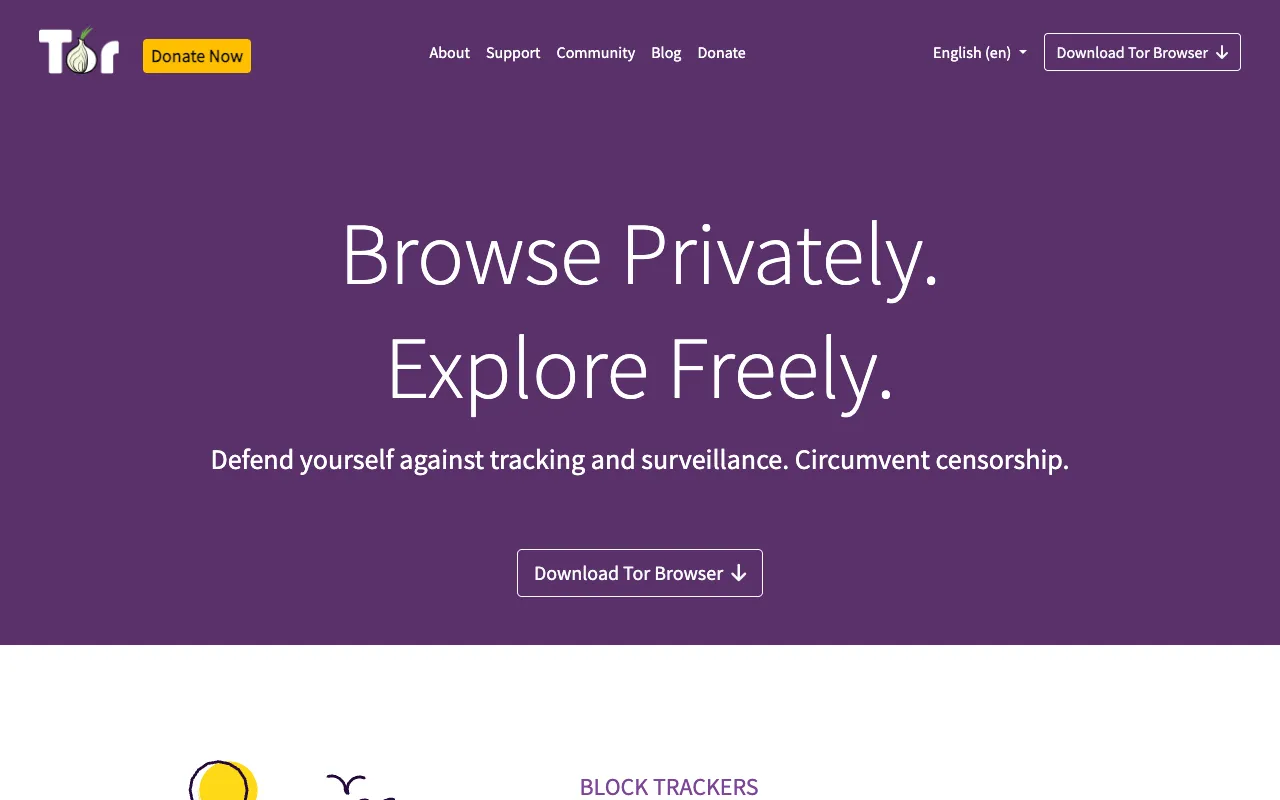
Image of Tor Browser – The Essential Anonymous Browser for Cybersecurity Experts

Tor Browser – The Essential Anonymous Browser for Cybersecurity Experts

Tor Browser is the definitive tool for achieving true online anonymity. As a free, open-source web browser built on Firefox, it directs all your web traffic through the decentralized Tor network, encrypting it multiple times across random relays. This process effectively masks your IP address, location, and browsing habits, making it an indispensable asset for cybersecurity professionals conducting research, penetration testers, journalists in hostile regions, and anyone prioritizing digital privacy. It stands out not just as a browser, but as a critical component of the operational security toolkit.

What is Tor Browser?

Tor Browser is a specialized privacy-focused web browser developed by The Tor Project. Its core purpose is to enable anonymous communication by routing a user's internet traffic through a global network of over 7,000 volunteer-operated servers, known as relays or nodes. Each layer of encryption is peeled away at a successive relay, obscuring the origin and destination of the data. This design prevents network surveillance, traffic analysis, and website fingerprinting. For cybersecurity experts, it's more than a privacy tool; it's a platform for safe reconnaissance, accessing onion services (.onion sites), and testing applications from an anonymized perspective without revealing their corporate or personal infrastructure.

Key Features of Tor Browser

Onion Routing & Multi-Layer Encryption

Tor Browser's foundational technology, onion routing, wraps your data in multiple layers of encryption. Your traffic randomly passes through at least three different relays (entry, middle, and exit), with each relay decrypting only one layer to learn the next hop. This ensures no single point in the network can see both your original IP address and your final destination, providing robust anonymity for cybersecurity research and sensitive communications.

Built-in Privacy Protections & Fingerprint Resistance

The browser is pre-configured with stringent privacy settings to resist browser fingerprinting—a common tracking technique. It blocks scripts by default (configurable via Security Slider), forces HTTPS where possible, and uses a standardized window size and font set. This makes all Tor Browser users look similar, preventing advertisers and trackers from identifying you based on your browser's unique configuration, a critical feature for opsec.

Access to the Dark Web (.onion services)

Tor Browser provides seamless access to onion services, websites hosted anonymously within the Tor network itself. These sites have addresses ending in .onion. For security researchers and threat intelligence analysts, this is vital for monitoring underground forums, accessing whistleblower drop boxes, or researching malware command-and-control servers hosted on the dark web, all while maintaining their own anonymity.

Free, Open-Source, and Auditable

Being free and open-source is a security feature, not just a cost model. The code is publicly available for review by security experts worldwide, which leads to rapid identification and patching of vulnerabilities. This transparency builds trust, ensuring there are no hidden backdoors. Cybersecurity professionals can audit the tool themselves, aligning with the principles of trust through verification.

Who Should Use Tor Browser?

Tor Browser is designed for users who require strong anonymity. Its primary audience includes: Cybersecurity Professionals & Penetration Testers conducting open-source intelligence (OSINT) or vulnerability research without exposing their origin IP; Journalists and Activists communicating with sources or reporting from censored regions; Privacy-Conscious Individuals seeking to avoid corporate and government surveillance; IT Administrators testing their network's external footprint and leak detection; and Researchers needing to access geo-blocked information or study network censorship. It is the go-to tool when standard VPNs or private browsing modes are insufficient for the threat model.

Tor Browser Pricing and Free Tier

Tor Browser is completely free to download and use. There is no paid tier, subscription, or premium version. The Tor Project, a 501(c)(3) non-profit organization, funds its development through donations, grants, and volunteer efforts. This ensures the tool remains accessible to everyone, regardless of budget, which is essential for its mission of promoting human rights and privacy globally. Users can support the project through voluntary donations on the official Tor Project website.

Common Use Cases

Key Benefits

Pros & Cons

Pros

  • Provides the highest level of freely available browsing anonymity through decentralized onion routing.
  • Open-source code allows for public security audits, ensuring no hidden vulnerabilities or backdoors.
  • Completely free with no data caps, usage limits, or tiered pricing, accessible to all users.
  • Effectively bypasses sophisticated network censorship and surveillance systems.

Cons

  • Browsing speed is significantly slower than standard browsers due to multi-hop encryption through volunteer relays.
  • Some websites may block traffic originating from known Tor exit nodes, requiring captchas or denying access.
  • Not designed for high-bandwidth activities like streaming video or large downloads.
  • Requires user education to avoid deanonymizing mistakes (e.g., downloading documents, enabling certain plugins).

Frequently Asked Questions

Is Tor Browser completely free to use?

Yes, Tor Browser is 100% free and open-source software. There are no hidden fees, subscriptions, or premium features. The Tor Project operates as a non-profit and relies on donations to maintain the network and development.

Is Tor Browser a good tool for cybersecurity professionals?

Absolutely. Tor Browser is a fundamental tool for cybersecurity experts. It is essential for conducting anonymous reconnaissance, accessing threat intelligence on the dark web, testing security controls without revealing a corporate IP, and researching from a neutral, untraceable standpoint. It is a core component of a professional OpSec strategy.

Can I be tracked while using Tor Browser?

Tor Browser is designed to make tracking extremely difficult. However, anonymity is not absolute and depends on user behavior. Mistakes like logging into personal accounts, downloading and opening files outside the browser, or using browser plugins can compromise anonymity. When used correctly for browsing, it provides very strong protection against network-level tracking.

What's the difference between Tor Browser and a VPN?

A VPN creates an encrypted tunnel to a single commercial server, which then sees your real IP. Tor Browser routes your traffic randomly through multiple volunteer-run servers, with no single point able to see both your origin and destination. Tor provides stronger anonymity for browsing, while a VPN may offer better speed and is suitable for securing all device traffic (not just the browser).

Conclusion

For cybersecurity experts and privacy advocates, Tor Browser is not merely an alternative browser—it is a non-negotiable instrument for secure and anonymous operations. Its unique architecture, based on decentralized onion routing and open-source transparency, provides a level of anonymity unmatched by commercial VPNs or standard private modes. While the trade-off in speed is notable, the benefit of near-frictionless privacy for research, communication, and uncensored access is invaluable. When your threat model includes sophisticated adversaries, surveillance, or exposure risks, integrating Tor Browser into your toolkit is a definitive best practice for maintaining security and anonymity online.