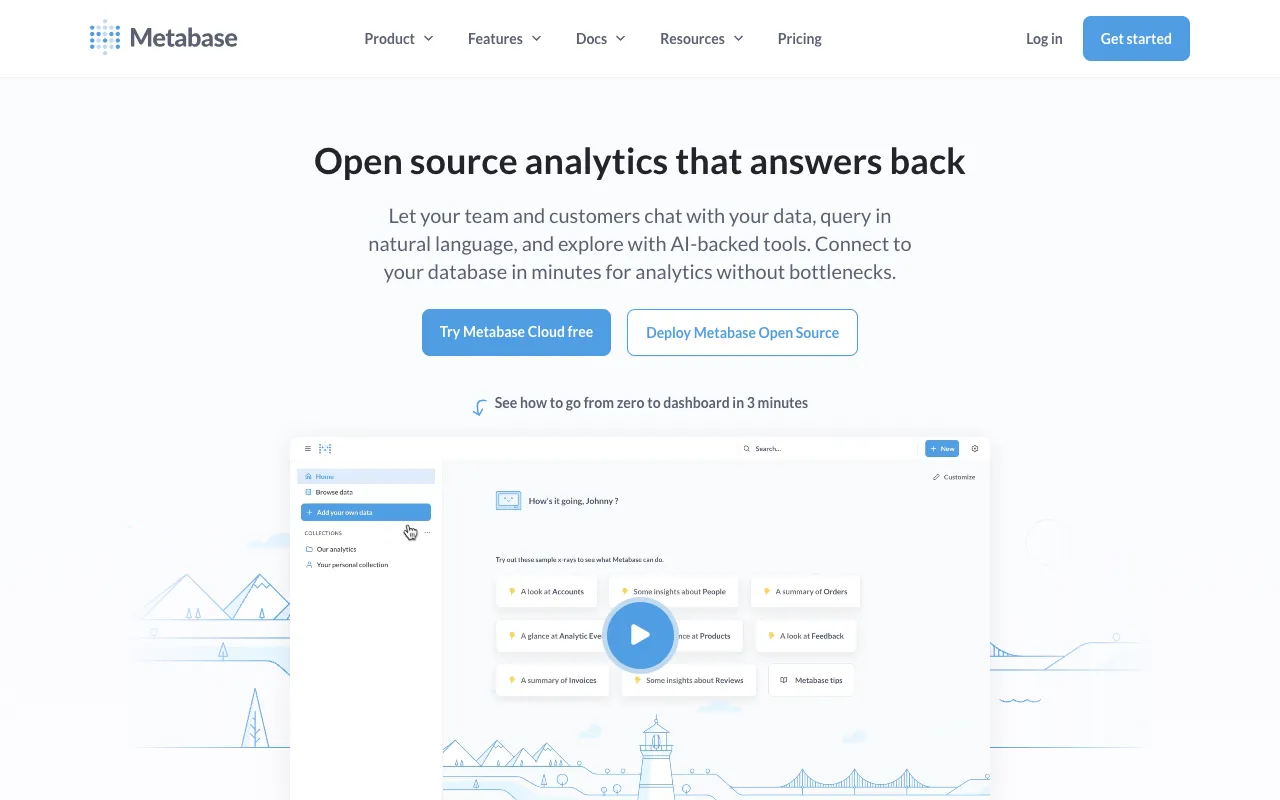
Metabase – The Best Open-Source BI Tool for Data Scientists
Metabase democratizes data science by providing an intuitive, open-source platform for business intelligence and analytics. Designed for data scientists, analysts, and business users alike, it bridges the gap between complex data infrastructure and actionable insights. With its powerful query builder and visualization engine, Metabase enables you to explore datasets, create compelling dashboards, and answer critical business questions without always writing extensive SQL, making it an indispensable tool for modern data teams.
What is Metabase?
Metabase is a leading open-source business intelligence (BI) application that simplifies how organizations interact with their data. Its core purpose is to enable anyone, from data scientists to non-technical stakeholders, to ask questions, perform analysis, and visualize results through a clean, web-based interface. By connecting directly to your data warehouse, SQL databases, or cloud services, it serves as a central hub for self-service analytics, fostering a data-driven culture without the overhead of proprietary BI solutions.
Key Features of Metabase
No-Code & SQL Query Builder
Metabase's visual query builder allows users to filter, summarize, and join data through point-and-click actions, perfect for quick explorations. For complex analyses, data scientists can switch seamlessly to a native SQL editor with syntax highlighting and auto-completion, providing full flexibility.
Interactive Dashboards & Visualizations
Create and share dynamic dashboards that combine multiple questions into a single view. Choose from a wide array of visualization types—from line charts and bar graphs to detailed tables and maps—to tell a clear data story. Dashboards update automatically as new data flows in.
Powerful Data Exploration & Drill-Downs
Go beyond surface-level metrics. Click on any data point in a chart to 'drill down' into the underlying records, enabling deep, ad-hoc exploration. This feature is crucial for data scientists diagnosing trends, outliers, or anomalies within their datasets.
Enterprise-Grade Permissions & Governance
Maintain control and security with granular permissions. Define who can see which databases, tables, columns, or even specific rows (via sandboxing). Schedule automated data exports, alerts, and subscriptions to keep teams informed, ensuring governance scales with adoption.
Who Should Use Metabase?
Metabase is ideal for data scientists, BI analysts, and data engineers in organizations of all sizes seeking to operationalize analytics. It's perfect for teams that need to enable self-service data exploration for business units while maintaining a single source of truth. Startups, scale-ups, and enterprises use it to reduce dependency on dedicated analytics staff for every report, freeing data scientists to focus on more complex modeling and machine learning tasks.
Metabase Pricing and Free Tier
Metabase offers a robust, fully-featured open-source version that is completely free to use forever, including self-hosting on your own infrastructure. For organizations requiring advanced features like single sign-on (SSO), audit logs, enhanced permissions, and official support, Metabase provides a paid Pro plan (cloud-hosted or self-managed) and an Enterprise plan with additional governance tools. The generous free tier makes it one of the most accessible and powerful BI tools for data teams on a budget.
Common Use Cases
- Building self-service analytics portals for marketing and sales teams
- Creating real-time operational dashboards to monitor key business metrics
- Performing ad-hoc data exploration to validate hypotheses before deep analysis
Key Benefits
- Accelerates time-to-insight by reducing barriers to data access for all team members
- Reduces reporting backlog, allowing data scientists to focus on high-impact predictive modeling
- Improves data literacy and decision-making across the entire organization
Pros & Cons
Pros
- Open-source core with a powerful and permanently free tier
- Exceptionally user-friendly interface for both technical and non-technical users
- Easy deployment and integration with major databases and data warehouses
- Strong community support and active development
Cons
- Very complex data transformations are better handled in dedicated ETL tools or code
- On-premise hosting requires internal DevOps resources for maintenance and scaling
- Advanced dashboard customization options can be limited compared to some commercial BI suites
Frequently Asked Questions
Is Metabase free to use?
Yes, Metabase has a powerful open-source edition that is completely free to use. You can download and self-host it without any cost. They also offer paid Pro and Enterprise plans with additional features, support, and a cloud-hosted option.
Is Metabase good for data scientists?
Absolutely. Metabase is an excellent tool for data scientists. It streamlines exploratory data analysis (EDA), allows for quick dashboard prototyping to share findings, and enables data scientists to empower colleagues with self-service reports. This frees up their time to concentrate on advanced statistical analysis, machine learning, and data pipeline development.
What databases does Metabase connect to?
Metabase supports a wide range of data sources including PostgreSQL, MySQL, Snowflake, BigQuery, Redshift, MongoDB, SQL Server, Presto, Druid, and many more through official and community drivers. It can also connect to Google Analytics and other applications via APIs.
Conclusion
For data scientists seeking to amplify their impact, Metabase is more than just a dashboarding tool—it's a force multiplier for your entire organization's data strategy. By providing an intuitive layer over complex data systems, it transforms raw data into shared understanding and actionable intelligence. Whether you're leveraging the capable free open-source version or the feature-rich enterprise plans, Metabase stands out as a top-tier, practical choice for embedding data-driven decision-making into your company's DNA.