Calendly – The #1 Scheduling Tool for Freelance Writers
As a freelance writer, your time is your most valuable asset. Wasting it on endless email threads just to schedule a single client call directly impacts your productivity and income. Calendly solves this by automating the entire scheduling process. It's a web-based tool that syncs with your calendar, displays your real-time availability, and lets clients, editors, or collaborators book meetings with you in seconds. This isn't just a convenience—it's a professional system that streamlines your client onboarding, project consultations, and editorial check-ins, allowing you to focus on writing and growing your business.
What is Calendly?
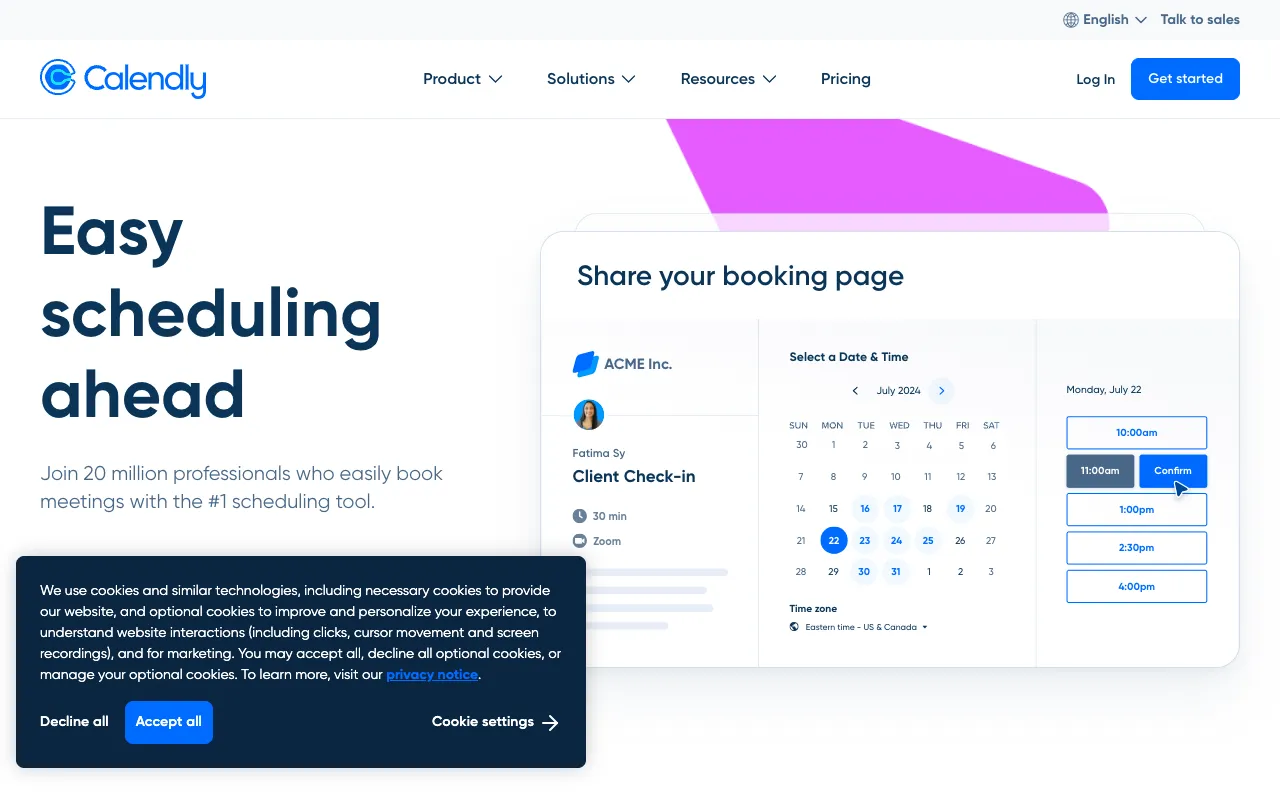
Calendly is an intelligent scheduling automation platform designed to eliminate the friction of coordinating meetings. For freelance writers, it acts as a 24/7 booking assistant. You connect your Google, Outlook, or iCloud calendar, define your available hours (e.g., 'Consultation Slots: Monday-Wednesday, 10 AM - 2 PM'), and share a personalized booking link. Clients see only your open slots and can book a meeting instantly, which is then automatically added to both calendars. It handles time zones, sends automatic confirmations and reminders, and can even collect pre-meeting information via customizable intake forms.
Key Features of Calendly for Writers
Customizable Event Types
Create distinct booking pages for different purposes. Set up a '15-Minute Discovery Call' for new leads, a '60-Minute Content Strategy Session' for ongoing clients, or a '30-Minute Draft Review' with an editor. Each type can have its own duration, buffer time, and required questions, making your workflow perfectly organized.
Calendar Synchronization & Buffer Times
Calendly integrates seamlessly with major calendar services to prevent double-booking. Crucially, you can set buffer times between meetings—essential for writers who need breathing room to wrap up notes or prepare for the next session—ensuring you never get back-to-back calls.
Automated Notifications & Reminders
Reduce no-shows and keep clients informed. Calendly automatically sends confirmation emails upon booking and reminder emails (or SMS) 24 hours before the meeting. This professional touch improves client experience without any manual effort from you.
Payment Collection (Paid Plans)
For writers offering paid consultations, coaching, or strategy sessions, Calendly's paid plans integrate with Stripe and PayPal. You can require payment at the time of booking, turning your scheduling link into a direct revenue channel.
Who Should Use Calendly?
Calendly is indispensable for any freelance writer who conducts meetings as part of their business. This includes content writers scheduling client kick-offs and revisions, copywriters holding sales and strategy calls, technical writers coordinating with subject matter experts, and ghostwriters conducting initial interviews. It's equally valuable for writers who mentor others, offer editing services, or regularly pitch to editors. If you spend more than 15 minutes a week coordinating a meeting via email, Calendly will save you significant time and mental energy.
Calendly Pricing and Free Tier
Calendly offers a robust free plan (Basic) that is perfectly sufficient for most solo freelance writers. It includes one calendar connection, one event type (e.g., 'Consultation Call'), unlimited one-on-one meetings, and automated email notifications. Paid plans (Essentials, Professional, Teams) start at $10/month (billed annually) and unlock multiple event types, collective availability for teams, payment collection, automated workflows, and more advanced integrations. The free tier alone provides tremendous value, making it a zero-risk tool to implement immediately.
Common Use Cases
- Streamlining client onboarding calls for new freelance writing projects
- Scheduling content outline reviews and draft feedback sessions with clients
- Automating booking for freelance writer coaching or mentorship sessions
- Managing interview scheduling for article research or ghostwriting projects
Key Benefits
- Saves 5+ hours per month by eliminating scheduling email chains
- Projects a professional, efficient image to potential clients and editors
- Reduces administrative errors and calendar conflicts automatically
- Creates a seamless client experience from first contact to project start
Pros & Cons
Pros
- Incredibly intuitive and easy to set up in under 10 minutes
- The free plan is powerful enough for most solo freelancers
- Flawless calendar sync prevents double-booking
- Automated reminders drastically reduce meeting no-shows
Cons
- Advanced features like payment collection require a paid subscription
- Custom branding (removing Calendly branding) is only on paid plans
- The mobile app is functional but the web dashboard offers more control
Frequently Asked Questions
Is Calendly free for freelance writers?
Yes, Calendly offers a generous free plan (Calendly Basic) that is ideal for solo freelance writers. It includes one event type, unlimited one-on-one meetings, and calendar sync, which covers the core scheduling needs for most writers.
Is Calendly good for managing client calls as a writer?
Absolutely. Calendly is arguably the best tool for managing client calls. It transforms a chaotic, manual process into a automated, professional system. By letting clients book based on your real availability, it eliminates back-and-forth emails, reduces no-shows with reminders, and gives you back valuable time to focus on writing.
Can I use Calendly if I have multiple freelance writing niches?
Yes, effectively. On the free plan, you can use one event type but customize its name and description for different purposes. For more formal separation (e.g., distinct pages for 'Tech Writing Consultations' and 'Marketing Copy Calls'), you would need a paid plan to create multiple event types.
How does Calendly handle different time zones for international clients?
Calendly handles time zones automatically. When a client clicks your booking link, they see available time slots displayed in *their own* local time zone. The meeting is correctly synchronized on both calendars, eliminating one of the most common scheduling errors for writers with a global clientele.
Conclusion
For freelance writers, time management isn't just a productivity hack—it's the foundation of a sustainable business. Calendly directly protects your most scarce resource by automating a repetitive, time-consuming administrative task. The professional presentation, reduction in scheduling errors, and hours saved each month make it an essential tool in any writer's tech stack. Whether you're just starting out or managing a full roster of clients, implementing Calendly is one of the highest-return investments you can make in your freelance writing business. Start with the free plan today to instantly streamline your client communication.