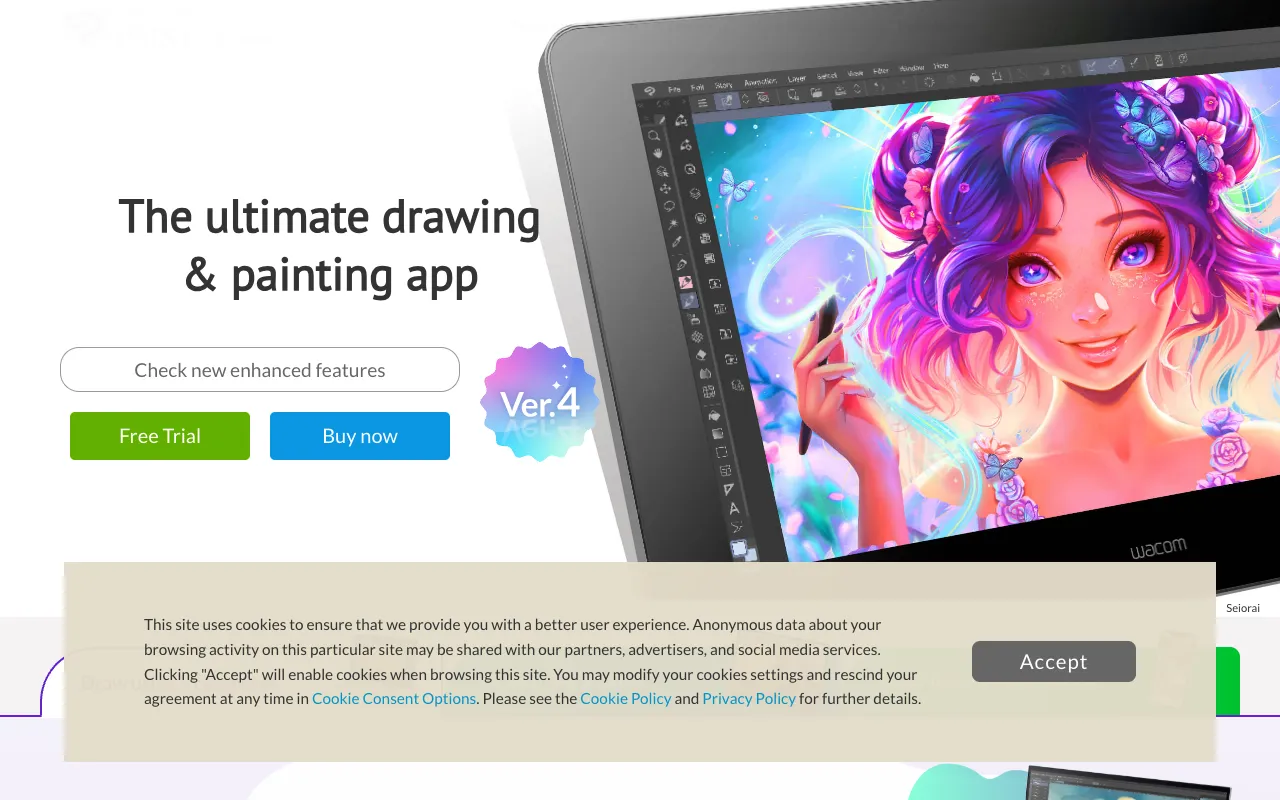
Clip Studio Paint – Best Digital Painting & Comic Creation Software
Clip Studio Paint is the definitive digital art studio for professionals and serious hobbyists, built specifically for painting, illustration, and comic creation. Trusted by manga artists and illustrators worldwide, it combines a natural, responsive brush engine with powerful comic paneling and vector tools, making it the top choice for anyone creating digital artwork, webcomics, or graphic novels.
What is Clip Studio Paint?
Clip Studio Paint is a specialized desktop and mobile application for digital artists, illustrators, and comic creators. Unlike generic image editors, it is engineered from the ground up for the creative workflows of painters and storytellers. Its core purpose is to provide a seamless, intuitive environment for creating everything from detailed character illustrations to fully paneled comic pages and manga. It stands out for its deep customization, industry-leading brush realism, and features tailored specifically for comic and animation production, making it a powerhouse in the graphic designer's toolkit.
Key Features of Clip Studio Paint
Advanced Natural-Media Brush Engine
Experience unparalleled brush realism with an engine that simulates texture, paint density, and blending. Artists can customize thousands of brushes or download user-created assets from the integrated asset library, enabling perfect emulation of watercolor, oils, pencils, and more for authentic digital painting.
Comic and Manga Production Tools
Streamline comic creation with dedicated tools for panel creation, speech bubble editing, and toning. Use specialized rulers for perspective and speed lines, and manage multi-page documents effortlessly, making it the best software for publishing-ready manga and webcomics.
Powerful Vector Capabilities
Create crisp, scalable line art with vector layers. Edit strokes with control points after drawing, perfect for inking comics and illustrations. This combines the flexibility of vectors with the organic feel of raster painting in one workspace.
Integrated 2D Animation Suite
Bring illustrations to life with a built-in timeline and animation tools. Create frame-by-frame animations, edit onion skinning, and export sequences directly, adding motion graphics and animated scenes to your creative projects without needing separate software.
3D Drawing Reference Models
Pose and customize 3D human models and objects directly on your canvas. Use these as drawing references for accurate anatomy, perspective, and complex scenes, drastically speeding up the sketching and composition phase.
Who Should Use Clip Studio Paint?
Clip Studio Paint is ideal for professional and aspiring digital artists focused on specific creative fields. It's the go-to software for manga artists and comic book creators due to its specialized paneling tools. Illustrators and concept artists benefit from its superior brush control and texture rendering. Graphic designers working on narrative-driven projects, webcomic artists, and animators creating short 2D sequences will find its integrated workflow invaluable. It's less suited for photo editing or vector logo design, as its strengths are firmly in artistic creation and storytelling.
Clip Studio Paint Pricing and Free Trial
Clip Studio Paint operates on a subscription model (Clip Studio Paint PRO/EX) and a one-time purchase option (Clip Studio Paint Pro), with a free trial available. There is no permanent free tier. The 'PRO' plan is sufficient for most illustrators and comic artists, while 'EX' unlocks advanced features for long-form comic and animation production. Frequent sales and upgrade paths make it a cost-effective investment for serious artists compared to ongoing subscription costs of other major creative suites.
Common Use Cases
- Creating professional webcomics and manga pages with efficient panel workflow
- Producing high-quality digital painting and character illustration for clients
- Designing concept art and storyboards for animation and game development
Key Benefits
- Achieve professional-grade comic and illustration results with industry-specific tools.
- Increase artistic productivity with customizable brushes, 3D references, and vector correction.
Pros & Cons
Pros
- Unmatched brush engine and natural media simulation for digital painters
- Superior comic and manga creation tools not found in other art software
- One-time purchase option provides long-term value versus subscription-only models
- Vast library of free and premium user-created brushes and assets
Cons
- Primarily focused on art creation, lacking robust photo editing features
- Steeper learning curve for absolute beginners due to its professional feature set
- No permanent free version, only a limited-time trial
Frequently Asked Questions
Is Clip Studio Paint free to use?
Clip Studio Paint is not permanently free. It offers a generous free trial period for users to test all features. After the trial, you must purchase a license via a one-time payment or a subscription plan to continue using the software.
Is Clip Studio Paint good for graphic designers?
Yes, Clip Studio Paint is excellent for graphic designers whose work involves illustration, character design, comics, or narrative art. It provides specialized tools that streamline these creative processes. However, designers focused solely on branding, layout, or photo manipulation might find dedicated vector or page layout software more complementary.
Can Clip Studio Paint be used for animation?
Yes, Clip Studio Paint includes a robust 2D animation workspace within the same application. You can create frame-by-frame animations, edit timelines, and use onion skinning, making it a powerful all-in-one solution for illustrators who also want to animate their characters or scenes.
How does Clip Studio Paint compare to Adobe Photoshop?
Clip Studio Paint excels in digital painting, comic creation, and natural media simulation, often outperforming Photoshop in these areas with a more artist-focused interface and specialized tools. Photoshop remains stronger for photo editing, complex compositing, and integration with other Adobe apps. Many professional artists use both, choosing Clip Studio for the core art creation and Photoshop for final adjustments.
Conclusion
For digital artists, illustrators, and comic creators seeking a purpose-built tool that understands their workflow, Clip Studio Paint is an exceptional and often superior choice. Its commitment to natural media simulation, combined with powerhouse features for manga and animation, makes it more than just software—it's a dedicated digital studio. If your graphic design work is rooted in storytelling, painting, or character creation, investing time in Clip Studio Paint will elevate the quality and efficiency of your artistic output, solidifying its position as a top-tier tool for visual creators.