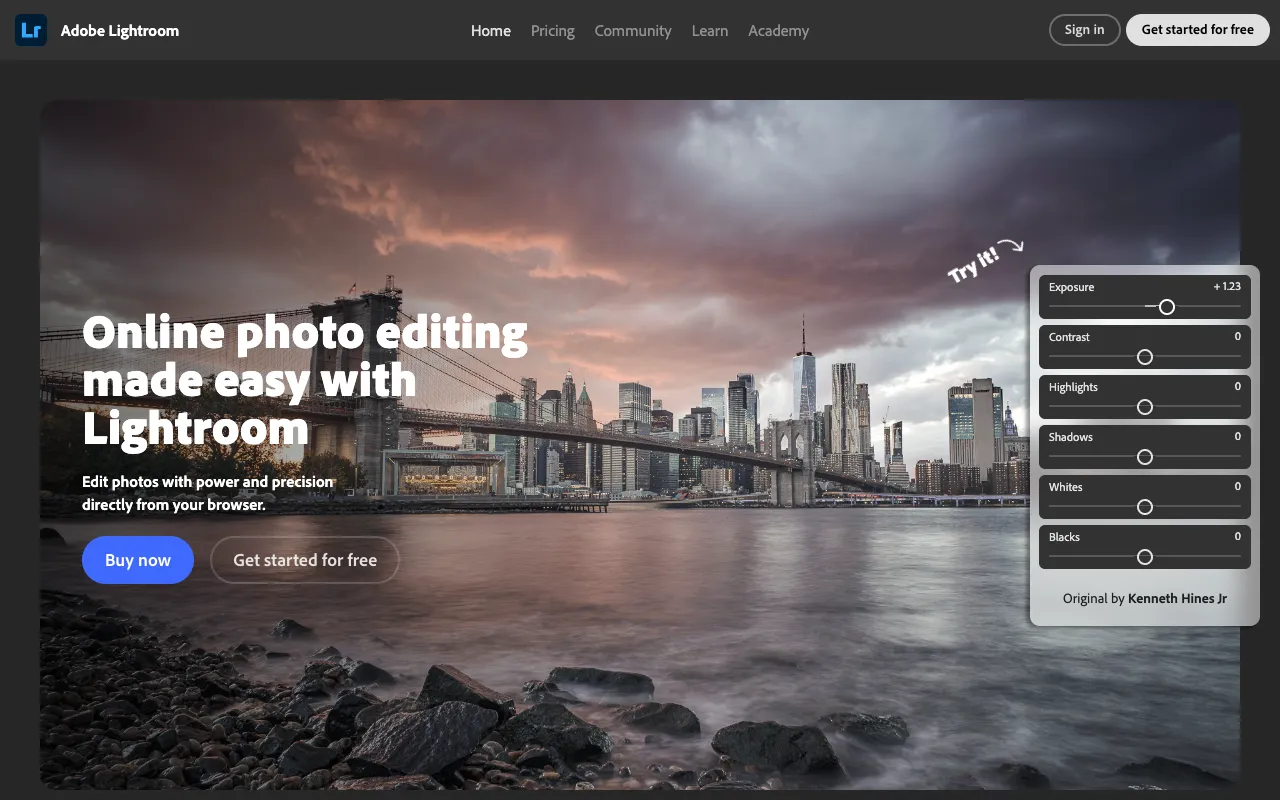
Adobe Lightroom – Best Photo Editing Software for Instagram Influencers
Adobe Lightroom is the industry-standard photo editing and organization software that empowers Instagram influencers to create a visually stunning and consistent feed. Unlike basic photo apps, Lightroom provides professional-grade tools for precise color correction, tonal adjustments, and the application of custom presets. It’s the secret weapon for influencers who need to batch-edit photos, maintain a specific aesthetic, and elevate their visual branding to attract followers and brand partnerships.
What is Adobe Lightroom?
Adobe Lightroom is a powerful, non-destructive photo editing and digital asset management application. For Instagram influencers, it transcends simple filters, offering deep control over every aspect of an image. Its core function is to allow you to edit photos while preserving the original file, apply those edits across multiple images for consistency, and organize thousands of photos into searchable collections. This makes it indispensable for influencers managing high volumes of content for Stories, Reels, and their main feed.
Key Features of Adobe Lightroom for Influencers
Professional Color Grading & Tone Curves
Go beyond basic sliders. Lightroom offers advanced tools like the Tone Curve for pinpoint contrast control, and Color Grading wheels for cinematic color tones. This allows influencers to create a unique, signature look—whether it's warm and vibrant or cool and moody—that becomes instantly recognizable to their audience.
Create & Apply Custom Presets
The hallmark of a cohesive Instagram feed is consistency. Lightroom lets you save your perfect edit as a custom preset. With one click, you can apply this preset to new photos, ensuring your feed maintains a uniform aesthetic. You can also purchase and import presets from other creators to achieve popular looks quickly.
Non-Destructive Editing & Organization
Every edit in Lightroom is stored as metadata, never altering your original photo. This means you can experiment freely and revert changes anytime. Combined with robust organization features like keywords, ratings, and collections, influencers can efficiently manage shoots, campaigns, and content calendars.
Seamless Mobile & Desktop Sync
Lightroom's cloud sync ensures your photo library and edits are available everywhere. Shoot on your phone, edit on your iPad, and finalize on your desktop. This workflow is perfect for influencers who create content on-the-go and need a flexible, powerful editing suite in their pocket via the Lightroom mobile app.
Who Should Use Adobe Lightroom?
Lightroom is ideal for Instagram influencers, content creators, photographers, and visual artists who are serious about their feed's quality. It's perfect for travel influencers needing consistent colors across locations, fashion bloggers batch-editing campaign photos, food stylists enhancing vibrancy, and any creator who wants to develop and maintain a strong, professional visual brand identity. If you outgrow basic app filters and need more control, Lightroom is the next logical step.
Lightroom Pricing and Free Tier
Adobe offers a robust free tier of Lightroom for mobile (iOS/Android) that includes core editing tools and preset capabilities, making it an excellent entry point for influencers. For advanced features, cloud storage, and desktop access, the **Lightroom plan** starts at $9.99/month. It is also included in the **Adobe Photography Plan (20GB)** at $9.99/month, which bundles Lightroom and Photoshop—a powerful combo for influencers who also need graphic design capabilities.
Common Use Cases
- Batch editing a week's worth of Instagram content to maintain a cohesive aesthetic
- Creating and selling your own custom Lightroom presets as a digital product
- Color correcting photos from different cameras and lighting conditions for a uniform feed
Key Benefits
- Establish a strong, recognizable visual brand that attracts followers and premium sponsorships
- Dramatically reduce editing time for photos and Reels by applying saved presets
- Achieve a professional, high-quality feed that stands out in a crowded Instagram algorithm
Pros & Cons
Pros
- Industry-standard tool offering unparalleled control over photo editing
- Non-destructive editing preserves original image quality forever
- Powerful preset system is essential for maintaining a consistent Instagram aesthetic
- Seamless ecosystem across desktop, mobile, and web for editing anywhere
Cons
- Full feature set requires a paid subscription, which is an ongoing cost
- Has a learning curve compared to simpler, filter-based mobile apps
- Cloud storage limits on paid plans may require management for high-volume creators
Frequently Asked Questions
Is Adobe Lightroom free to use for Instagram?
Yes, Adobe offers a feature-rich free version of Lightroom for mobile devices (iOS and Android). This free tier includes essential editing tools and the ability to use presets, making it a powerful starting point for Instagram influencers. To unlock the desktop application, premium features, and more cloud storage, a paid subscription is required.
Is Adobe Lightroom good for Instagram influencers?
Absolutely. Lightroom is one of the best tools for Instagram influencers focused on visual quality. Its preset system is the key to a consistent feed, and its professional editing tools allow for a unique aesthetic that basic apps can't match. The ability to sync edits across devices makes it perfect for a content creator's workflow.
Can you make money with Lightroom presets?
Yes, many successful influencers and photographers monetize their editing style by creating and selling custom Lightroom presets. Once you develop a signature look, you can package and sell it on platforms like Etsy or your own website, creating a passive income stream from your expertise.
What's the difference between Lightroom and Lightroom Classic?
Lightroom (often called Lightroom CC) is the cloud-centric version with seamless mobile sync, ideal for influencers who edit across devices. Lightroom Classic is the desktop-focused version with more advanced organization (folders, hard drive-based) and publishing tools, often preferred by professional photographers with large, localized libraries. Most influencers will find the standard Lightroom plan more than sufficient.
Conclusion
For Instagram influencers, a visually cohesive and high-quality feed is non-negotiable. Adobe Lightroom provides the professional toolkit to achieve this efficiently and consistently. From its game-changing preset system to its non-destructive, cloud-synced workflow, Lightroom is more than just an editor—it's a foundational tool for building a strong visual brand. Whether you start with the capable free mobile app or invest in the full desktop experience, integrating Lightroom into your content creation process is a strategic move to elevate your Instagram presence and stand out in a competitive landscape.