Go back
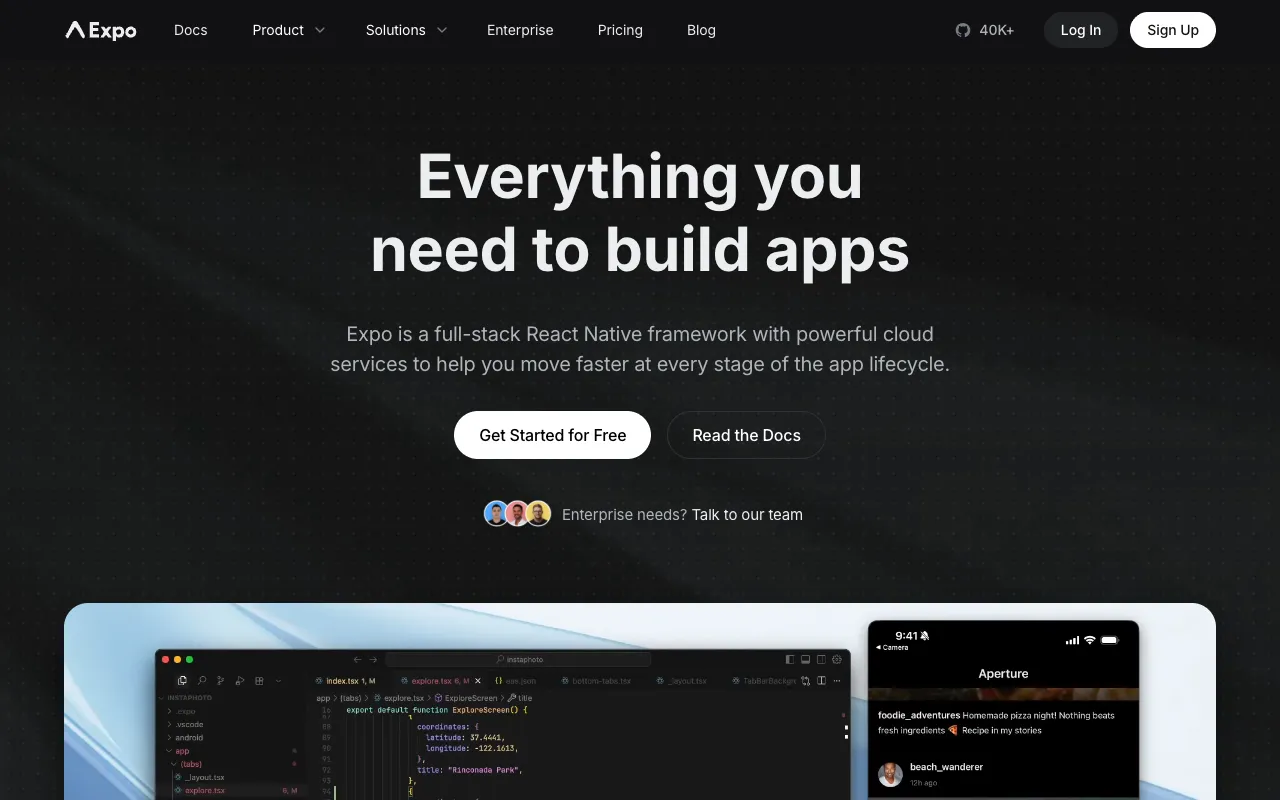
Image of Expo – The Premier Platform for Universal React Applications

Expo – The Premier Platform for Universal React Applications

Expo is the definitive platform and framework for building, deploying, and iterating on high-quality, universal React applications. It streamlines the entire React Native development lifecycle, empowering developers to create apps for iOS, Android, and the web from a single codebase. With its managed workflow, comprehensive SDK, and powerful build services, Expo removes complexity, accelerates development, and is trusted by developers and enterprises worldwide.

What is Expo?

Expo is an open-source platform that provides a complete toolchain and cloud services for universal React development. At its core, it's a framework that abstracts and simplifies the native build process for React Native, allowing developers to focus on writing JavaScript and React code. It encompasses everything from local development with live reloading to over-the-air (OTA) updates and app store deployments. While renowned for mobile app development, Expo's capabilities extend to creating progressive web apps (PWAs) and desktop experiences, truly embodying the 'write once, run anywhere' philosophy for the React ecosystem.

Key Features of Expo

Managed Workflow

The Managed Workflow abstracts away the native iOS and Android project configurations. Developers write pure JavaScript, and Expo handles all the compiling, native module linking, and build complexities. This dramatically reduces setup time, eliminates environment inconsistencies, and allows developers to get started in minutes.

Expo SDK

A comprehensive suite of well-documented, battle-tested libraries that provide access to device and system functionality. The SDK includes modules for camera, notifications, sensors, secure storage, maps, and hundreds more, all with a unified API that works across platforms without requiring native code.

Expo Application Services (EAS)

A cloud-based suite of professional services for serious app development. EAS Build compiles your app binaries in the cloud, EAS Submit automates store submissions, and EAS Update enables instant, code-splitting-aware over-the-air updates to your published apps without app store reviews.

Development Client & Go

Expo Go is a free app you can run on your physical device to instantly preview your project during development. For advanced use cases, the Development Client allows you to create a custom version of your app with native modules for a seamless debugging experience.

Who Should Use Expo?

Expo is ideal for React developers of all levels looking to build and ship cross-platform applications efficiently. It's perfect for solo developers, startups, and agencies that need to prototype and launch quickly without deep native expertise. Larger teams also benefit from its standardized tooling and streamlined CI/CD pipelines via EAS. Whether you're building a consumer mobile app, an internal business tool, or a web application with a mobile companion, Expo provides the fastest path from idea to production.

Expo Pricing and Free Tier

Expo offers a generous and fully-featured free tier that includes the core framework, Expo Go, and basic EAS services, allowing unlimited development and deployment of apps. For professional teams requiring advanced capabilities, Expo Application Services (EAS) provides paid plans. These plans offer increased build concurrency, faster build times, priority support, and enhanced security features for OTA updates. The pricing scales with usage, making it cost-effective for both indie developers and large enterprises.

Common Use Cases

Key Benefits

Pros & Cons

Pros

  • Massively simplifies the React Native development and build process, lowering the barrier to entry.
  • Provides a vast, well-maintained library of cross-platform APIs (Expo SDK) for common device features.
  • Excellent developer experience with hot reloading, Expo Go for instant testing, and clear documentation.
  • Robust cloud build and deployment services (EAS) for professional, scalable app development.

Cons

  • The Managed Workflow has limitations if you require a custom native module not included in the Expo SDK, though EAS Build and the 'prebuild' command offer solutions.
  • App binary size can be slightly larger for very simple apps compared to a bare React Native setup, though optimization tools are available.

Frequently Asked Questions

Is Expo free to use?

Yes, Expo's core framework, CLI, and SDK are completely free and open-source. You can develop, test, and deploy applications at no cost. The premium Expo Application Services (EAS) offer advanced build, submit, and update features with a free tier and paid plans for higher usage.

Is Expo good for production mobile apps?

Absolutely. Expo is used by thousands of companies to power production applications with millions of users. With Expo Application Services (EAS), teams have access to enterprise-grade build infrastructure, secure over-the-air updates, and automated app store submission, making it a robust choice for production-level mobile app development.

Can I use Expo with custom native code?

Yes. While the classic Managed Workflow uses a pure-JS approach, Expo provides a 'development build' (via EAS) or the 'expo prebuild' command. These tools generate the native iOS and Android projects, allowing you to integrate custom native modules or make direct native code modifications while still leveraging most of Expo's benefits.

Conclusion

Expo stands as the most efficient and powerful platform for building universal React applications. It transforms the often-complex world of cross-platform development into a streamlined, JavaScript-centric experience. From rapid prototyping to enterprise-scale deployment, Expo provides the tools, services, and community support to succeed. For any developer or team committed to the React ecosystem and looking to build for mobile, web, and beyond, Expo is an indispensable tool that accelerates development and simplifies deployment.