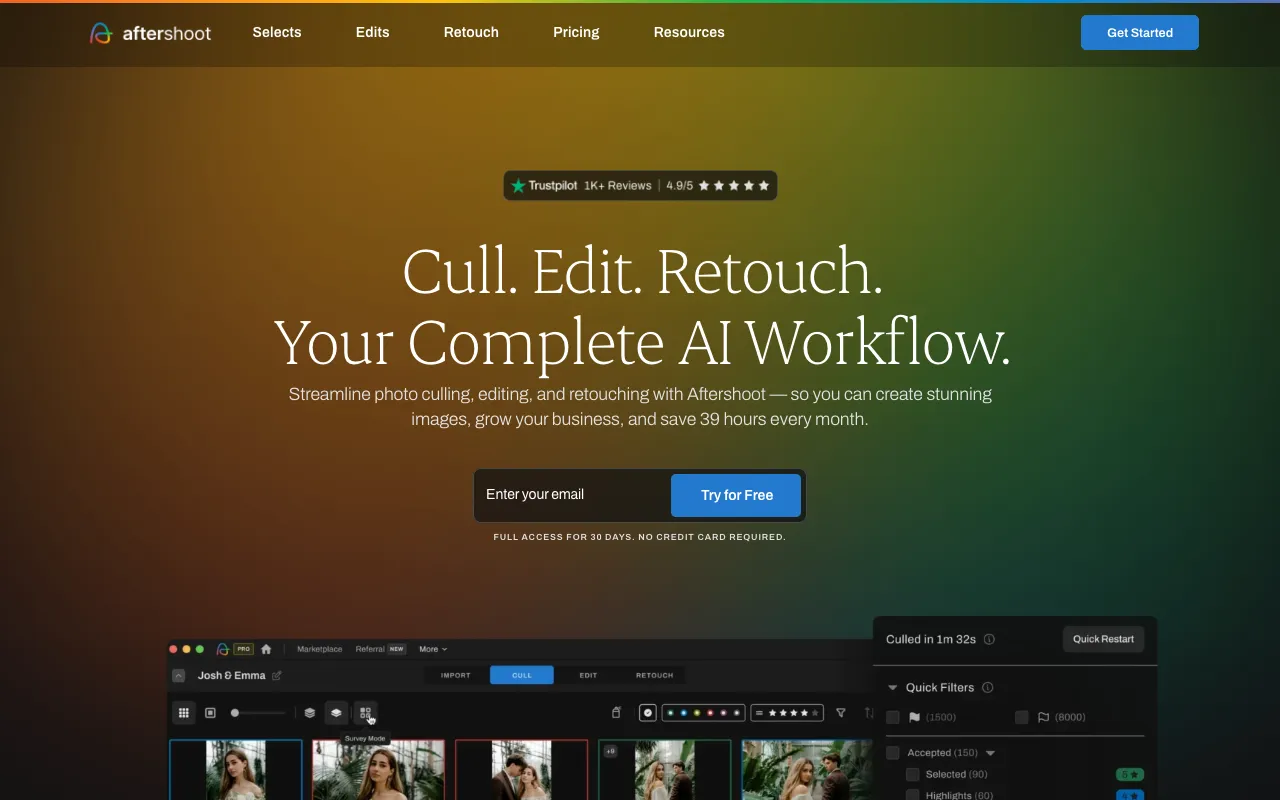
Aftershoot – The Best AI Photo Culling & Editing Tool for Photographers
Every photographer knows the post-shoot grind: hours spent reviewing thousands of images to find the perfect shots, followed by tedious editing to achieve a consistent look. Aftershoot is the game-changing desktop application designed to eliminate this bottleneck. Powered by advanced artificial intelligence, it acts as your intelligent assistant, automating both the selection of your best photos and the application of professional-grade edits. Built specifically for professional and aspiring photographers, Aftershoot transforms a days-long workflow into a matter of minutes, giving you back your most valuable resource—time—so you can focus on creativity and capturing your next great shot.
What is Aftershoot?
Aftershoot is a dedicated desktop application that leverages machine learning to tackle the two most time-consuming stages of a photographer's workflow: culling and basic editing. Unlike simple filter apps, Aftershoot's AI is trained on millions of professionally curated images to understand composition, technical quality (focus, exposure), and emotional impact (expressions, moments). It analyzes your entire shoot to identify and rank the best images, then applies intelligent, consistent edits based on your style or its vast library of professional presets. It's not about replacing the photographer's eye but augmenting it, handling the repetitive tasks so you can make the final creative decisions faster and with less fatigue.
Key Features of Aftershoot
AI-Powered Photo Culling
Aftershoot's core feature scans your entire shoot in minutes. Its algorithm identifies and flags images with closed eyes, blur, poor exposure, and duplicate compositions. More importantly, it learns to recognize your 'keepers' by analyzing which photos you typically select, prioritizing shots with the best focus, compelling expressions, and strong composition. This results in a curated shortlist of the highest-potential images, cutting culling time from hours to minutes.
Intelligent, Consistent AI Editing
Beyond selection, Aftershoot applies batch edits with remarkable consistency. You can train the AI on your own editing style by feeding it a set of before-and-after photos, or choose from a library of presets crafted by top-tier photographers. The AI then intelligently adjusts exposure, contrast, color, and more on each selected photo, accounting for different lighting conditions within the same shoot to deliver a uniformly edited gallery ready for your final tweaks.
Seamless Desktop Integration
As a robust desktop app (available for both macOS and Windows), Aftershoot works directly with your files, ensuring fast processing without uploading to the cloud. It integrates seamlessly with industry-standard software like Adobe Lightroom, allowing you to send your culled and pre-edited selections directly into your catalog for final refinement, creating a powerful hybrid human-AI workflow.
Who Should Use Aftershoot?
Aftershoot is an essential productivity tool for any photographer drowning in post-production. It is ideal for wedding and event photographers who regularly shoot thousands of images per job and need to deliver previews quickly. Portrait and family photographers benefit from its ability to catch blink-and-smile moments. Commercial and real estate photographers can use it to ensure technical consistency across a series of shots. Even passionate hobbyists who want to spend less time at the computer and more time behind the lens will find tremendous value. If your workflow involves culling and applying base edits to large volumes of photos, Aftershoot is designed for you.
Aftershoot Pricing and Free Trial
Aftershoot operates on a subscription model, reflecting its ongoing development of AI models and feature updates. While it does not have a permanent free tier, it offers a generous free trial that allows you to process a significant number of photos. This no-risk trial is the best way to experience the time savings firsthand. Following the trial, flexible monthly or annual subscription plans are available, with the annual plan offering considerable savings. Given the hours of labor it saves per shoot, most professionals find the investment pays for itself rapidly.
Common Use Cases
- Automating wedding photo culling to deliver client sneak peeks within 24 hours
- Applying consistent color grading and exposure corrections to a full portrait session
- Quickly filtering out blurry or unusable shots from a high-volume event photography shoot
Key Benefits
- Reduces photo culling and editing time by up to 90%, freeing up days per month
- Eliminates 'culling fatigue' and subjective bias, ensuring no great shot is missed
- Delivers a professionally consistent edit across all images, enhancing client satisfaction
Pros & Cons
Pros
- Drastically cuts down the most tedious parts of post-production workflow
- AI learns your personal style for increasingly accurate culling and edits
- Works offline as a desktop app for fast processing and data security
- Seamless integration with Lightroom for a hybrid editing pipeline
Cons
- Requires a paid subscription after the initial trial period
- As an AI tool, it may occasionally require human override for nuanced artistic choices
- Best results come after training the AI on your style, which has a small initial time investment
Frequently Asked Questions
Is Aftershoot free to use?
Aftershoot is not permanently free but offers a substantial free trial that lets you process a large number of photos to test its capabilities fully. After the trial, it transitions to a subscription model to support continuous AI development and updates.
Is Aftershoot good for wedding photographers?
Absolutely. Aftershoot is a game-changer for wedding photographers. It can cull thousands of wedding photos in minutes and apply consistent base edits, allowing photographers to deliver stunning sneak peeks to clients incredibly fast and drastically reduce their overall editing workload.
Does Aftershoot replace Lightroom or Photoshop?
No, Aftershoot is designed to work *with* them, not replace them. It acts as a powerful pre-processing assistant. It handles the initial culling and applies foundational edits, then you can export the selected images directly into Lightroom for your final, detailed adjustments and retouching, creating a vastly more efficient workflow.
Conclusion
In the competitive field of photography, efficiency is just as important as artistry. Aftershoot stands out as a premier tool that directly addresses the universal pain point of post-production drag. By delegating the repetitive, time-intensive tasks of culling and base editing to a sophisticated AI, it empowers photographers to reclaim countless hours, reduce burnout, and focus on the creative and client-facing aspects of their business. For any serious photographer looking to scale their work, improve consistency, and get back to doing what they love, Aftershoot is not just a tool—it's a strategic investment in a more sustainable and profitable workflow.