Go back
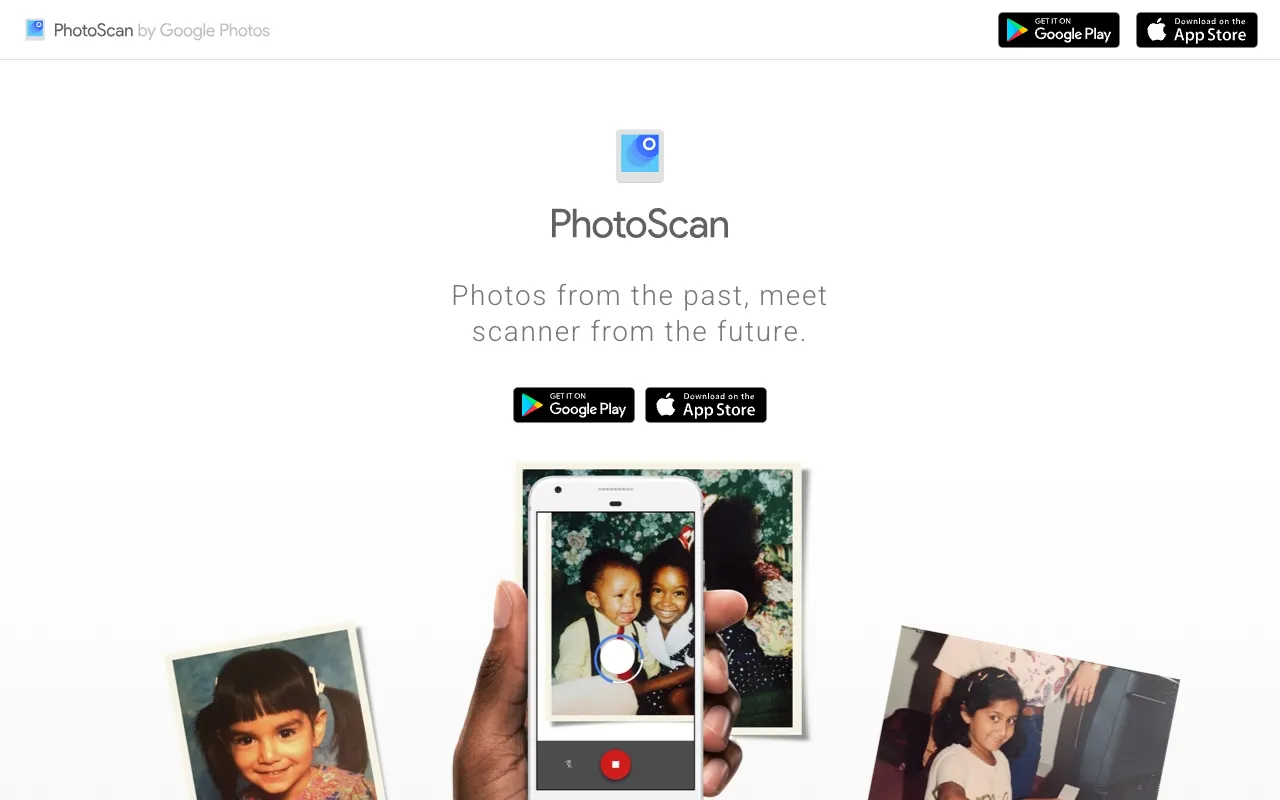
Image of PhotoScan by Google Photos – The Ultimate Photo Digitization App

PhotoScan by Google Photos – The Ultimate Photo Digitization App

PhotoScan by Google Photos is a dedicated mobile application that transforms your smartphone into a powerful photo scanner. Designed specifically for photographers, archivists, and anyone with a collection of printed memories, it intelligently captures old photos by taking multiple images to eliminate glare and correct distortions, delivering a clean, high-quality digital file ready for preservation and sharing. It stands out by offering professional-grade digitization results entirely for free, directly from a trusted name in photography.

What is PhotoScan by Google Photos?

PhotoScan by Google Photos is a free, standalone mobile app available for iOS and Android that specializes in digitizing physical printed photographs. Unlike a simple camera snapshot, PhotoScan uses computer vision technology. It guides you to position your phone over a photo, then captures several images from different angles. The app's core algorithm then stitches these images together, automatically detecting and removing surface glare (from glossy prints or protective sleeves) and correcting perspective distortions (keystoning). The result is a pristine, cropped, and enhanced digital version of your original photo, seamlessly saved directly to your Google Photos library for cloud backup, organization, and easy access.

Key Features of PhotoScan by Google Photos

Automatic Glare and Reflection Removal

This is the app's flagship feature. By analyzing multiple captures, PhotoScan identifies and algorithmically removes hotspots of light and reflections that commonly ruin scans of glossy prints. This ensures the digital copy reveals the true colors and details hidden beneath the glare, a task impossible with a standard single-shot camera photo.

Smart Perspective and Edge Correction

The app automatically detects the photo's borders and corrects for skew, warp, and keystone effects that occur when the camera isn't perfectly parallel to the photo. It outputs a perfectly rectangular, cropped image, saving you the hassle of manual editing in another application.

Direct Google Photos Integration

Scanned photos are saved instantly and automatically to your Google Photos library. This provides immediate cloud backup, freeing up phone storage, and leverages Google Photos' powerful search, organization, and sharing features. Your digitized history is safe, searchable, and accessible from any device.

Simple, Guided Scanning Process

The user interface is incredibly intuitive. On-screen dots guide you to move your phone to specific positions. The app handles the complex multi-capture process automatically, making professional-quality digitization accessible to users of all technical skill levels without a learning curve.

Who Should Use PhotoScan by Google Photos?

PhotoScan is an essential tool for photographers managing personal archives, family historians, genealogists, and small studio owners. It's perfect for anyone with boxes of old family prints, portfolios of film-era work, or client photos that need digitizing for modern delivery and preservation. Professional photographers can use it to quickly digitize reference prints, mood boards, or old client proofs stored physically. It's also invaluable for museum volunteers, school yearbook committees, and local historical societies embarking on digitization projects without access to expensive flatbed scanners.

PhotoScan Pricing and Free Tier

PhotoScan by Google Photos is completely free to download and use. There are no in-app purchases, subscriptions, or usage limits. The app provides its full suite of scanning features—glare removal, edge detection, perspective correction, and direct Google Photos upload—at no cost. The only requirement is a Google account to use Google Photos for storage, which itself offers a generous amount of free storage for high-quality photo backups.

Common Use Cases

Key Benefits

Pros & Cons

Pros

  • Completely free with no hidden costs or watermarks on scans.
  • Superior to a standard camera photo due to automated glare and distortion removal.
  • Extremely user-friendly with a guided process suitable for all ages.
  • Direct integration with a best-in-class cloud photo management platform (Google Photos).
  • Requires no additional hardware—just your smartphone.

Cons

  • Scan quality is dependent on your phone's camera sensor and ambient lighting conditions.
  • Designed for loose prints; scanning photos still in bound albums can be challenging.
  • Requires a Google account and use of Google Photos ecosystem for saving and storage.

Frequently Asked Questions

Is PhotoScan by Google Photos free to use?

Yes, PhotoScan is completely free. There is no cost to download the app, perform scans, or use its core features like glare removal and perspective correction. Scans are saved to Google Photos, which offers free storage for high-quality images.

Is PhotoScan good for digitizing old photographs?

Absolutely. PhotoScan is one of the best free tools available specifically for digitizing old printed photographs. Its automatic glare removal technology is uniquely effective for dealing with the glossy surfaces common in vintage prints, resulting in digital copies that are often clearer than the originals. It's the recommended first step for any personal or professional photo archiving project.

What's the difference between PhotoScan and just taking a picture?

A single camera picture often captures glare, shadows, and skewed perspectives. PhotoScan takes multiple pictures and uses computational photography to combine them, actively removing these flaws. The result is a clean, flat, color-accurate digital file that resembles a professional flatbed scanner output, not a photograph of a photograph.

Can I use PhotoScan without Google Photos?

No. PhotoScan is designed to save scans directly to your Google Photos library. This is integral to its workflow. If you prefer not to use Google Photos, you would need to manually download or share the scan from the Google Photos app to another location after the process is complete.

Conclusion

For photographers and memory keepers facing the critical task of preserving printed photo history, PhotoScan by Google Photos is a non-negotiable tool. It elegantly solves the primary technical challenges of glare and distortion that plague DIY digitization, delivering results that rival dedicated hardware—all from your pocket and for zero cost. When you need to efficiently convert stacks of old prints into a secure, organized, and shareable digital archive, PhotoScan stands as the most accessible and effective solution available today.