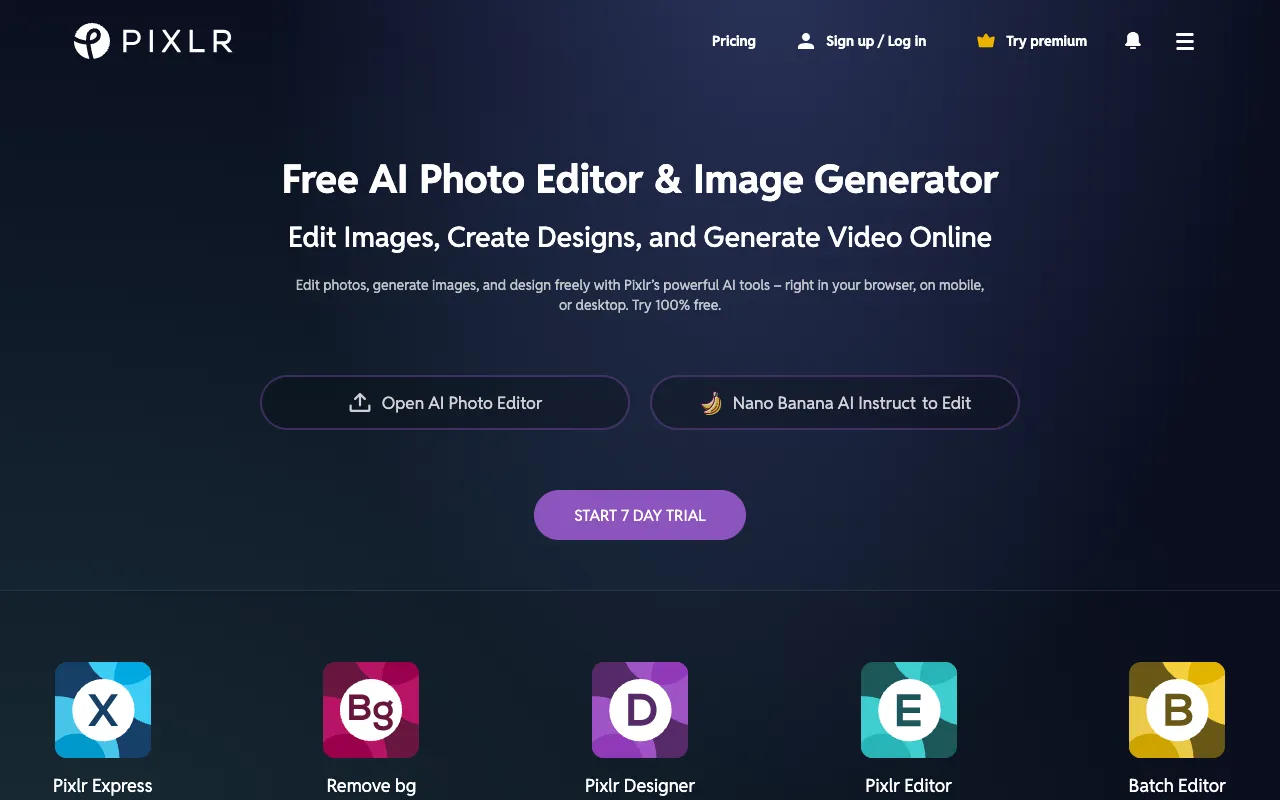
Pixlr – Best Free Online Photo Editor for Photographers
Pixlr is the premier browser-based photo editing solution that puts professional-grade tools at your fingertips—no software downloads or subscriptions required. Designed for photographers, content creators, and hobbyists, Pixlr combines an intuitive interface with powerful features like AI editing, layer support, and advanced filters. Whether you're making quick adjustments or executing complex edits, Pixlr delivers a seamless, accessible editing experience directly in your web browser, making it one of the best tools for photographers seeking flexibility and power.
What is Pixlr?
Pixlr is a comprehensive, freemium online photo editing platform that functions entirely within a web browser. It bridges the gap between basic, limited editors and complex, expensive software like Adobe Photoshop. Pixlr provides photographers with a robust suite of tools for everything from cropping and color correction to advanced compositing with layers and masks. Its core purpose is to deliver professional-quality editing accessibility, eliminating barriers like cost, system requirements, and steep learning curves. The primary audience includes professional photographers needing quick edits on the go, social media content creators, marketing professionals, and photography enthusiasts who want powerful tools without the commitment of desktop software.
Key Features of Pixlr
AI-Powered Editing Tools
Leverage artificial intelligence to automate complex tasks. Features like AI Cutout, which instantly removes backgrounds with precision, AI Image Generator for creating visuals from text prompts, and AI Style Transfer to apply artistic effects save photographers hours of manual work and unlock creative possibilities previously requiring expert skill.
Advanced Layer-Based Editing
Work with a full, non-destructive layer system including adjustment layers, blending modes, masks, and clipping masks. This allows for complex photo manipulations, compositing multiple images, and applying effects selectively—essential for creating professional composites, double exposures, and textured artwork.
Professional-Grade Correction Tools
Access precise controls for color grading, curves, levels, and selective color adjustment. Heal and clone stamps, advanced sharpening, and noise reduction tools ensure your photos achieve print-ready quality. These features are critical for photographers refining exposure, white balance, and detail in their shots.
Extensive Template & Asset Library
Jumpstart your projects with thousands of professionally designed templates for social media posts, marketing materials, and presentations. The integrated library also includes a vast collection of stock photos, icons, graphics, and fonts, streamlining the design process for photographers who also create promotional content.
Who Should Use Pixlr?
Pixlr is ideal for a wide range of visual professionals and enthusiasts. Professional photographers will appreciate the ability to perform client edits from any computer without installing software. Social media managers and content creators can quickly resize, filter, and brand images for various platforms. Marketing teams and small businesses can design ads, banners, and blog graphics efficiently. Hobbyist photographers and students learning photo editing benefit from the accessible interface and powerful toolset that grows with their skills. Essentially, anyone who needs reliable, capable photo editing without the overhead of traditional software fits Pixlr's user profile.
Pixlr Pricing and Free Tier
Pixlr operates on a generous freemium model. The robust free tier includes access to Pixlr E (the advanced editor) and Pixlr X (the quick editor) with core tools like layers, basic adjustments, filters, and the AI background remover, though with some usage limits and watermarks on certain AI outputs. For unlimited access, premium plans (Pixlr Premium or Pixlr Pro) remove ads, provide premium templates and assets, offer higher resolution saves, grant unlimited access to all AI tools without watermarks, and include cloud storage. This structure allows users to start for free and upgrade only when their professional needs demand the expanded capabilities.
Common Use Cases
- Quickly edit and retouch portrait photography for client previews without desktop software
- Create engaging social media graphics and branded content for photography business marketing
- Remove complex backgrounds and composite product photos for e-commerce photography
Key Benefits
- Eliminates software costs and system compatibility issues with 100% browser-based access
- Dramatically speeds up editing workflow with AI automation for tedious tasks like cutouts and enhancements
- Provides a scalable toolset that supports both simple adjustments and complex, multi-layer professional edits
Pros & Cons
Pros
- Extremely accessible with a powerful free plan and no installation required
- Features a user-friendly interface that reduces the learning curve for new editors
- Continuously updated with modern AI tools and features keeping it competitive
Cons
- Advanced features and removal of usage limits require a paid subscription
- Performance can be dependent on internet connection speed and browser capabilities
- May not match the extreme depth of niche tools found in high-end desktop-only software like Photoshop for print or 3D work
Frequently Asked Questions
Is Pixlr completely free to use?
Yes, Pixlr offers a fully functional free tier that includes both its advanced (Pixlr E) and quick (Pixlr X) editors with core tools, layers, and basic AI features. Some advanced AI tools and assets are limited or watermarked in the free version, with full access available through premium plans.
Is Pixlr a good alternative to Adobe Photoshop for photographers?
For many photographers, Pixlr serves as an excellent alternative, especially for routine edits, web graphics, and social media content. It provides key Photoshop-like features such as layers, masks, and advanced adjustments in a browser. While it may not replace Photoshop for ultra-specialized print or high-frequency commercial work, it covers over 90% of common photographic editing needs with greater accessibility and lower cost.
Can I use Pixlr on my phone or tablet?
Absolutely. Pixlr is a web application optimized for mobile browsers. You can access and use the editor directly from your smartphone or tablet's browser, making it a versatile tool for photographers to edit on location or review shots instantly without needing a dedicated mobile app download.
Conclusion
Pixlr stands out as a top-tier solution for modern photographers who value flexibility, power, and accessibility. By delivering a professional-grade editing suite directly in the browser, it removes traditional barriers to high-quality photo manipulation. Its blend of an intuitive interface, robust freemium model, and cutting-edge AI tools makes it an indispensable asset for photographers at any level—from enthusiasts making their first edits to professionals needing a reliable, on-the-go editor. For anyone seeking the best online photo editor that balances capability with convenience, Pixlr is a compelling and highly recommended choice.