Go back
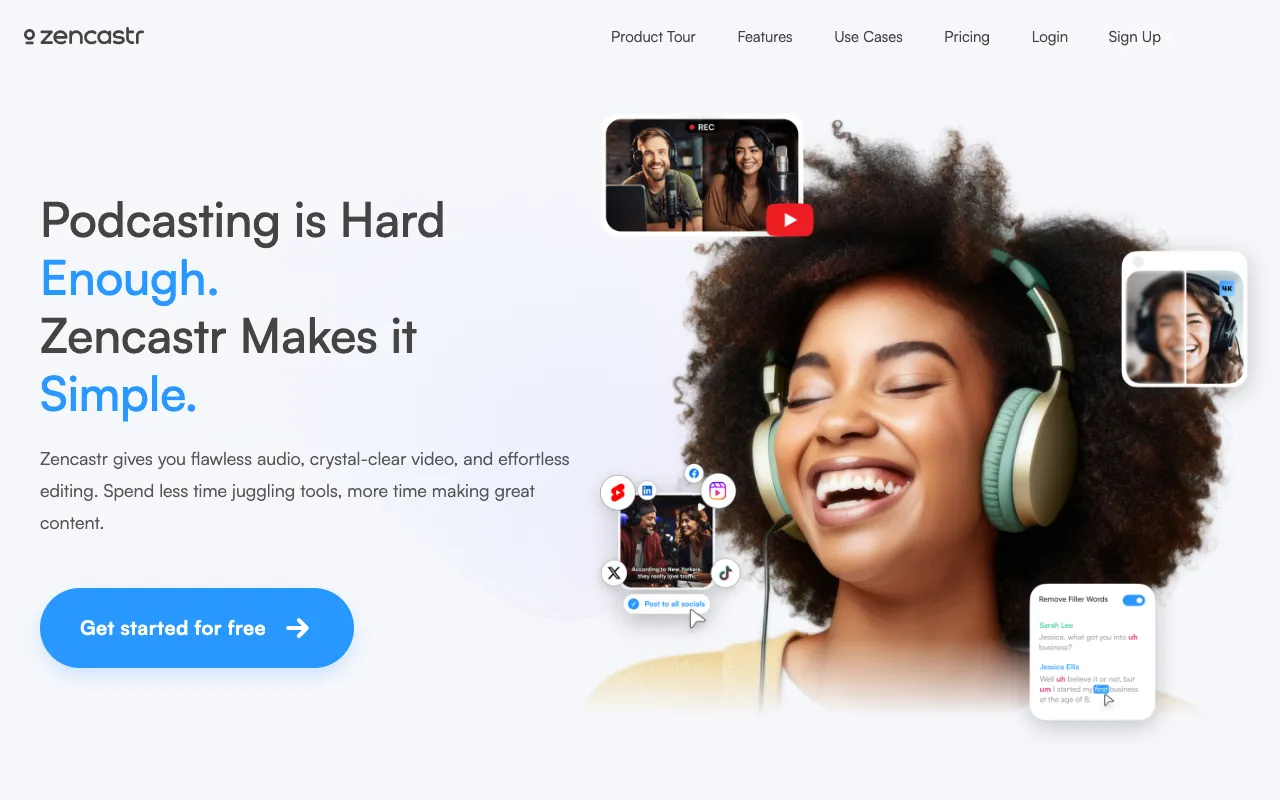
Image of Zencastr – The Premier Web-Based Platform for Remote Podcast Recording

Zencastr – The Premier Web-Based Platform for Remote Podcast Recording

Zencastr eliminates the technical barriers to producing professional-quality remote podcasts. Designed specifically for podcasters, this browser-based studio records lossless, separate audio tracks from each guest directly on their computer, ensuring pristine sound quality regardless of internet connection. With automatic post-production features like noise reduction and leveling, Zencastr streamlines your workflow from recording to publishing, making it the top choice for solo creators, interviewers, and production teams.

What is Zencastr?

Zencastr is a dedicated, web-based podcast recording platform that functions as a virtual studio for remote interviews and co-hosted shows. Unlike generic video conferencing tools, it is engineered specifically for audio quality and podcast production workflows. Its core innovation is local recording: each participant's audio is captured in high-fidelity WAV format on their own device before being uploaded to the cloud. This approach guarantees studio-grade audio by bypassing the compression and dropouts common in live-streamed calls. Combined with its suite of automatic post-production tools, Zencastr provides an all-in-one solution for podcasters seeking broadcast-ready sound without complex setups or expensive hardware.

Key Features of Zencastr

Lossless Local Recording

Zencastr's signature feature records each participant's audio locally as a separate, uncompressed WAV or MP3 file. This means audio quality is not dependent on internet stability, eliminating glitches, robotic voices, and dropouts. You receive individual tracks for perfect editing control.

Automatic Post-Production

Save hours of manual editing. Zencastr can automatically apply noise reduction, level audio volumes, and reduce plosives and sibilance after your recording session. This delivers a polished, balanced master track ready for publishing.

Integrated Video and Screen Sharing

Record video from webcams simultaneously with high-quality audio, perfect for creating video podcasts or YouTube content. Screen sharing allows for presenting slides, software demos, or other visual aids during the recording.

Live Soundboard and Producer Tools

Enhance live recordings with a soundboard for adding jingles, bumpers, or effects. Invite a producer or editor to a session to monitor levels, communicate via chat, and control the recording without being on-mic.

Who Should Use Zencastr?

Zencastr is ideal for any podcaster who records with remote guests or co-hosts. It is particularly valuable for interview-based podcasters, journalists, content creators producing audio and video podcasts, and small media teams. Solo creators benefit from its simplicity and professional output, while larger production teams appreciate the separate tracks and collaborative features. Whether you're launching your first show or producing a network-quality series, Zencastr scales to meet your needs.

Zencastr Pricing and Free Tier

Zencastr offers a robust free plan perfect for getting started, which includes 8 hours of recording per month, unlimited audio-only guests, MP3 exports, and basic post-production. Paid plans (starting with the 'Creator' tier) unlock unlimited recording hours, lossless WAV/FLAC exports, advanced audio processing, video recording, cloud storage, and priority support. This tiered structure makes it accessible for beginners while providing powerful tools for professional podcast production.

Common Use Cases

Key Benefits

Pros & Cons

Pros

  • Superior audio quality via local recording, immune to internet issues
  • Intuitive, browser-based interface requires no software downloads for guests
  • Powerful automated post-production saves significant editing time
  • Generous free tier is fully functional for many podcasters

Cons

  • Advanced features like multitrack video require a paid subscription
  • Being browser-based, performance can depend on the user's specific browser and system resources

Frequently Asked Questions

Is Zencastr free to use?

Yes, Zencastr offers a fully-featured free plan that includes 8 hours of recording per month, unlimited audio guests, and MP3 exports. This is sufficient for many hobbyist and emerging podcasters to produce their shows.

Is Zencastr good for remote podcast interviews?

Zencastr is one of the best tools specifically designed for remote podcast interviews. Its local recording technology ensures each guest's audio is captured in high quality separately, which is the gold standard for professional remote podcast production.

Do my guests need to create an account to use Zencastr?

No, one of Zencastr's major advantages is that guests do not need to create an account. You simply send them a unique link, and they can join the recording session directly from their web browser.

Can I use Zencastr to record video for my podcast?

Yes, video recording is available on Zencastr's paid plans. You can record video from each participant's webcam simultaneously with the high-quality audio, making it an excellent all-in-one tool for creating video podcasts.

Conclusion

For podcasters prioritizing audio quality and workflow efficiency, Zencastr stands out as a superior, purpose-built solution. It transforms the complexities of remote recording into a simple, browser-based process that delivers professional results. From its foundational local recording technology to its time-saving automated post-production, Zencastr addresses the core needs of modern podcast creation. If you record with guests or co-hosts who are not in the same room, Zencastr is an investment that will immediately elevate the sound and professionalism of your podcast.