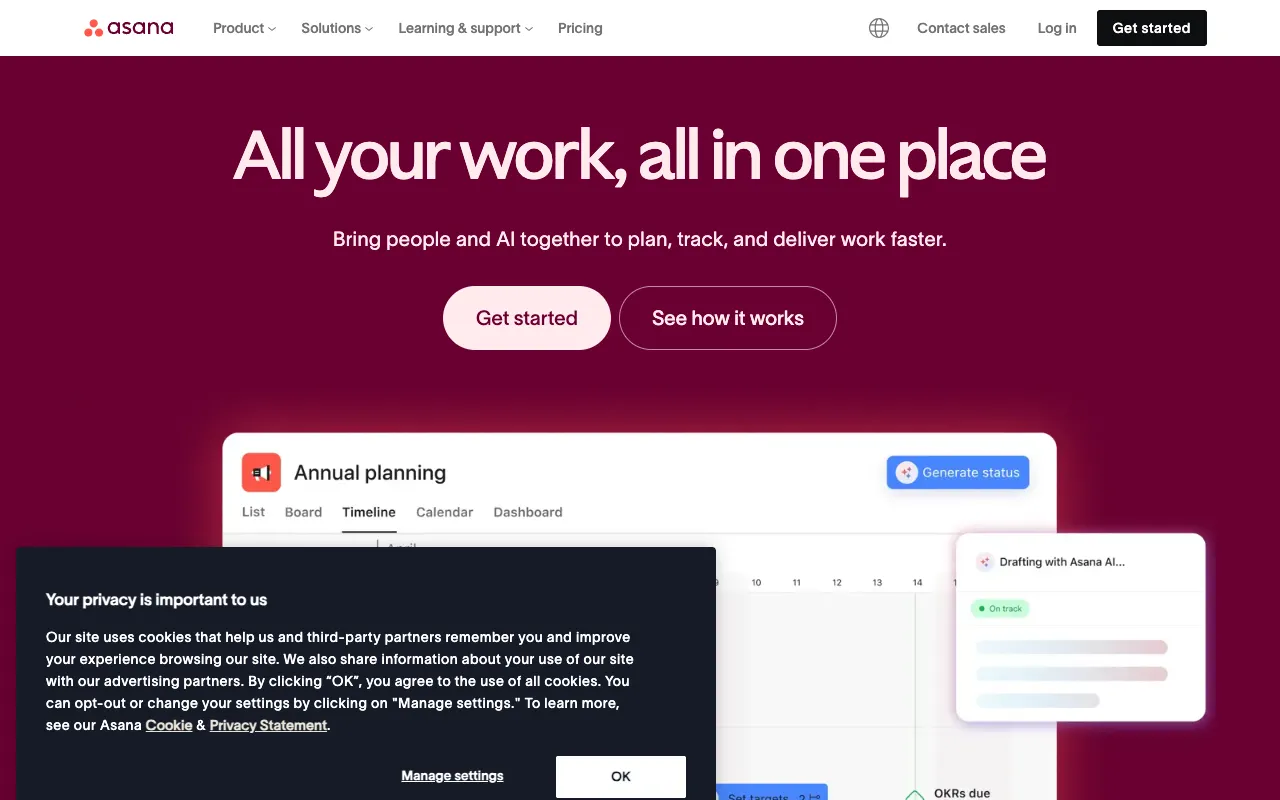
Asana – Best Work Management Platform for Product Managers
Asana is a powerful work management platform designed to help product managers and their teams organize, track, and manage all aspects of their work. From building product roadmaps and managing sprints to coordinating cross-functional initiatives and tracking deliverables, Asana provides a centralized system to bring clarity and accountability to product development. It stands out as a top tool for product managers by combining intuitive task management with robust project tracking features, enabling teams to move faster and deliver better products.
What is Asana?
Asana is a cloud-based work management platform that serves as a central hub for teams to coordinate their work. At its core, Asana helps product managers break down complex product initiatives into actionable tasks, assign ownership, set deadlines, and visualize progress through multiple views like lists, boards, timelines, and calendars. It goes beyond basic to-do lists by facilitating project planning, resource management, and cross-team collaboration, making it an essential operating system for product-led organizations aiming to streamline their workflow and improve execution.
Key Features of Asana for Product Managers
Multiple Project Views (List, Board, Timeline, Calendar)
Visualize your product work the way your team works best. Use List view for detailed task management, Board view (like Kanban) for sprint workflows, Timeline view (Gantt chart) for dependency mapping and roadmapping, and Calendar view for deadline tracking. This flexibility allows product managers to adapt the tool to various processes like agile sprints, quarterly planning, or bug tracking.
Goals & Portfolios for Strategic Alignment
Connect daily tasks to company-wide objectives. Asana allows product managers to set clear Goals (OKRs) and then link projects and tasks directly to them. Use Portfolios to get a high-level overview of multiple projects, track their status, and ensure every team member understands how their work contributes to the broader product strategy and business outcomes.
Automated Workflows & Rules
Eliminate manual, repetitive work. Product managers can create custom rules to automate common actions, such as assigning a task to a QA engineer when its status is marked 'Ready for Review' or moving a task to a specific section upon completion. This saves time, reduces human error, and ensures consistent processes across the product team.
Advanced Reporting & Dashboards
Gain real-time insights into team performance and project health. Build custom dashboards with charts and graphs to track sprint velocity, monitor workload balance, identify bottlenecks, and report on progress to stakeholders. This data-driven approach helps product managers make informed decisions and keep projects on track.
Who Should Use Asana?
Asana is ideal for product managers, product owners, and product leaders in companies of all sizes who need a systematic way to manage the product lifecycle. It's particularly valuable for: Agile and Scrum teams managing sprints and backlogs; cross-functional teams (engineering, design, marketing) collaborating on launches; remote or hybrid teams requiring clear asynchronous communication; and product leaders who need to visualize roadmaps, track strategic initiatives, and report on progress to executives. If your work involves coordinating people, tasks, and deadlines across multiple projects, Asana is designed for you.
Asana Pricing and Free Tier
Asana offers a generous free tier perfect for individuals or small teams starting with work management. The free plan includes basic list, board, and calendar views, task assignments, and collaboration for up to 15 teammates. For product teams requiring advanced functionality, Asana provides paid plans (Premium, Business, Enterprise) which unlock Timeline view, Goals, Portfolios, advanced reporting, custom rules, admin controls, and increased integration limits. This tiered structure allows teams to start for free and scale their usage with the product as their needs grow.
Common Use Cases
- Managing a product roadmap and tracking feature release timelines with Asana's Gantt-style Timeline view
- Running agile sprints and daily standups using Asana's Board view for visual task management
- Coordinating a complex product launch across engineering, design, marketing, and support teams
Key Benefits
- Increases team productivity and clarity by providing a single source of truth for all work and priorities
- Improves on-time delivery of product features by making dependencies visible and preventing bottlenecks
- Enhances stakeholder alignment and reporting with automated progress updates and visual dashboards
Pros & Cons
Pros
- Intuitive and user-friendly interface that reduces team onboarding time
- Highly flexible with multiple project views to suit different workflows (Agile, Waterfall, etc.)
- Strong free plan that provides substantial value for small teams or individuals
- Excellent for cross-functional collaboration and centralizing communication
Cons
- Advanced features necessary for large-scale product management (like Portfolios) are locked behind higher-tier paid plans
- Can become expensive per user for larger teams requiring Business or Enterprise tier features
Frequently Asked Questions
Is Asana free to use for product managers?
Yes, Asana offers a robust free forever plan that is excellent for individual product managers or small teams. It includes task management, basic project views, and collaboration for up to 15 people. For advanced roadmapping (Timeline), goal setting, and reporting features, you would need to upgrade to a paid plan.
Is Asana good for agile product management?
Absolutely. Asana is highly effective for agile product management. Its Board view functions as a powerful Kanban board for managing sprints and backlogs. You can create custom sections for 'To Do,' 'In Progress,' and 'Done,' assign story points, and use features like dependencies and timelines to plan sprints and track velocity, making it a strong tool for Scrum and Kanban teams.
How does Asana compare to Jira for product management?
Asana is generally considered more user-friendly and flexible for overall work management and cross-team collaboration, while Jira is deeply specialized for software development and technical teams. Product managers often prefer Asana for its cleaner interface, roadmap visualization (Timeline), and ease of use for non-technical stakeholders. Jira may be preferred if deep integration with developer tools and complex bug/issue tracking is the primary need.
Conclusion
For product managers seeking a balance of power and simplicity in a work management platform, Asana is a top-tier choice. Its ability to adapt to various methodologies—from agile sprints to quarterly roadmapping—combined with strong collaboration features and a valuable free tier, makes it an indispensable tool for modern product teams. Whether you're managing a single feature launch or a portfolio of strategic initiatives, Asana provides the structure and visibility needed to execute efficiently and deliver exceptional products.