Mural – Best Visual Collaboration Tool for Product Managers
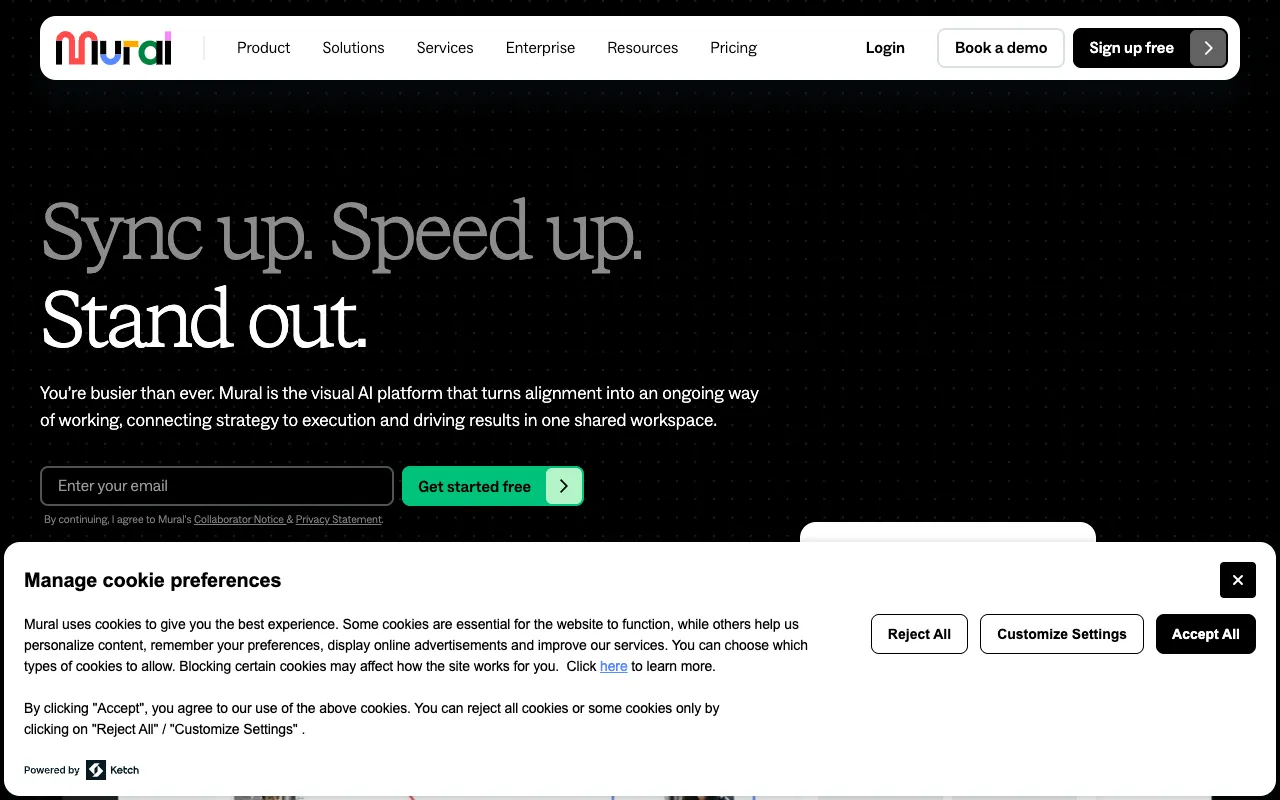
Mural redefines how product teams collaborate by providing a powerful digital workspace for visual thinking. As a product manager, facilitating effective brainstorming, sprint planning, and remote workshops is crucial. Mural empowers teams to map ideas, organize thoughts on infinite canvases, and run agile ceremonies seamlessly, whether your team is co-located or distributed. Its intuitive interface and robust template library make it a top choice for PMs looking to enhance engagement and productivity in every meeting.
What is Mural?
Mural is a specialized digital workspace platform built for visual collaboration. It goes beyond standard video conferencing by providing teams with shared, interactive canvases where they can brainstorm ideas using sticky notes, diagrams, flowcharts, and drawings in real-time. Its core purpose is to make collaborative sessions—like design sprints, retrospectives, and product strategy workshops—more productive, inclusive, and actionable. The primary audience includes product managers, agile coaches, designers, and any cross-functional team that relies on structured visual collaboration to drive decisions and innovation.
Key Features of Mural
Infinite Digital Canvases
Mural provides expansive, zoomable canvases that act as a single source of truth for your collaborative sessions. Unlike physical whiteboards, these canvases are never erased, allowing product teams to build upon ideas over time, maintain context between meetings, and create a living repository of product thinking and planning.
Pre-built Agile & Product Templates
Jumpstart your meetings with professionally designed templates for common product management workflows. This includes sprint planning boards, user story mapping, customer journey maps, Lean UX canvases, retrospectives, and prioritization frameworks like RICE or MoSCoW. These templates save setup time and ensure best practices are followed.
Real-time Visual Collaboration Tools
Teams can collaborate synchronously with a suite of tools: digital sticky notes, drawing tools, connectors, icons, and voting sessions. This enables distributed product teams to contribute equally, visualize complex concepts, and reach consensus quickly, mirroring the energy of an in-person workshop.
Integration with Product Ecosystems
Mural connects seamlessly with the tools product managers already use, such as Jira, Confluence, Microsoft Teams, Slack, and Zoom. This allows you to embed murals into Confluence pages, create Jira issues directly from sticky notes, and launch collaborative sessions without leaving your communication hub.
Facilitation Superpowers
Mural includes features specifically for facilitators, like timer settings, private mode for independent thinking, summoning participants to a specific part of the canvas, and locking elements to prevent accidental edits. This gives product managers control to guide workshops effectively and keep sessions on track.
Who Should Use Mural?
Mural is ideal for product managers, product owners, and agile leads who facilitate regular collaborative sessions. It's perfect for teams practicing Scrum or Kanban for sprint planning and retrospectives, design teams running design sprints, and product leaders conducting strategy workshops or roadmapping sessions. It's equally valuable for fully remote, hybrid, or co-located teams that want to capture and visualize discussions in a persistent, digital format. Any professional who finds that ideas get lost in translation during traditional meetings will benefit from Mural's visual approach.
Mural Pricing and Free Tier
Mural offers a generous free tier designed for small teams and individuals to explore its core functionality. The free plan typically includes up to 3 murals (canvases) and supports a limited number of members, which is perfect for trying out templates or personal planning. For teams and organizations, Mural provides tiered paid plans (Team, Business, Enterprise) that offer unlimited murals, advanced facilitation features, enhanced security, admin controls, and dedicated support. This scalable pricing makes it accessible for freelancers while providing the robust features needed by enterprise product organizations.
Common Use Cases
- Remote sprint planning and backlog grooming for agile product teams
- Facilitating virtual design thinking workshops and innovation sprints
- Creating and sharing product roadmaps and strategy canvases with stakeholders
- Running effective team retrospectives to improve development processes
- Collaborative user story mapping and customer journey mapping sessions
Key Benefits
- Increases meeting engagement and productivity by making collaboration visual and interactive
- Creates a permanent, shareable artifact of brainstorming sessions, reducing knowledge loss
- Democratizes participation, ensuring all team members—introverts and extroverts—can contribute ideas
- Accelerates decision-making by visually organizing information and using built-in voting tools
- Saves significant time in workshop preparation with a vast library of product management templates
Pros & Cons
Pros
- Intuitive interface that requires minimal training for new users
- Extensive template library tailored for agile and product management workflows
- Excellent real-time performance with no lag during collaborative sessions
- Strong security and compliance features for enterprise use (SOC 2, etc.)
- Active community and robust resources for learning facilitation techniques
Cons
- Can feel overwhelming on very complex murals with hundreds of elements
- The free tier has limitations on the number of murals and guests
- Advanced features and integrations are locked behind higher-tier plans
Frequently Asked Questions
Is Mural free to use?
Yes, Mural offers a free forever plan. This plan is excellent for individuals, students, or very small teams to try core features, though it limits the total number of murals (canvases) you can create. For unlimited murals, advanced templates, and team management features, you will need to upgrade to a paid plan.
Is Mural good for product managers?
Absolutely. Mural is one of the best tools a product manager can have for visual collaboration. It directly supports key PM responsibilities like facilitating sprint planning, user story mapping, product strategy sessions, and retrospectives. Its visual nature helps communicate complex ideas clearly, align cross-functional teams, and create tangible outcomes from meetings, making it an indispensable tool for modern product leadership.
Can Mural integrate with Jira?
Yes, Mural offers a direct and powerful integration with Jira. You can create Jira issues directly from sticky notes within a Mural canvas, link to existing issues, and even embed live murals into Confluence pages. This integration helps bridge the gap between collaborative planning and execution, keeping your product backlog and visual workshops in sync.
How does Mural compare to Miro?
Mural and Miro are both leading digital whiteboard platforms. Mural often emphasizes structured facilitation and enterprise-grade features, with deep templates for agile ceremonies and design thinking. Miro offers a broader range of diagramming tools and may feel more flexible for free-form creation. For product managers specifically focused on running effective, template-driven workshops (like sprint planning or retrospectives), Mural's focused approach can provide a more guided and productive experience.
Conclusion
For product managers seeking to elevate their team's collaboration from talking in circles to creating tangible outcomes, Mural stands out as a premier solution. It transforms abstract discussions into visual, actionable plans. Whether you're planning your next sprint, mapping a customer journey, or brainstorming product innovations, Mural provides the structured yet flexible canvas to make it happen. Its combination of a practical free tier, purpose-built templates for product work, and robust facilitation features makes it a top-recommended tool for any product leader building great products in a collaborative, often remote, world.