Go back
Image of GanttPRO – The Best Gantt Chart Software for Project Managers

GanttPRO – The Best Gantt Chart Software for Project Managers

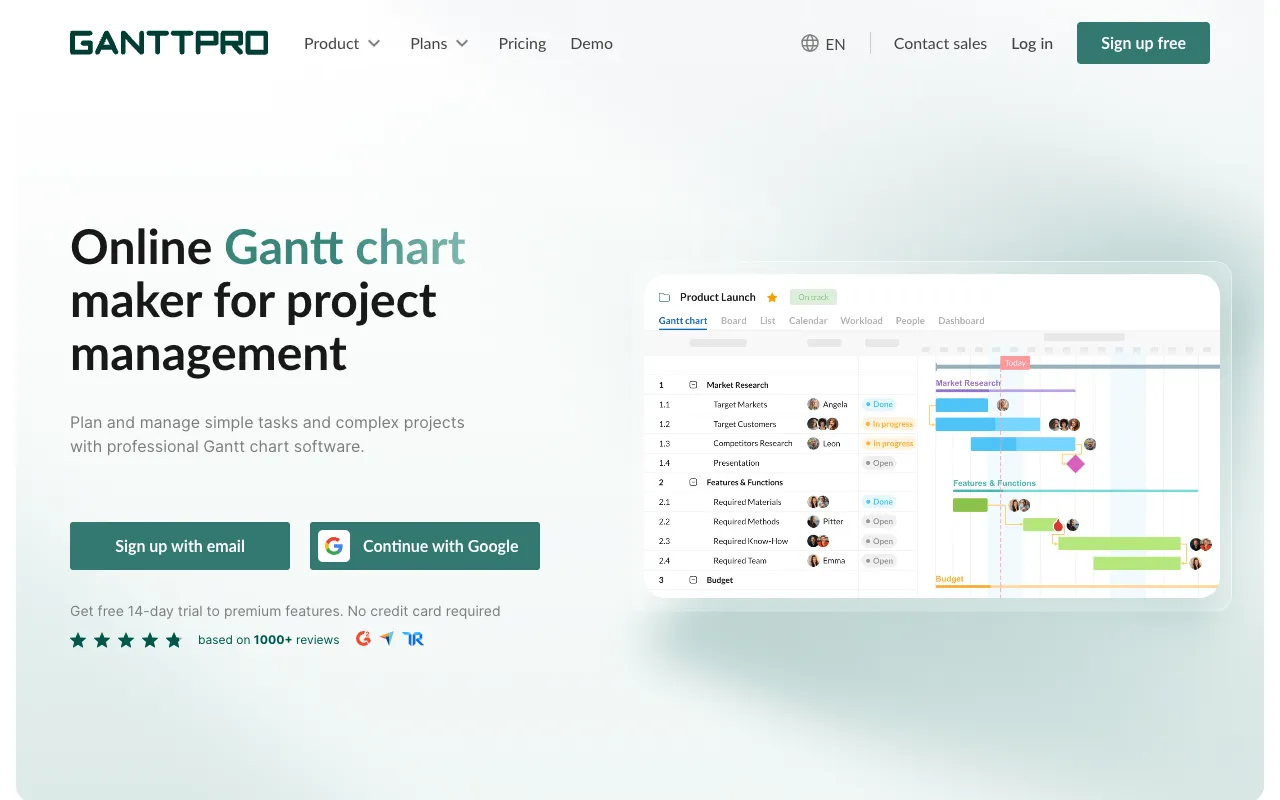
GanttPRO is a sophisticated, user-friendly online Gantt chart software built to empower project managers and teams. It transforms complex project data into clear, visual timelines, enabling precise planning, efficient scheduling, and seamless collaboration. Unlike basic spreadsheets or generic planning tools, GanttPRO offers a dedicated platform where task dependencies, resource workloads, and project progress are intuitively managed in one centralized location, making it a top choice for professional project management.

What is GanttPRO?

GanttPRO is a specialized web-based project management tool centered around the Gantt chart methodology. It provides a dynamic visual interface for creating detailed project plans, defining task hierarchies, setting milestones, and establishing dependencies. The software goes beyond simple charting by integrating robust team collaboration features, progress tracking, and reporting tools. It's designed for project managers, team leads, and stakeholders who need a single source of truth for project timelines, responsibilities, and status updates, facilitating better decision-making and on-time delivery.

Key Features of GanttPRO

Interactive Visual Gantt Charts

Create and manipulate detailed Gantt charts with a drag-and-drop interface. Easily adjust task durations, set start/end dates, and visualize the entire project timeline at a glance. This visual approach makes complex schedules understandable for all stakeholders.

Task Dependencies & Critical Path

Define relationships between tasks (Finish-to-Start, Start-to-Start, etc.) to model real-world project workflows accurately. GanttPRO automatically calculates and highlights the critical path, showing which tasks directly impact the project completion date.

Resource Management & Workload

Assign team members to tasks and monitor their workload across multiple projects. The built-in resource management feature helps prevent overallocation, ensures balanced distribution of work, and improves team efficiency.

Real-Time Team Collaboration

Invite team members, clients, or stakeholders to view or edit project plans. Use comments, file attachments, and notifications to discuss tasks directly on the Gantt chart, keeping all communication contextual and centralized.

Progress Tracking & Baselines

Set project baselines to compare planned versus actual progress. Track completion percentages, log time spent, and update statuses to maintain real-time visibility into project health and identify potential delays early.

Who Should Use GanttPRO?

GanttPRO is ideal for professional project managers, team leads, and organizations across industries like IT, construction, marketing, event planning, and consulting. It's perfect for anyone managing projects with multiple tasks, interdependent deliverables, and distributed teams. Freelancers handling complex client projects and agencies coordinating campaigns will also find it invaluable. If your work requires clear timeline visualization, stakeholder alignment, and proactive schedule management, GanttPRO is designed for you.

GanttPRO Pricing and Free Tier

GanttPRO operates on a subscription-based pricing model and does not offer a permanent free tier. However, they provide a 14-day free trial for all new users, allowing full access to explore all premium features without requiring a credit card. After the trial, plans are available per user, per month, with discounts for annual billing. Pricing scales based on the number of users and includes access to all core Gantt chart, collaboration, and reporting functionalities.

Common Use Cases

Key Benefits

Pros & Cons

Pros

  • Intuitive drag-and-drop interface lowers the learning curve for creating professional Gantt charts
  • Comprehensive feature set for dependencies, baselines, and workload management supports complex projects
  • Strong collaboration tools like in-chart comments and file sharing keep teams aligned

Cons

  • Lacks a permanent free plan, which may be a barrier for individual users or very small teams on tight budgets
  • As a specialized tool, it may be overkill for extremely simple, single-person task lists that don't require timeline visualization

Frequently Asked Questions

Is GanttPRO free to use?

GanttPRO is not permanently free. It offers a full-featured 14-day free trial for new users. After the trial period, access requires a paid subscription based on the number of users.

Is GanttPRO good for agile project management?

While GanttPRO is fundamentally a Gantt chart tool ideal for timeline-driven planning (often associated with Waterfall), it can effectively support hybrid or agile frameworks. Teams can use it for release planning, roadmap visualization, and tracking high-level epics or sprints alongside detailed task management, providing a valuable big-picture view for project managers.

Can I share GanttPRO charts with clients?

Yes, GanttPRO includes excellent sharing and collaboration features. You can invite clients as viewers or commentators to specific projects, allowing them to see progress, add feedback, and stay updated without needing edit permissions or a paid seat, facilitating transparent client communication.

Conclusion

For project managers seeking a powerful, dedicated solution for visual project planning and team coordination, GanttPRO stands out as a top-tier Gantt chart software. Its balance of professional-grade scheduling features, intuitive design, and robust collaboration tools makes it an excellent investment for teams committed to delivering projects on time and within scope. If your work involves managing interdependent tasks, multiple resources, and clear timeline communication, GanttPRO provides the structured, visual framework needed to drive project success.