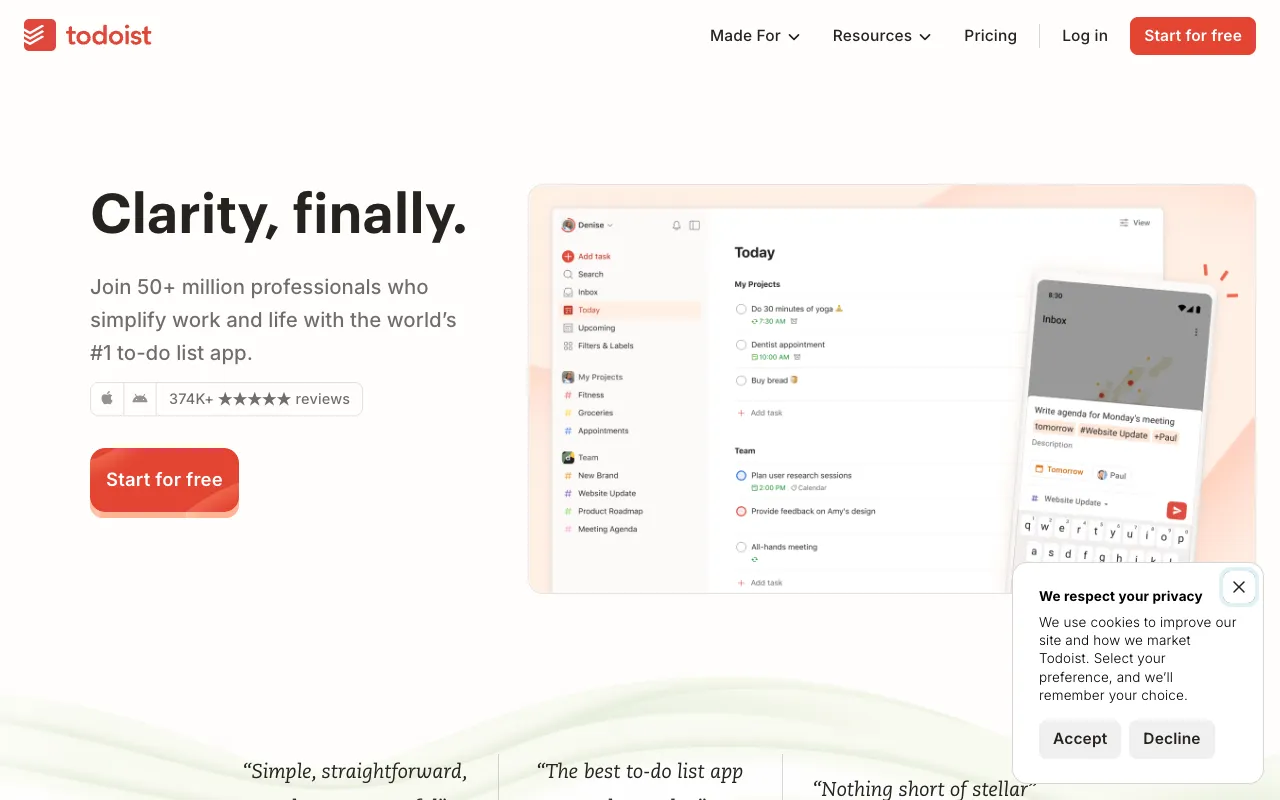
Todoist – The Best Task Management Tool for Project Managers
Todoist is more than a simple to-do list; it's a comprehensive task management system built for the demands of modern project management. Trusted by millions of individuals and teams, Todoist provides a centralized hub to capture ideas, organize workflows, delegate tasks, and track progress toward deadlines across every device. For project managers seeking clarity amidst complexity, Todoist transforms chaos into actionable, prioritized work.
What is Todoist?
Todoist is a premium task management and productivity application that enables project managers to organize both professional projects and personal tasks in one intuitive interface. It goes beyond basic checklists with features for project planning, team collaboration, priority setting, and progress visualization. Available as a web app, desktop application, and mobile app for iOS and Android, Todoist ensures your project plan is always accessible and up-to-date, making it an essential tool for agile, remote, and hybrid teams.
Key Features of Todoist for Project Managers
Project & Task Organization
Create nested projects, sections, and sub-tasks to break down complex initiatives into manageable actions. Use labels, filters, and priority levels (P1-P4) to categorize work by context, energy required, or deadline urgency, creating a personalized workflow system.
Natural Language Quick-Add
Add tasks instantly by typing plain English like 'Prepare Q4 report every Monday at 9am #Work p1'. Todoist intelligently parses dates, projects, labels, and priorities, saving significant setup time for busy managers.
Team Collaboration & Delegation
Share projects with team members, assign tasks with comments and file attachments, and use @mentions for clear communication. Track delegated work in real-time within a shared project view, eliminating status update meetings.
Visual Progress Tracking
Monitor project health with Todoist's built-in productivity visualizations, including the 'Upcoming' view, 'Today' overview, and 'Karma' productivity trends. Gain insights into completed tasks and workload distribution to keep projects on track.
Cross-Platform Sync & Integrations
Access and edit your task list seamlessly across web, desktop, mobile, and even smartwatch apps. Connect Todoist with your existing toolkit via integrations with Google Calendar, Slack, Gmail, Zapier, and over 60 other apps for a unified workflow.
Who Should Use Todoist?
Todoist is ideal for project managers, team leaders, and professionals who juggle multiple projects and responsibilities. It's particularly valuable for Agile and Scrum masters managing backlogs, remote teams coordinating work asynchronously, solopreneurs balancing client work, and anyone who needs a reliable system to capture, prioritize, and execute on tasks. From planning a marketing campaign to managing a software development sprint, Todoist provides the structure needed for consistent delivery.
Todoist Pricing and Free Tier
Todoist offers a generous free plan perfect for individual project managers to organize their core work. The free tier includes 5 active projects, 5 collaborators per project, and access to core features like labels and filters. For professional teams, Todoist Pro unlocks unlimited projects, collaborators, reminders, task durations, and advanced views for a low monthly fee. Todoist Business adds team roles, admin controls, and centralized billing for organizational deployment. This tiered model makes it easy to start for free and scale with your team's needs.
Common Use Cases
- Managing Agile sprints and product backlogs with Todoist
- Coordinating remote team tasks and asynchronous communication
- Planning and executing client projects with deliverables and deadlines
Key Benefits
- Centralizes all tasks and projects into one searchable, always-available system
- Reduces mental clutter and project anxiety with clear next-action visibility
- Improves team accountability and transparency through shared task lists and comments
Pros & Cons
Pros
- Exceptionally intuitive and fast user interface reduces onboarding time
- Powerful natural language processing makes task entry effortless
- Robust free plan provides substantial value for individual project managers
- Reliable cross-platform sync ensures your task list is always current
Cons
- Advanced reporting and Gantt-style timeline views require third-party integrations
- The free plan has limits on active projects and file upload sizes
- Recurring task customization can be less granular than some dedicated project management tools
Frequently Asked Questions
Is Todoist free to use for project management?
Yes, Todoist offers a robust free plan that is excellent for individual project managers. It includes core features like task creation, projects, labels, filters, and basic collaboration, allowing you to manage personal and small-team workflows effectively. You can upgrade to Pro or Business plans for advanced features like reminders, durations, and unlimited projects.
Is Todoist good for agile project management?
Absolutely. While not a dedicated Scrum tool, Todoist is highly effective for Agile project management. Project managers can use it to maintain product backlogs (as projects), create sprints (as sections or labels), assign story points via comments, and track daily tasks. Its simplicity and speed make it a favorite for teams practicing Kanban or lightweight Scrum methodologies.
Can Todoist replace tools like Asana or Trello?
For many teams, yes. Todoist excels at fast, text-based task management and is often preferred for its speed and simplicity. It can replace Trello for list-based workflows and Asana for core task tracking, especially for teams that prioritize quick capture and execution over complex visual project maps. Its strength is in ubiquitous capture and reliable execution.
How does Todoist help with team collaboration?
Todoist facilitates team collaboration through shared projects, task assignments with comments, file attachments, and @mentions. Team members see a unified view of project tasks, deadlines, and progress, which reduces miscommunication and the need for constant status meetings. Activity logs provide context on changes, making it ideal for asynchronous and remote team coordination.
Conclusion
For project managers seeking a balance of powerful functionality and effortless usability, Todoist stands out as a top-tier task management solution. Its ability to tame complexity into simple, actionable lists—while supporting seamless team collaboration—makes it an indispensable tool for delivering projects on time and with less stress. Whether you're managing a solo venture or coordinating a distributed team, Todoist provides the reliable, accessible system you need to turn plans into completed work. Start with the free plan to experience how it can transform your project management workflow.