Go back
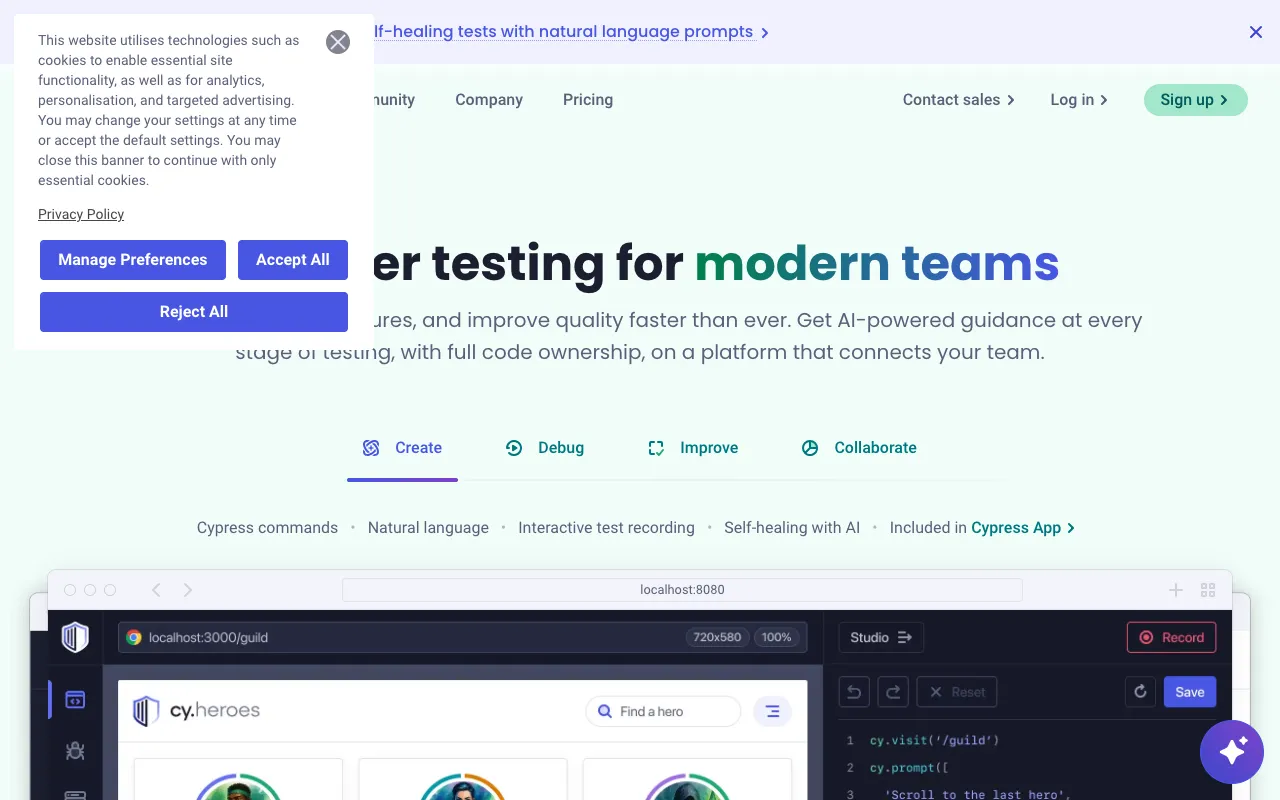
Image of Cypress – The Best End-to-End Testing Framework for QA Testers

Cypress – The Best End-to-End Testing Framework for QA Testers

Cypress is a modern, all-in-one testing framework designed specifically for today's web applications. Built on JavaScript, it provides developers and QA engineers with a complete ecosystem to write, run, and debug end-to-end tests with unprecedented speed and reliability. Unlike traditional testing tools, Cypress operates directly within the browser, offering real-time feedback and a seamless testing experience that dramatically improves productivity and test confidence.

What is Cypress?

Cypress is a next-generation, open-source end-to-end (E2E) testing framework built for the modern web. It is fundamentally different from Selenium-based tools, as it executes in the same run loop as your application. This architecture allows Cypress to deliver native access to every object, enabling features like real-time reloads, automatic waiting, and time-travel debugging. Its primary purpose is to make setting up, writing, running, and debugging tests a simple, productive, and enjoyable experience for developers and QA professionals working on JavaScript-based web applications.

Key Features of Cypress

Time Travel Debugging

Cypress takes snapshots as your tests run. You can hover over commands in the Command Log to see exactly what happened at each step, allowing you to quickly pinpoint the source of failures without guesswork or console.log statements.

Real-Time Reloads

See your tests execute in real-time as you develop them. Cypress automatically reloads whenever you make changes to your tests, providing instant visual feedback and dramatically speeding up the test creation process.

Automatic Waiting

Never add explicit waits or sleeps to your tests. Cypress automatically waits for commands and assertions before moving on, ensuring your tests are robust and less flaky. It intelligently waits for elements to become visible, animations to complete, and network requests to finish.

Network Traffic Control

Easily stub and intercept network requests at the network layer. You can test edge cases, simulate slow networks, or test application behavior without hitting a backend server, making your tests faster and more deterministic.

Consistent Results

Because Cypress is not based on Selenium or WebDriver, it avoids the inherent inconsistencies of those architectures. Tests run consistently and reliably, providing a level of stability that is critical for continuous integration pipelines.

Who Should Use Cypress?

Cypress is ideally suited for front-end developers, full-stack JavaScript engineers, and QA testers working on modern web applications. It's a perfect fit for teams practicing Test-Driven Development (TDD), implementing continuous integration/continuous deployment (CI/CD), or looking to improve the reliability of their single-page applications (SPAs) built with frameworks like React, Vue.js, Angular, or plain JavaScript. It's especially valuable for projects where fast feedback, debuggability, and developer experience are top priorities.

Cypress Pricing and Free Tier

Cypress offers a robust and completely free open-source plan for individual developers and small teams. This free tier includes the core Test Runner with all its powerful debugging features, making it an exceptional starting point. For teams needing advanced capabilities like parallelization, load balancing, and intelligent test analytics, Cypress provides paid Cloud services. This tiered approach allows everyone to benefit from the core framework while providing scalable enterprise features for larger organizations with complex testing needs.

Common Use Cases

Key Benefits

Pros & Cons

Pros

  • Superior developer experience with an intuitive API and real-time feedback
  • Out-of-the-box reliability with automatic waiting and consistent execution
  • Comprehensive debugging tools like time-travel and network stubbing

Cons

  • Primarily focused on testing in Chromium-based browsers (Chrome, Edge, Electron)
  • Cannot drive two different browsers or tabs simultaneously for certain test scenarios

Frequently Asked Questions

Is Cypress free to use?

Yes, Cypress has a powerful and fully-featured open-source version that is completely free for individual use and small teams. It includes the core Test Runner with time-travel debugging, automatic waiting, and real-time reloads.

Is Cypress good for QA testers?

Absolutely. Cypress is an excellent tool for QA testers, especially those working closely with development teams on modern JavaScript applications. Its visual interface, reliable test execution, and powerful debugging capabilities make it easier to create, maintain, and troubleshoot complex end-to-end test suites.

Can Cypress test mobile applications?

Cypress is designed for testing web applications that run in a browser. It can be used to test the mobile web view of your application by emulating mobile viewports, but it cannot test native iOS or Android mobile apps. For native app testing, you would need a different framework like Appium.

How does Cypress compare to Selenium?

Cypress offers a fundamentally different architecture than Selenium. It runs in the same loop as your app, leading to faster, more stable tests with native access to the DOM. While Selenium is a remote control protocol for many browsers, Cypress provides a richer, more integrated developer experience focused on modern JavaScript frameworks, though with primary support for Chromium-based browsers.

Conclusion

Cypress represents a significant leap forward in end-to-end testing for web applications. By prioritizing developer experience, reliability, and debuggability, it removes many of the traditional pain points associated with automated testing. For QA testers and developers building modern JavaScript applications, adopting Cypress can lead to more robust test suites, faster development cycles, and higher-quality software releases. Its powerful free tier makes it an accessible and compelling first choice for any team looking to improve their web application testing strategy.