LastPass – The Essential Password Manager for Small Business Security
For small business owners, managing dozens of online accounts securely is a critical challenge. LastPass is the premier password management solution designed to solve this. It acts as a secure digital vault for all your passwords, automatically filling them in when needed. This eliminates the risks of weak, reused passwords and forgotten logins, saving you time and significantly strengthening your business's cybersecurity posture. With robust team features and a powerful free tier, LastPass is the smart choice for securing your digital operations.
What is LastPass?
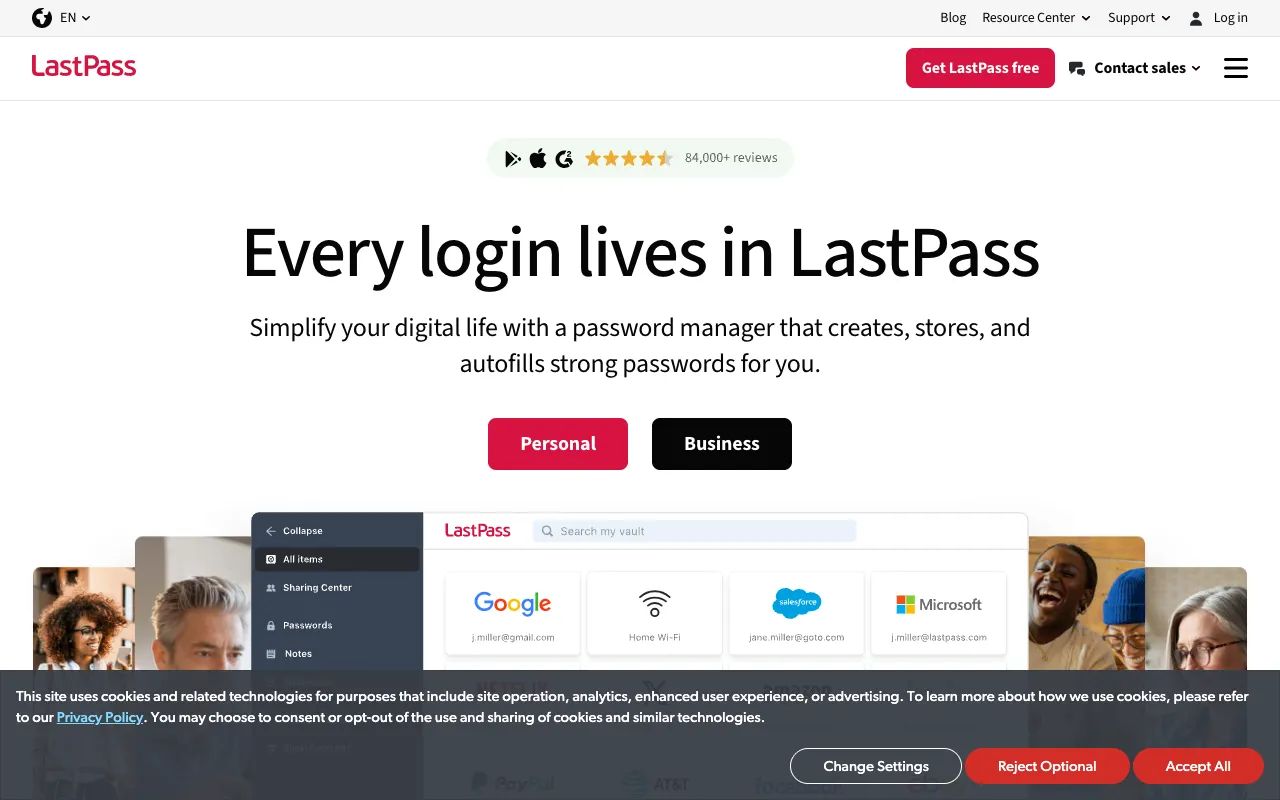
LastPass is a comprehensive, cloud-based password manager and digital vault. Its core purpose is to help users—from solopreneurs to growing teams—generate, store, and manage complex passwords for every online service they use. By encrypting all credentials in a central, master-password-protected vault, LastPass ensures that sensitive login information is never stored insecurely in browsers or on sticky notes. It seamlessly integrates as a browser extension and mobile app, providing secure access across every device, which is indispensable for small business owners who work on the go.
Key Features of LastPass for Small Businesses
Secure Password Vault & Auto-Fill
LastPass creates an encrypted digital vault for all your passwords, credit cards, and secure notes. Its browser extension and app automatically fill in login credentials on websites and apps, eliminating tedious manual entry and reducing the temptation to use simple, easy-to-remember passwords.
Password Generator & Security Dashboard
Instantly create strong, unique passwords for every account with the built-in generator. The Security Dashboard provides an overview of your password health, identifying weak, reused, or compromised passwords so you can proactively strengthen your defenses.
Secure Sharing & Team Management
Safely share login credentials for company accounts (like social media, banking, or SaaS tools) with employees without revealing the actual password. This is vital for small business teams, enabling controlled access and simplifying offboarding.
Multi-Factor Authentication (MFA) & Dark Web Monitoring
Add an extra layer of security with built-in support for various MFA methods. LastPass also includes dark web monitoring, which scans for your personal or business email addresses in data breaches and alerts you to take action.
Who Should Use LastPass?
LastPass is ideal for small business owners, freelancers, and startup teams who juggle multiple online accounts daily. It's perfect for those who need to share access to tools like Google Workspace, QuickBooks, or social media platforms with team members securely. If you're concerned about phishing attacks, password reuse, or the administrative headache of credential management, LastPass provides a professional-grade security solution scaled for your business needs.
LastPass Pricing and Free Tier
LastPass offers a robust Free tier for individual use, which includes core features like the password vault, auto-fill, password generator, and secure notes on one device type. For business needs, LastPass Teams and Business plans provide centralized admin controls, unlimited shared folders, advanced reporting, and priority tech support. These paid plans are competitively priced per user per month, making enterprise-level password security accessible and affordable for small businesses.
Common Use Cases
- Securely managing login credentials for business banking and financial apps
- Safely sharing social media account access with marketing team members
Key Benefits
- Dramatically reduces the risk of account takeover and data breaches
- Saves hours per month by eliminating password resets and manual login entry
Pros & Cons
Pros
- Powerful free plan with essential features for individuals
- Excellent cross-platform support (Windows, Mac, iOS, Android, browsers)
- Intuitive interface and setup process for non-technical users
- Strong security audit and password health reporting tools
Cons
- Advanced features and multi-device sync require a paid subscription
- Some users may prefer a solution with a one-time purchase model
Frequently Asked Questions
Is LastPass free to use for small businesses?
Yes, LastPass offers a fully-featured Free plan perfect for individual business owners. It includes secure password storage, auto-fill, and a password generator. For team features like secure sharing and admin controls, you will need a Teams or Business paid plan.
Is LastPass a good password manager for a small business team?
Absolutely. LastPass Teams and Business plans are specifically designed for small businesses. They provide a secure, centralized way to manage employee access to company accounts, with features like shared folders, admin dashboards, and detailed activity logs, which are crucial for maintaining security as your team grows.
How does LastPass protect my business data?
LastPass uses zero-knowledge architecture, meaning your master password and encrypted data are never sent to their servers. All encryption and decryption happen locally on your device. Combined with multi-factor authentication options, this provides a very high level of security for your business credentials.
Conclusion
For small business owners, cybersecurity is not just an IT issue—it's a fundamental operational necessity. LastPass delivers a powerful, user-friendly solution that transforms password management from a constant vulnerability into a seamless, secure advantage. By centralizing credentials, enforcing strong passwords, and enabling safe sharing, it protects your business assets and saves valuable time. Whether you start with the free tier or upgrade to a team plan, LastPass is a strategic investment in your business's security and efficiency.