Go back
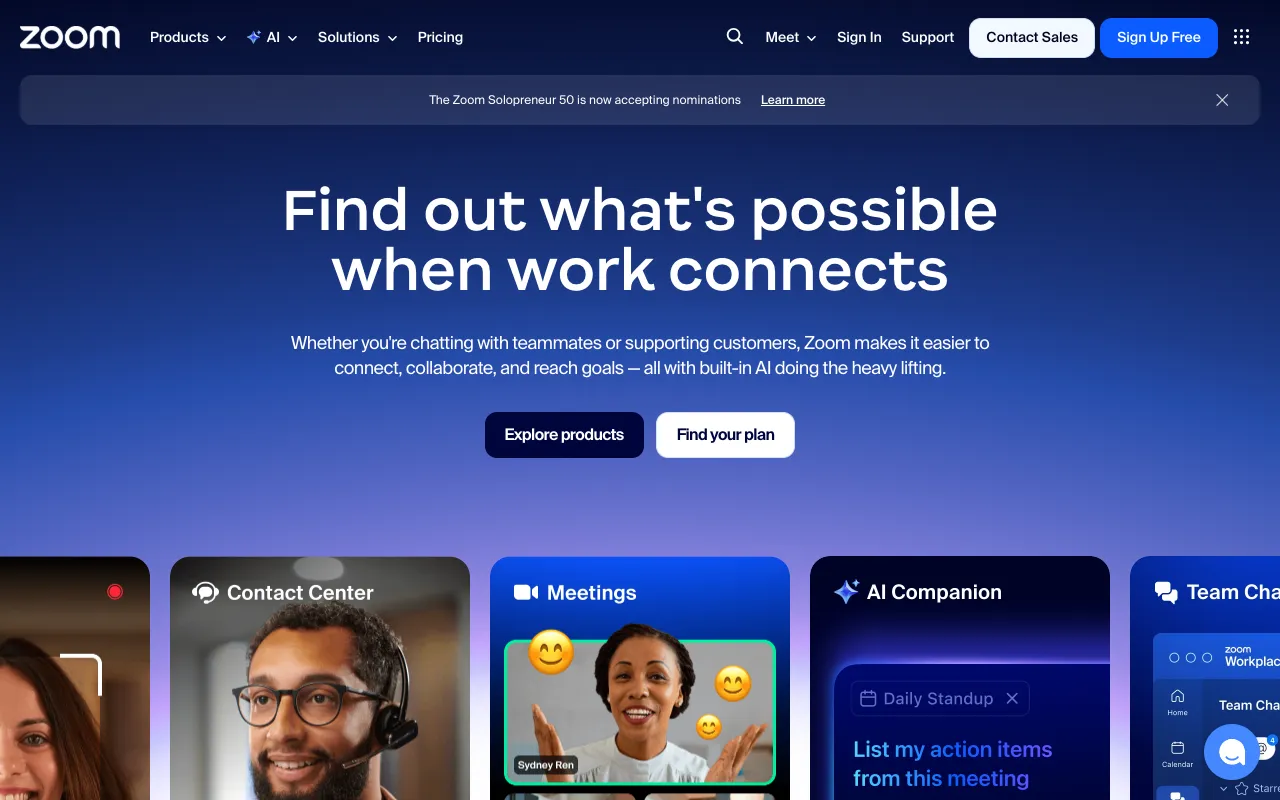
Image of Zoom – Best Video Conferencing Platform for Small Business Owners

Zoom – Best Video Conferencing Platform for Small Business Owners

Zoom is the essential video conferencing platform built to empower small business owners with professional-grade communication. It transforms how small teams collaborate remotely, host client meetings, conduct webinars, and organize virtual events—all from a single, reliable application. With its intuitive interface, robust free tier, and enterprise-grade features scaled for SMBs, Zoom helps small businesses project professionalism, reduce travel costs, and maintain seamless connections with teams and customers worldwide.

What is Zoom?

Zoom is a comprehensive cloud-based video conferencing and communication platform designed for modern business needs. It serves as a virtual meeting room, webinar studio, and event hub, allowing small business owners to conduct face-to-face interactions without geographical constraints. Its core purpose is to facilitate real-time collaboration through high-definition video, crystal-clear audio, and interactive features like screen sharing, virtual backgrounds, and breakout rooms. The primary audience includes small business teams, freelancers, consultants, educators, and any professional requiring reliable remote communication tools to operate efficiently.

Key Features of Zoom for Small Businesses

HD Video & Audio Meetings

Host professional meetings with up to 100 participants on the free plan, featuring HD video and superior audio quality. This ensures every team member and client can communicate clearly, fostering better understanding and engagement during critical business discussions.

Team Collaboration Tools

Enhance productivity with integrated features like screen sharing, co-annotation on shared screens, virtual whiteboards, and in-meeting chat. These tools allow small teams to brainstorm, review documents, and make decisions collaboratively in real time, as if they were in the same room.

Webinar & Large Event Hosting

Scale your audience with Zoom Webinars and Events. Broadcast presentations, product launches, or training sessions to up to 500 interactive attendees (with higher tiers available). Manage Q&A, polls, and registration pages to create engaging, professional virtual events that extend your business reach.

Breakout Rooms & Virtual Backgrounds

Organize participants into smaller Breakout Rooms for focused group discussions or workshop sessions, then bring everyone back to the main meeting seamlessly. Use Virtual Backgrounds to maintain a professional appearance regardless of your physical environment, reinforcing your brand image.

Cross-Platform Accessibility

Join or host meetings from any device—desktop (Windows, Mac), mobile (iOS, Android), or even a traditional phone line. This flexibility ensures that every stakeholder, from a tech-savvy team member to a client preferring a phone call, can connect without friction.

Who Should Use Zoom?

Zoom is ideal for small business owners, startup teams, remote workforces, consultants, coaches, and service-based professionals who need a dependable way to communicate visually. Key use cases include daily team stand-ups, weekly all-hands meetings, client consultations and presentations, online training sessions for employees or customers, virtual networking events, and product demo webinars. It's particularly valuable for businesses with distributed teams, those serving clients nationally or globally, and any organization looking to reduce overhead costs associated with physical office space and business travel.

Zoom Pricing and Free Tier for Small Business

Zoom offers a generous free plan perfect for small businesses starting with video conferencing. The free tier includes unlimited one-to-one meetings and group meetings for up to 100 participants, though with a 40-minute limit on group sessions. For growing businesses, paid plans like Zoom Pro remove the time limit, add reporting features, and provide 1GB of cloud recording. Higher tiers (Business, Enterprise) offer more participants for webinars, dedicated customer support, and company branding. This scalable model allows small businesses to start for free and upgrade features as their needs evolve, ensuring cost-effective communication scaling.

Common Use Cases

Key Benefits

Pros & Cons

Pros

  • Extremely user-friendly interface with minimal learning curve for all participants
  • Reliable, high-quality connection even on lower bandwidth internet
  • Strong free tier that is genuinely useful for many small business scenarios
  • Extensive integrations with popular business tools like Google Calendar, Slack, and Salesforce

Cons

  • The 40-minute limit on group meetings in the free plan can interrupt longer discussions
  • Advanced security features and administrative controls are primarily available on higher-tier business plans

Frequently Asked Questions

Is Zoom free to use for a small business?

Yes, Zoom offers a robust free plan ideal for small businesses. It allows unlimited one-on-one meetings and group meetings with up to 100 participants. The primary limitation for the free tier is a 40-minute cap on group meetings with three or more people, after which the meeting ends. For many daily check-ins and short client calls, this is perfectly sufficient.

Is Zoom a good video conferencing tool for small business teams?

Absolutely. Zoom is one of the best video conferencing tools for small business teams due to its exceptional ease of use, reliability, and feature set tailored for collaboration. Its screen sharing, breakout rooms, and cross-platform accessibility make it ideal for internal teamwork, while its professional presentation capabilities are perfect for external client and stakeholder meetings.

Can I use Zoom to host a webinar for my small business?

Yes, but the free plan does not include webinar functionality. To host a webinar with Zoom, you will need a paid plan that includes the Webinar add-on or a Business/Enterprise tier. These allow you to host interactive webinars for larger audiences (starting at 500 attendees) with features like registration pages, Q&A management, and polling, making it a powerful tool for marketing and customer education.

How does Zoom compare to Google Meet or Microsoft Teams for small business?

Zoom often excels in pure video meeting reliability, ease of joining for guests (no account required), and features like virtual backgrounds and breakout rooms. Google Meet and Microsoft Teams are deeply integrated into their respective productivity suites (Google Workspace, Microsoft 365). The best choice depends on your ecosystem: if you already use Gmail or Outlook heavily, their native tool might be simpler. For standalone, best-in-class video meetings and webinars, Zoom is frequently the top performer.

Conclusion

For small business owners seeking a professional, reliable, and scalable solution to bridge communication gaps, Zoom stands out as a premier choice. It successfully balances powerful features with remarkable simplicity, making advanced video conferencing, team collaboration, and virtual event hosting accessible to businesses of any size. Whether you're leveraging the capable free tier for daily check-ins or investing in a paid plan for unlimited webinars, Zoom provides the digital infrastructure to connect with your team, impress your clients, and grow your business beyond physical boundaries. It's more than just a meeting tool; it's a platform for building relationships and driving small business success in a distributed world.