Go back
Image of Bitbucket – Best Git Repository for Software Engineers

Bitbucket – Best Git Repository for Software Engineers

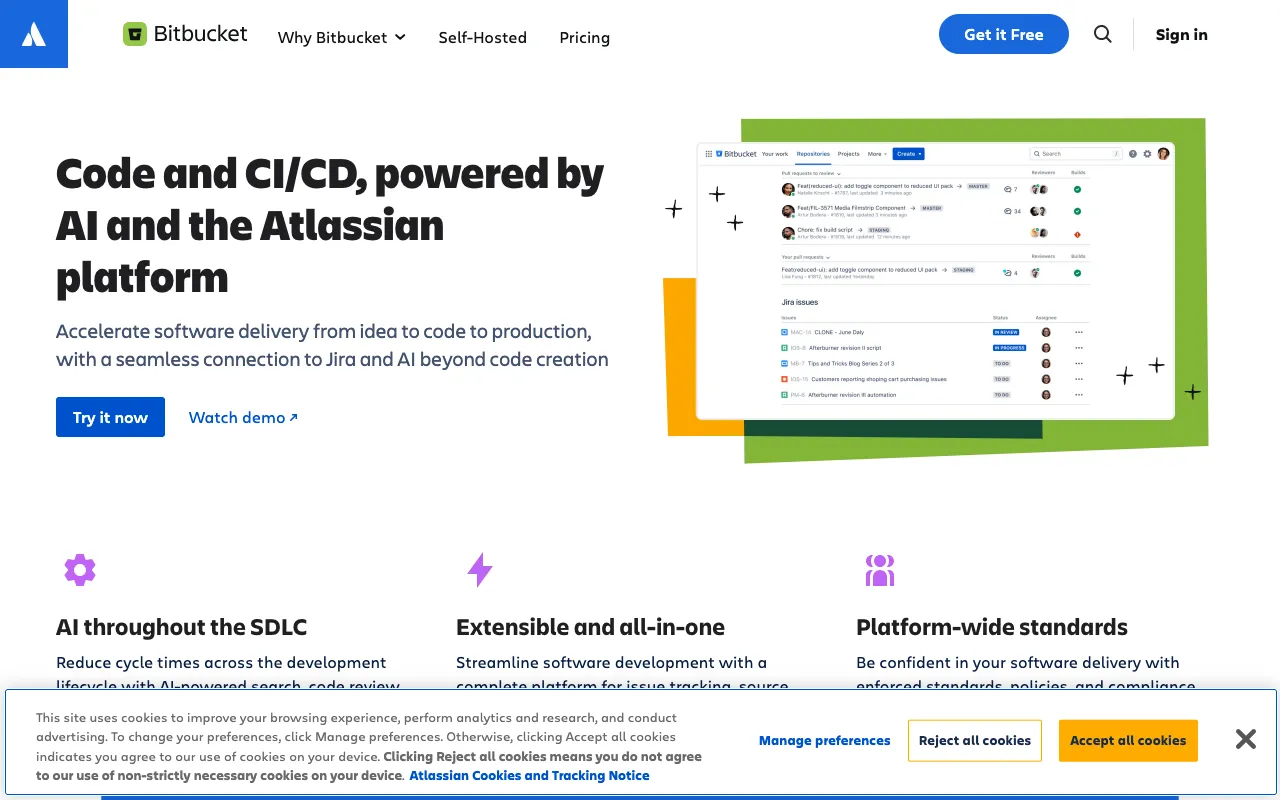
Bitbucket is more than just Git hosting. It's a unified platform where software engineering teams can manage their source code, automate their deployment pipelines with built-in CI/CD, conduct thorough code reviews, and seamlessly connect development work to project management in Jira. Designed for collaborative workflows within the Atlassian ecosystem, Bitbucket helps teams ship higher quality code, faster.

What is Bitbucket?

Bitbucket is a cloud-based Git repository management solution developed by Atlassian. It serves as a central hub for version control, allowing developers to host, review, and collaborate on code. Its core differentiation lies in its deep integration with the Atlassian tool suite—particularly Jira for issue tracking and Confluence for documentation—and its native CI/CD pipeline tool, Bitbucket Pipelines. This makes it an ideal platform for teams already invested in the Atlassian ecosystem or those seeking an all-in-one solution for code management and deployment automation.

Key Features of Bitbucket

Built-in CI/CD with Bitbucket Pipelines

Automate testing and deployment directly from your repository without configuring external services. Bitbucket Pipelines uses Docker containers to run your build steps, enabling you to define your pipeline as code in a `bitbucket-pipelines.yml` file for fast, consistent, and scalable deployments.

Powerful Code Review & Pull Requests

Facilitate high-quality collaboration with inline comments, task management within pull requests, and mandatory approvals. Features like diff view, branch permissions, and merge checks help maintain code standards and streamline the review process before code hits your main branch.

Deep Jira & Trello Integration

Connect every commit, branch, and pull request directly to Jira issues or Trello cards. This creates traceability from idea to deployment, automatically updating ticket statuses and providing development context without leaving your project management tools.

Flexible Deployment Models

Choose between Bitbucket Cloud (SaaS) for a fully managed experience or Bitbucket Data Center for self-hosted, enterprise-grade deployment with high availability, performance at scale, and advanced administrative controls.

Who Should Use Bitbucket?

Bitbucket is particularly well-suited for software engineering teams that value tight integration between their development and project management workflows. It's an excellent fit for teams already using Jira and Confluence, as the native integration significantly reduces context switching. Development teams looking for a straightforward, built-in CI/CD solution without managing external Jenkins servers or similar tools will find Pipelines highly valuable. It also serves growing teams that need robust branch permissions and code review safeguards.

Bitbucket Pricing and Free Tier

Bitbucket offers a generous free tier perfect for small teams and individual developers. The free plan includes up to 5 users, unlimited private repositories (with a limit on build minutes for Pipelines), and basic Jira integration. Paid plans (Standard and Premium) start per user, per month and unlock features like increased build minutes, more sophisticated deployment permissions, required merge checks, and IP allowlisting for enhanced security. Premium plans add features like deployment permissions and merge checks.

Common Use Cases

Key Benefits

Pros & Cons

Pros

  • Seamless integration with the Atlassian ecosystem (Jira, Confluence)
  • Built-in CI/CD (Pipelines) eliminates need for separate service configuration
  • Strong access controls and branch permissions for enterprise security
  • Generous free tier for small teams and private repos

Cons

  • The user interface and experience can feel less modern compared to some newer competitors
  • Pipelines build minutes on the free tier are limited, which may constrain small open-source projects
  • Primarily optimized for teams already within or committing to the Atlassian toolchain

Frequently Asked Questions

Is Bitbucket free to use?

Yes, Bitbucket offers a substantial free plan for small teams (up to 5 users) that includes unlimited private repositories, basic CI/CD pipeline minutes, and Jira integration. This makes it a powerful free Git hosting option for startups, freelancers, and small development teams.

Is Bitbucket good for enterprise software engineering teams?

Absolutely. Bitbucket Data Center provides enterprise-grade features like high availability, elastic scaling, performance optimization for large teams, and advanced security controls. Its deep Jira integration and robust permissioning make it a strong choice for large organizations with complex workflows and compliance needs.

How does Bitbucket compare to GitHub or GitLab?

Bitbucket's greatest strength is its native integration with the Atlassian suite (Jira, Confluence). While GitHub has a massive community and GitLab offers an exceptionally broad DevOps platform, Bitbucket excels for teams where development and project management are tightly coupled. Its built-in CI/CD (Pipelines) is simpler to start with than Jenkins but may offer less flexibility than GitLab CI/CD for extremely complex pipelines.

Conclusion

Bitbucket stands out as a compelling Git repository solution, especially for software engineering teams operating within or adopting the Atlassian ecosystem. Its combination of reliable Git hosting, integrated CI/CD via Pipelines, and powerful links to Jira creates a cohesive environment that bridges code, collaboration, and project tracking. For teams seeking to minimize tool sprawl and enhance traceability from ticket to deployment, Bitbucket is a top-tier choice that balances robust features with a scalable pricing model, starting with a very capable free tier.