Go back
Image of SourceTree – The Best Free Git GUI Client for Software Engineers

SourceTree – The Best Free Git GUI Client for Software Engineers

SourceTree is the definitive free Git GUI client, transforming complex command-line Git operations into intuitive visual workflows. Designed for both solo developers and engineering teams on Windows and macOS, it provides a powerful, centralized interface for repository management, branching, staging, and merging. By abstracting Git's complexity, SourceTree accelerates development cycles and reduces errors, making it a top choice for engineers seeking a robust, no-cost version control solution.

What is SourceTree?

SourceTree is a fully-featured, free desktop application that serves as a graphical user interface (GUI) for Git and Mercurial version control systems. Its core purpose is to make repository interactions—from cloning and committing to branching and merging—visually accessible, eliminating the need to memorize complex command-line syntax. It's built for professional software engineers, DevOps professionals, and development teams who require granular control over their Git workflows without sacrificing speed or clarity. SourceTree bridges the gap between Git's powerful capabilities and a user-friendly experience.

Key Features of SourceTree

Intuitive Visual Repository Management

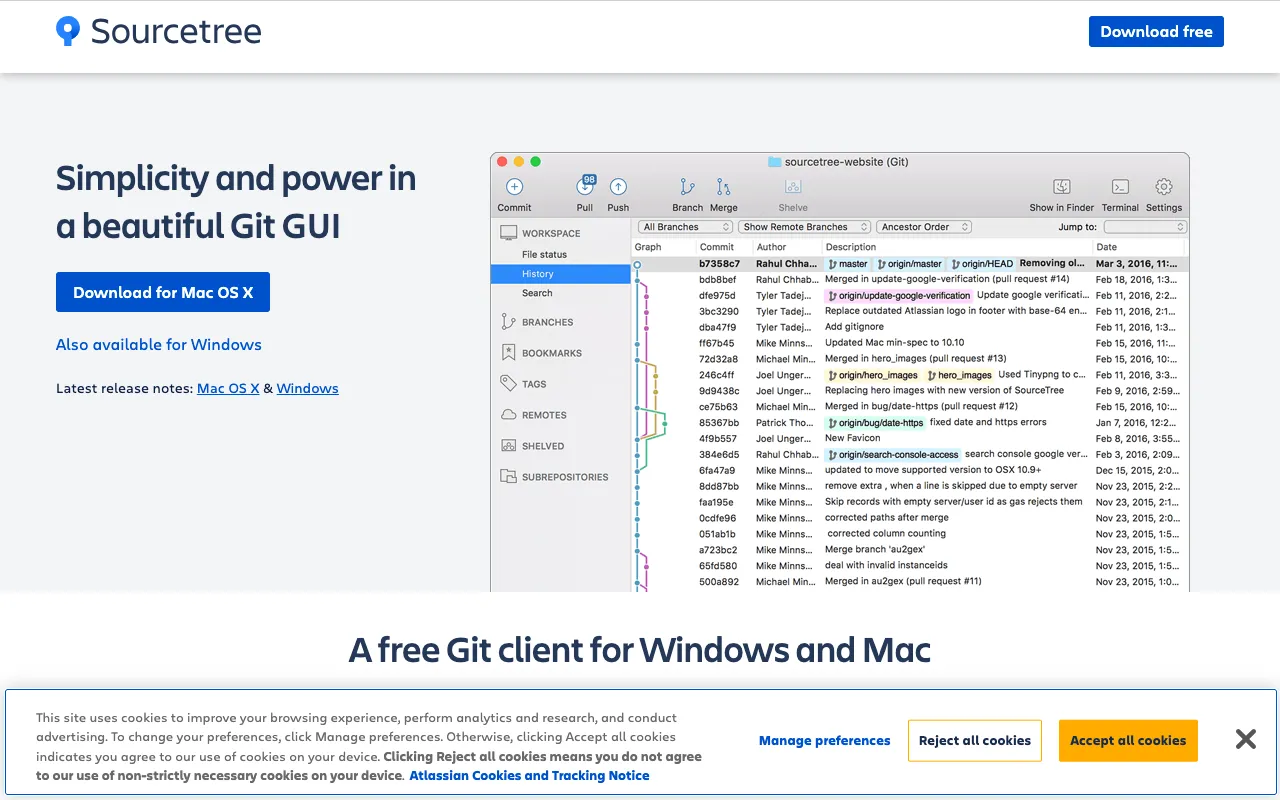
Gain an immediate, graphical overview of your repository's status. SourceTree displays branches, commits, stashes, and tags in an interactive commit graph, allowing you to visualize your project's history and navigate it with simple clicks, dramatically simplifying complex Git concepts.

Powerful Git Flow & Branching Tools

SourceTree includes built-in support for Git Flow and GitHub Flow, automating the creation of feature, release, and hotfix branches. This feature enforces best-practice branching strategies directly within the GUI, streamlining team collaboration and release management.

Unified Diff Viewer and File Staging

Review changes with a side-by-side diff viewer that highlights exact modifications. The interactive staging area lets you selectively stage hunks or individual lines of code, providing precise control over what gets committed—a significant advantage over command-line Git.

Seamless Integration with Git Hosts

Connect effortlessly to GitHub, GitLab, Bitbucket, and other Git hosting services. SourceTree handles authentication and allows you to clone, pull, push, and create pull requests directly from the application, centralizing your entire Git workflow.

Who Should Use SourceTree?

SourceTree is ideal for software engineers at all levels who work with Git. It's perfect for developers transitioning from SVN or other VCS, visual learners who prefer GUIs over terminals, and team leads who need to enforce consistent Git workflows. It's also invaluable for engineers managing multiple repositories or complex branching models, as it provides clarity and reduces the risk of costly merge conflicts or history errors.

SourceTree Pricing and Free Tier

SourceTree is completely free. There is no paid tier, subscription, or feature-limited version. Atlassian provides SourceTree as a free tool for the developer community, offering its full suite of visual Git management features at zero cost for both personal and commercial use on Windows and macOS.

Common Use Cases

Key Benefits

Pros & Cons

Pros

  • Completely free with no feature restrictions for commercial use
  • Excellent visual representation of complex branch and commit histories
  • Deep integration with major Git hosting platforms (GitHub, Bitbucket, GitLab)
  • Built-in support for Git Flow to standardize team workflows

Cons

  • Application can feel resource-heavy or slow on older machines
  • Updates and new feature releases have slowed since initial launch

Frequently Asked Questions

Is SourceTree free to use?

Yes, SourceTree is completely free. Atlassian offers it as a no-cost Git GUI client for Windows and macOS with all features available, making it an outstanding value for individual developers and teams.

Is SourceTree good for software engineers?

Absolutely. SourceTree is one of the best free tools for software engineers working with Git. It simplifies complex version control operations through a visual interface, reduces the learning curve for new team members, and enforces professional branching strategies, directly boosting development efficiency.

Can I use SourceTree with GitHub?

Yes, SourceTree has first-class integration with GitHub. You can clone repositories, manage remotes, create and merge pull requests, and sync your branches directly from the SourceTree interface after authenticating your GitHub account.

Conclusion

For software engineers seeking a powerful, visual alternative to the Git command line, SourceTree remains a top-tier, cost-free solution. Its ability to demystify complex Git operations while providing deep, professional-grade functionality makes it an essential tool for modern development workflows. Whether you're managing a solo project or coordinating a large team, SourceTree delivers the clarity and control needed to master version control efficiently.