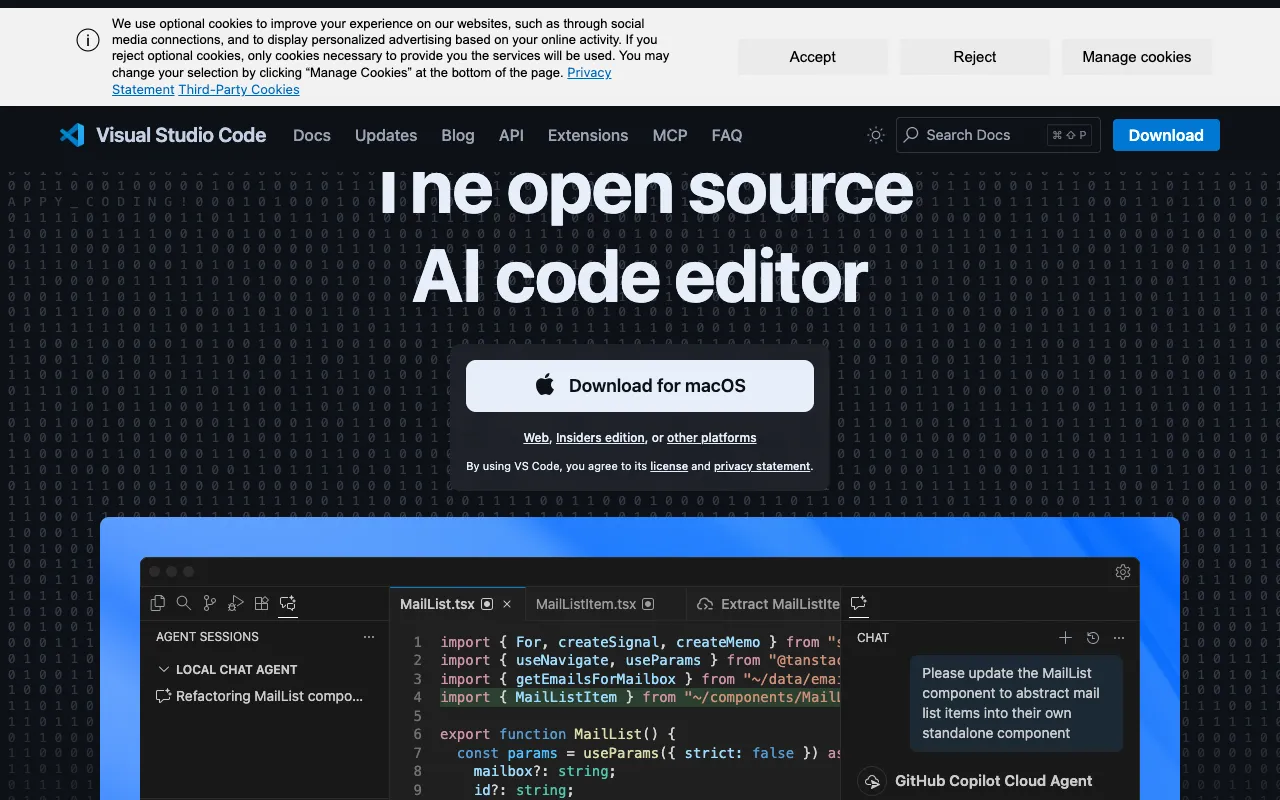
Visual Studio Code – The Best Code Editor for Software Engineers
Visual Studio Code (VS Code) has become the definitive code editor for millions of software engineers worldwide. More than just a text editor, it's a streamlined, intelligent development environment that runs on Windows, macOS, and Linux. Its unique blend of a lightweight core, powerful built-in features, and a massive ecosystem of extensions makes it the top choice for web development, cloud applications, data science, and virtually any other programming task. Whether you're a beginner learning your first language or a senior engineer architecting complex systems, VS Code adapts to your workflow.
What is Visual Studio Code?
Visual Studio Code is a free, open-source source code editor developed by Microsoft. It is not a full Integrated Development Environment (IDE) but offers many IDE-like capabilities through its extensible architecture. Its core purpose is to provide a fast, customizable, and feature-rich environment for editing, debugging, and version controlling code. It supports hundreds of programming languages out of the box and is the go-to editor for JavaScript, Python, Java, C++, Go, and more. Its primary audience includes front-end and back-end developers, DevOps engineers, data scientists, students, and anyone who writes code.
Key Features of Visual Studio Code
Intelligent Code Completion (IntelliSense)
VS Code provides smart completions based on variable types, function definitions, and imported modules. This IntelliSense feature goes beyond simple syntax highlighting, offering parameter info, quick info, and member lists to dramatically speed up coding and reduce errors.
Integrated Git Version Control
Manage your repositories without leaving the editor. VS Code has built-in Git commands for committing, pulling, pushing, branching, and merging. It provides a visual diff tool and side-by-side comparison, making source control intuitive and efficient.
Powerful Debugging Tools
Debug your code directly from the editor. VS Code includes a built-in debugger for Node.js, but extensions enable debugging for runtimes like Python, C++, and Go. Set breakpoints, inspect variables, and view call stacks in a dedicated interactive panel.
Extensive Extensions Marketplace
The VS Code Marketplace hosts thousands of free extensions that add languages, themes, debuggers, and tools. This allows you to customize your editor into a tailored IDE for frameworks like React, Angular, Vue, Django, or .NET.
Integrated Terminal and Command Palette
Run shell commands and scripts in an integrated terminal that opens within the editor window. The Command Palette provides keyboard-driven access to all VS Code functionality, enabling you to work efficiently without touching the mouse.
Who Should Use Visual Studio Code?
Visual Studio Code is ideal for any software engineer or developer seeking a modern, efficient, and free coding environment. It is particularly well-suited for web developers working with JavaScript/TypeScript and modern frameworks, cloud-native application developers, Python data scientists, students learning to code, and teams looking for a standardized, cross-platform editor. Its low barrier to entry and high ceiling of capability make it perfect for both solo projects and large, collaborative codebases.
Visual Studio Code Pricing and Free Tier
Visual Studio Code is completely free and open-source. There are no hidden costs, subscription fees, or premium tiers for core functionality. It is available for personal and commercial use. The entire feature set, including IntelliSense, Git integration, debugging, and extension support, is available at no cost. This makes it one of the most accessible and powerful tools in a software engineer's toolkit.
Common Use Cases
- Full-stack web development with JavaScript, TypeScript, and Node.js
- Python programming and data science with Jupyter Notebook integration
- Building and debugging cloud applications for AWS, Azure, and GCP
- Contributing to open-source projects with seamless Git integration
Key Benefits
- Increase coding speed and accuracy with context-aware IntelliSense and snippets
- Streamline your development workflow by managing code, terminal, and Git in one window
- Reduce context switching and setup time with a single, customizable tool for all languages
Pros & Cons
Pros
- Completely free and open-source with no feature limitations
- Lightweight and fast performance even with large projects
- Unmatched extensibility through a vast library of community extensions
- Best-in-class IntelliSense and debugging support for many languages
- Seamless integration with Git and other version control systems
Cons
- Can become resource-intensive with many heavy extensions installed simultaneously
- Some advanced IDE features for specific languages (e.g., Java, C#) require extension configuration
- Primarily designed for editing; complex project builds may require external tooling
Frequently Asked Questions
Is Visual Studio Code free to use?
Yes, Visual Studio Code is completely free and open-source. You can download and use it for personal or commercial projects without any cost or licensing fees.
Is Visual Studio Code good for Python development?
Absolutely. With official extensions from Microsoft for Python, Jupyter, Pylance, and debugging, VS Code is a top-tier editor for Python development, data science, and machine learning workflows.
What is the difference between Visual Studio and Visual Studio Code?
Visual Studio is a full-fledged, heavyweight Integrated Development Environment (IDE) primarily for .NET, C++, and Windows development. Visual Studio Code is a lightweight, cross-platform code editor that is faster, more extensible, and ideal for web, script, and cloud development.
Can I use VS Code for professional software engineering?
Yes, Visual Studio Code is used by professional software engineers and development teams at companies worldwide. Its powerful features, extensibility, and integration with modern dev tools make it a professional-grade standard for many types of software engineering.
Conclusion
Visual Studio Code stands as the undisputed leader in code editors for software engineers. Its winning combination of a free and open-source model, exceptional performance, intelligent editing features, and an unparalleled extensions ecosystem delivers a tool that grows with your skills. For developers seeking a single, powerful, and adaptable environment to write, debug, and manage code across any platform or language, Visual Studio Code is the essential, default choice. Download it today to experience the productivity boost that has made it the editor of choice for the modern developer.