Go back
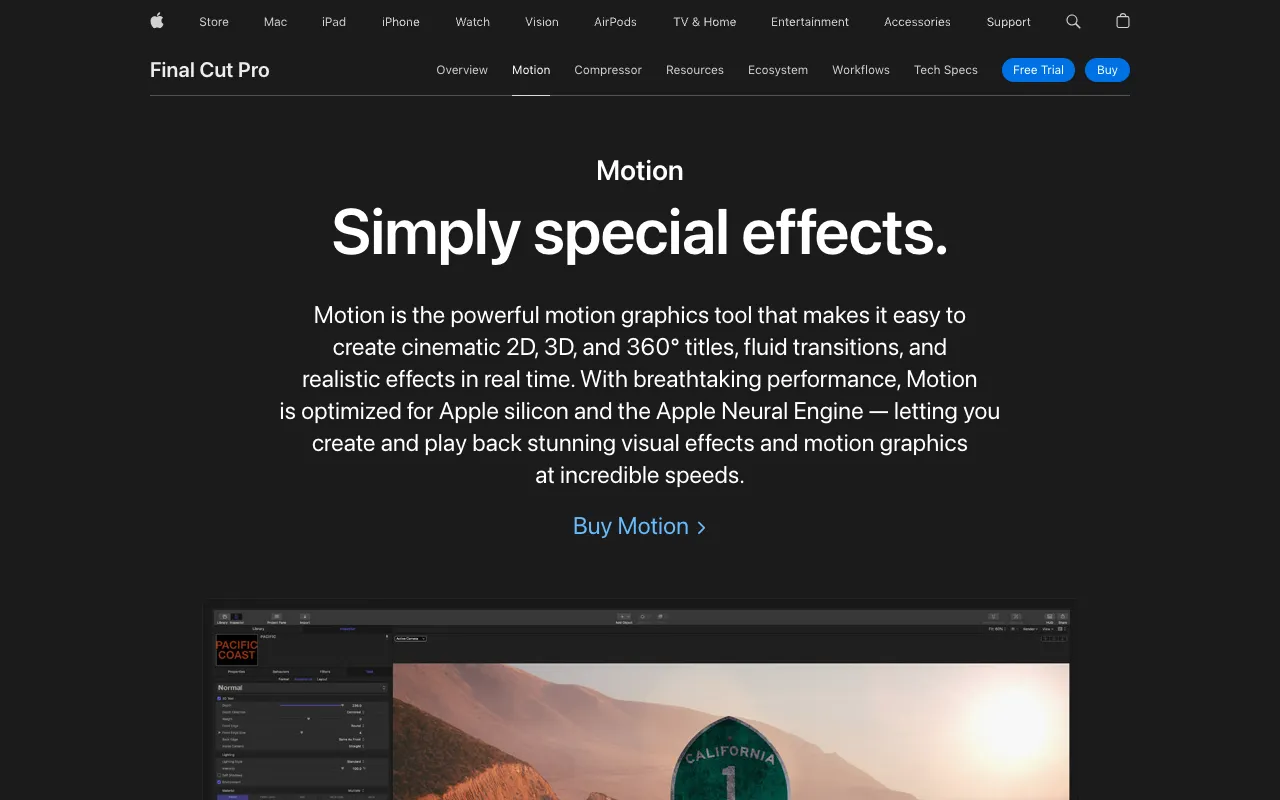
Image of Apple Motion – Best Motion Graphics Software for Video Editors

Apple Motion – Best Motion Graphics Software for Video Editors

Apple Motion is a professional-grade motion graphics application designed specifically for video editors, filmmakers, and content creators. It empowers you to design and animate stunning cinematic 2D and 3D titles, intricate visual effects, and dynamic graphics directly within your post-production workflow. As part of Apple's professional creative ecosystem, Motion offers unparalleled integration with Final Cut Pro, making it the go-to choice for Mac-based editors seeking to elevate their projects with broadcast-quality motion design.

What is Apple Motion?

Apple Motion is a dedicated motion graphics and visual effects application from Apple, built for creating professional animated content. Its core purpose is to provide video editors with a powerful yet accessible toolset for generating title sequences, lower thirds, transitions, particle effects, and complex 3D animations. Unlike generic animation software, Motion is engineered for speed and efficiency within a video editing context, featuring real-time playback, a streamlined interface, and deep integration with Final Cut Pro libraries. Its primary audience includes professional video editors, independent filmmakers, broadcast designers, and content creators who need to produce high-impact motion graphics without switching to a separate, disconnected VFX pipeline.

Key Features of Apple Motion

Seamless Final Cut Pro Integration

Motion projects appear natively in Final Cut Pro libraries. You can create customizable titles, generators, and effects in Motion and save them directly as templates in Final Cut Pro, where they remain fully editable. This bi-directional workflow eliminates rendering and importing steps, dramatically speeding up the design process.

Real-Time 2D & 3D Design Engine

Work with a powerful 3D space that allows you to composite 2D and 3D layers, text, and particles in real-time. Apply behaviors and keyframes for animation, and see the results play back instantly without rendering, enabling rapid iteration and creative experimentation.

Behaviors for Intuitive Animation

Instead of complex keyframing for every movement, use Apple Motion's library of over 200 pre-built behaviors (like Gravity, Orbit, or Throw) to apply realistic physics-based motion with simple drag-and-drop. This feature makes advanced animation accessible to editors of all skill levels.

Professional Title & Effects Templates

Access a vast collection of professionally designed, customizable templates for titles, transitions, and effects. You can also create and save your own templates, building a reusable library of branded graphics that maintains consistency across all your video projects.

Advanced Particle & Replicator Systems

Generate everything from subtle smoke and light leaks to complex organic patterns and animated backgrounds with the robust particle emitter. The Replicator tool lets you create intricate geometric designs and animated mosaics from any source layer, offering limitless creative possibilities.

Who Should Use Apple Motion?

Apple Motion is the ideal tool for video professionals who work within the Apple ecosystem and use Final Cut Pro. It is perfectly suited for Final Cut Pro editors who need to create custom titles and effects, YouTube creators and social media videographers wanting to produce unique branded graphics, broadcast and corporate video producers requiring templated workflows for efficiency, and independent filmmakers needing a cost-effective yet powerful solution for cinematic title sequences and VFX without the steep learning curve of standalone compositing software.

Apple Motion Pricing and Free Tier

Apple Motion is available for a one-time purchase of $49.99 USD from the Mac App Store. This purchase includes the full application and all future updates at no additional cost. There is no subscription model and no free tier of the software itself. However, a free 90-day trial is available for new users to download and test the full version of Apple Motion, allowing you to evaluate its features and integration with your workflow before committing to the purchase.

Common Use Cases

Key Benefits

Pros & Cons

Pros

  • Unbeatable, seamless integration with Final Cut Pro for a unified workflow
  • One-time purchase price offers exceptional long-term value compared to subscriptions
  • Real-time playback and behaviors enable fast, intuitive animation creation
  • Extensive library of high-quality, customizable templates saves production time

Cons

  • Exclusively available for macOS, limiting access for Windows or Linux users
  • Primarily optimized for use with Final Cut Pro, with less direct integration for other NLEs
  • The one-time cost, while reasonable, requires an upfront payment with no free version

Frequently Asked Questions

Is Apple Motion free to use?

Apple Motion is not a free application. It requires a one-time purchase of $49.99. However, Apple offers a full-featured 90-day free trial, allowing you to test the software extensively before buying.

Is Apple Motion good for professional video editors?

Yes, Apple Motion is an industry-standard tool for professional video editors, especially those using Final Cut Pro. Its professional-grade feature set for creating broadcast-quality motion graphics, combined with its seamless integration, makes it a powerful and efficient choice for serious video production.

Can I use Apple Motion without Final Cut Pro?

Yes, you can use Apple Motion as a standalone motion graphics application. You can create animations and export them as video files for use in any editing software. However, its deepest functionality and most efficient workflow are unlocked when used in tandem with Final Cut Pro.

What is the difference between Apple Motion and Adobe After Effects?

Apple Motion is designed for speed and real-time playback with deep integration for the Final Cut Pro ecosystem. Adobe After Effects is a more comprehensive, industry-standard VFX and compositing suite with a steeper learning curve and broader third-party plugin support. Motion is often favored for its efficiency in title and graphic design within Apple workflows.

Conclusion

For video editors committed to the Apple and Final Cut Pro ecosystem, Apple Motion is not just an add-on—it's an essential component of a professional post-production toolkit. Its unique combination of a powerful real-time engine, intuitive behaviors, and flawless integration solves the core challenge of efficiently creating high-quality motion graphics. Whether you're a freelance creator or part of a production studio, investing in Apple Motion empowers you to produce visually stunning, professionally animated content that elevates your storytelling, all while streamlining your creative workflow. It represents outstanding value and capability for any serious video editor looking to master motion design.