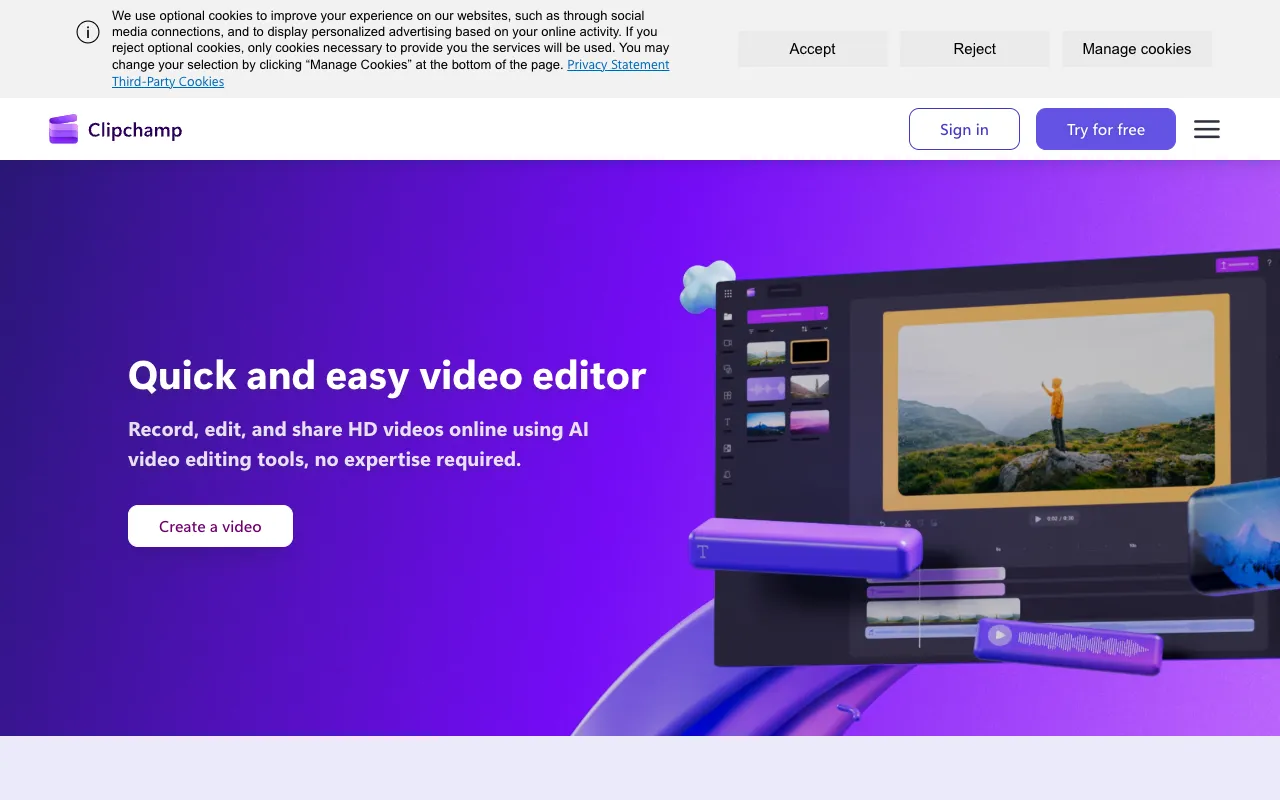
Clipchamp – The Best Free Online Video Editor for Content Creators
Clipchamp redefines video editing by bringing professional-grade tools directly to your web browser. As a fully-featured online video editor, it eliminates complex software installations and high hardware requirements, making video creation accessible to everyone. Whether you're a social media manager crafting engaging clips, a marketer producing promotional content, an educator recording tutorials, or a small business owner creating ads, Clipchamp provides an intuitive workspace with powerful editing capabilities, integrated screen recording, and a rich asset library—all starting with a robust free plan.
What is Clipchamp?
Clipchamp is a cloud-native, web-based video editing suite that operates entirely within your browser. It's designed to democratize video production by offering a streamlined yet capable editor that rivals desktop software. Its core philosophy centers on accessibility and speed, allowing users to record their screen, webcam, or voice; edit footage with a multi-track timeline; enhance videos with filters, text, and transitions; and export in various resolutions—all from a single online dashboard. As part of the Microsoft ecosystem, it offers seamless integration for Windows users while remaining fully accessible on macOS, ChromeOS, and other platforms.
Key Features of Clipchamp
Browser-Based Video Editing
Edit videos anywhere with an internet connection. Clipchamp's robust editing interface includes a multi-track timeline, drag-and-drop functionality, trim/crop/split tools, speed controls, and color correction. It supports a wide range of video, image, and audio formats without requiring any software downloads or updates.
Built-In Screen & Webcam Recorder
Capture anything on your screen, webcam feed, or audio directly within the editor. This integrated recorder is perfect for creating software tutorials, presentation videos, gameplay highlights, or personalized video messages, streamlining your workflow from capture to final edit.
Professional Templates & Stock Library
Jumpstart your projects with hundreds of customizable video templates for social media, marketing, education, and more. Access a vast integrated stock library featuring royalty-free videos, images, and audio tracks, saving you time and budget on sourcing external assets.
AI-Powered Tools & Easy Export
Leverage AI features like automatic captions, text-to-video, and background removal to work smarter. Export your finished videos in optimized formats for YouTube, TikTok, Instagram, or professional presentations directly to your device or cloud storage.
Who Should Use Clipchamp?
Clipchamp is ideal for content creators, digital marketers, small business owners, educators, students, and remote teams who need a reliable, fast, and cost-effective video solution. It's perfect for creating social media content (YouTube, Instagram Reels, TikTok), marketing videos (ads, product demos), educational tutorials, internal company communications, and personal projects. Its low learning curve makes it excellent for beginners, while its advanced features satisfy the needs of intermediate users seeking a hassle-free editing experience.
Clipchamp Pricing and Free Tier
Clipchamp offers a generous free plan that includes core editing features, standard export quality, access to the stock library (with watermark on some assets), and basic templates. For users needing higher export resolutions (1080p, 4K), premium stock assets, advanced templates, and brand kit features, paid subscriptions (Creator and Business tiers) are available monthly or annually. This freemium model allows anyone to start creating at no cost and upgrade as their needs grow.
Common Use Cases
- Creating engaging YouTube intros and outros quickly with templates
- Recording and editing software tutorial videos with screen capture
- Producing social media ads and promotional content for small businesses
Key Benefits
- Eliminates the need for expensive, high-spec computers to edit video
- Dramatically reduces video production time with pre-built templates and direct recording
- Centralizes your workflow from recording, editing, to sourcing assets in one platform
Pros & Cons
Pros
- No software installation required—works on any modern web browser
- Intuitive user interface perfect for video editing beginners
- Powerful integrated screen and webcam recorder saves time and tools
- Extensive library of free templates and stock media accelerates creation
Cons
- Advanced color grading and effects are more limited compared to high-end desktop software
- Performance is dependent on internet connection speed and browser capabilities
- The free tier includes a watermark on some premium stock assets
Frequently Asked Questions
Is Clipchamp completely free to use?
Yes, Clipchamp offers a fully-featured free plan that includes video editing, screen recording, and access to templates and a stock library. Some premium assets and higher-resolution exports require a paid subscription.
Is Clipchamp good for professional video editing?
Clipchamp is an excellent tool for professional content creation, especially for social media, marketing, education, and business communications. While it may not replace specialized software for feature-film editing, its professional templates, stock library, and efficient workflow make it a top choice for creating high-quality, engaging video content quickly.
Can I use Clipchamp on a Chromebook or Mac?
Absolutely. As a web-based application, Clipchamp runs on any device with a modern internet browser, including Chromebooks, Macs, Windows PCs, and even some tablets. There is no platform-specific software to install.
What video formats can I export with Clipchamp?
Clipchamp allows exports in MP4 format. The free tier supports standard definition (480p) exports, while paid plans unlock HD (720p), Full HD (1080p), and 4K UHD resolutions for crystal-clear video quality.
Conclusion
Clipchamp stands out as a premier online video editing solution that successfully balances powerful features with remarkable ease of use. By integrating recording, editing, templates, and stock assets into a single browser-based platform, it removes traditional barriers to video creation. For content creators, marketers, educators, and businesses seeking an efficient, scalable, and cost-effective way to produce engaging video content, Clipchamp is a compelling and top-rated choice. Its robust free tier makes it easy to start immediately and discover why it's a favorite tool for modern video editors.