Fusion – Best VFX, Motion Graphics & 3D Compositing Software for Video Editors
Fusion is the industry-standard visual effects, motion graphics, and 3D compositing powerhouse seamlessly integrated into the DaVinci Resolve ecosystem. Designed for video editors, filmmakers, and motion designers, Fusion offers a professional-grade, node-based workflow for creating cinematic effects without the need for expensive standalone software. As a core component of DaVinci Resolve, it provides a unified post-production pipeline where editing, color correction, audio, and VFX converge in a single application, all available with a robust free tier.
What is Fusion?
Fusion is a node-based compositing application specifically engineered for creating complex visual effects, motion graphics, and 3D scenes. Originally a standalone product, it is now deeply integrated into DaVinci Resolve as the 'Fusion' page, creating the world's first all-in-one solution for editing, color, audio, and VFX. Its primary purpose is to give video editors and artists a professional toolset for tasks like keying, tracking, particle simulations, and 3D compositing directly within their primary editing timeline, eliminating the need for cumbersome round-tripping between different applications.
Key Features of Fusion
Node-Based Compositing Workflow
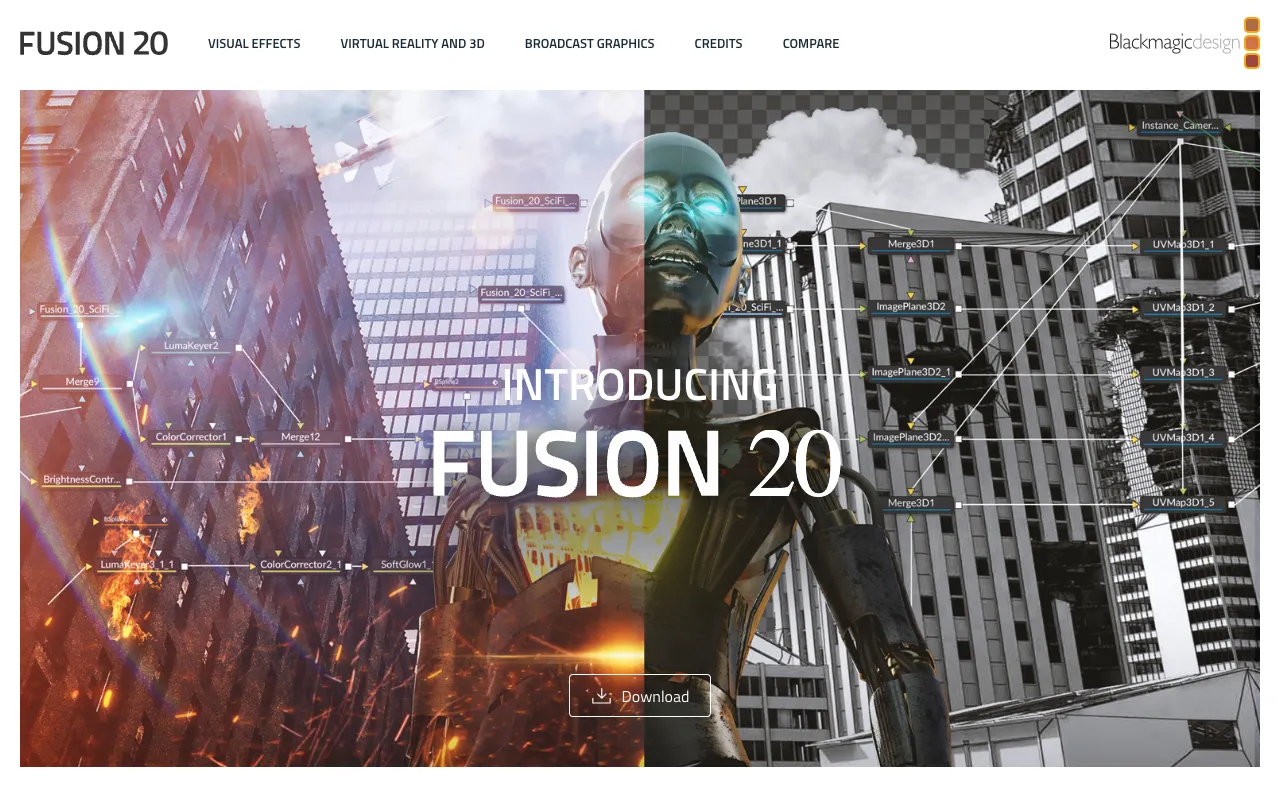
Fusion utilizes a powerful node-based interface, offering superior clarity and control over complex visual effects graphs. Unlike layer-based systems, nodes visually map the flow of operations, making it easier to manage intricate composites, troubleshoot problems, and create reusable effect setups. This workflow is favored by professional VFX artists for its flexibility and non-destructive nature.
Integrated 3D Workspace
Fusion includes a fully-featured 3D workspace allowing you to composite 2D and 3D elements together seamlessly. You can import 3D models, apply textures and lighting, create 3D particle systems, and animate cameras within your composite, all rendered with advanced OpenGL or in the final deliverable. This bridges the gap between 2D compositing and full 3D animation.
Advanced Keying and Rotoscoping Tools
Equipped with professional-grade keyers like Delta Keyer and advanced planar tracking for rotoscoping, Fusion provides everything needed for clean green screen work and precise object isolation. Its tracker is one of the most robust in the industry, capable of handling challenging shots with motion blur and occlusions.
Particle System and Visual Effects Generators
Create everything from subtle environmental effects to explosive action sequences with Fusion's comprehensive particle system. Combined with a vast library of effects generators, blurs, glows, and distortions, artists can generate complex simulations and stylistic looks directly within the compositing environment.
Who Should Use Fusion?
Fusion is ideal for video editors, independent filmmakers, YouTubers, and motion graphics artists who need professional-grade visual effects capabilities without investing in separate, costly software like Adobe After Effects or Nuke. It's perfect for creators already using DaVinci Resolve who want to add advanced VFX, titles, and graphics to their projects within the same application. It's also a powerful tool for studios looking for a cost-effective, integrated pipeline that reduces software licensing fees and simplifies collaboration.
Fusion Pricing and Free Tier
One of Fusion's most significant advantages is its pricing model. The full version of Fusion, including its entire VFX toolset, is included for free within the standard, no-cost version of DaVinci Resolve. There are no watermarks, time limits, or export restrictions on the features covered in the free tier. Blackmagic Design also offers DaVinci Resolve Studio, a paid upgrade that unlocks additional advanced features like temporal and spatial noise reduction, stereoscopic 3D tools, and additional Resolve FX filters, but the core Fusion compositing environment remains fully accessible in the free version.
Common Use Cases
- Creating cinematic title sequences and motion graphics for YouTube videos
- Professional green screen removal and compositing for indie films and documentaries
- Adding advanced visual effects like particles, fire, and explosions to action scenes
- Designing and animating infographics and data visualizations for explainer videos
Key Benefits
- Eliminates costly VFX software subscriptions by providing professional tools for free within DaVinci Resolve.
- Streamlines post-production by keeping editing, color, audio, and VFX in a single, unified application, saving time and improving workflow.
- Empowers video editors to tackle complex visual effects tasks without needing to learn a separate, standalone software package.
Pros & Cons
Pros
- Completely free with no feature-crippled trial; includes the full professional compositing toolset.
- Deeply integrated with DaVinci Resolve for a seamless end-to-end post-production workflow.
- Industry-standard, node-based compositing offers superior power and control for complex VFX.
- Includes a powerful 3D workspace for integrating 2D and 3D elements.
Cons
- The node-based interface has a steeper learning curve compared to layer-based applications like Adobe After Effects.
- Only available as part of DaVinci Resolve; cannot be purchased or used as a standalone application.
- Some advanced features, like certain noise reduction tools, require the paid DaVinci Resolve Studio upgrade.
Frequently Asked Questions
Is Fusion free to use?
Yes, the full version of Fusion and its complete VFX toolset is completely free as part of the standard DaVinci Resolve download. There is no cost, watermark, or time limit for using Fusion for compositing, motion graphics, and 3D work.
Is Fusion good for beginners in visual effects?
Fusion is a professional-grade tool with a node-based workflow that can be challenging for absolute beginners. However, for video editors already familiar with DaVinci Resolve, it provides a powerful and free entry point into professional VFX. With the wealth of free tutorials available online, dedicated beginners can learn to create impressive effects.
How does Fusion compare to Adobe After Effects?
Fusion uses a node-based system, which is different from After Effects' layer-based timeline. Nodes offer more clarity for complex composites, while layers can be more intuitive for motion graphics. Fusion is free and integrated with Resolve, making it ideal for a unified workflow, while After Effects is part of the Adobe Creative Cloud subscription and integrates with Premiere Pro.
Conclusion
Fusion represents an unparalleled value proposition in the world of video post-production. By delivering a professional-grade, node-based compositing, motion graphics, and 3D application for free within DaVinci Resolve, it breaks down the financial barrier to high-end visual effects. For any video editor, filmmaker, or content creator looking to elevate their projects with professional VFX without adding expensive software or disrupting their workflow, Fusion is not just a tool—it's a transformative component of a modern, integrated creative suite. It is the definitive choice for creators who demand power, integration, and value.