Kdenlive – Best Open Source Video Editor for Linux, Windows & macOS
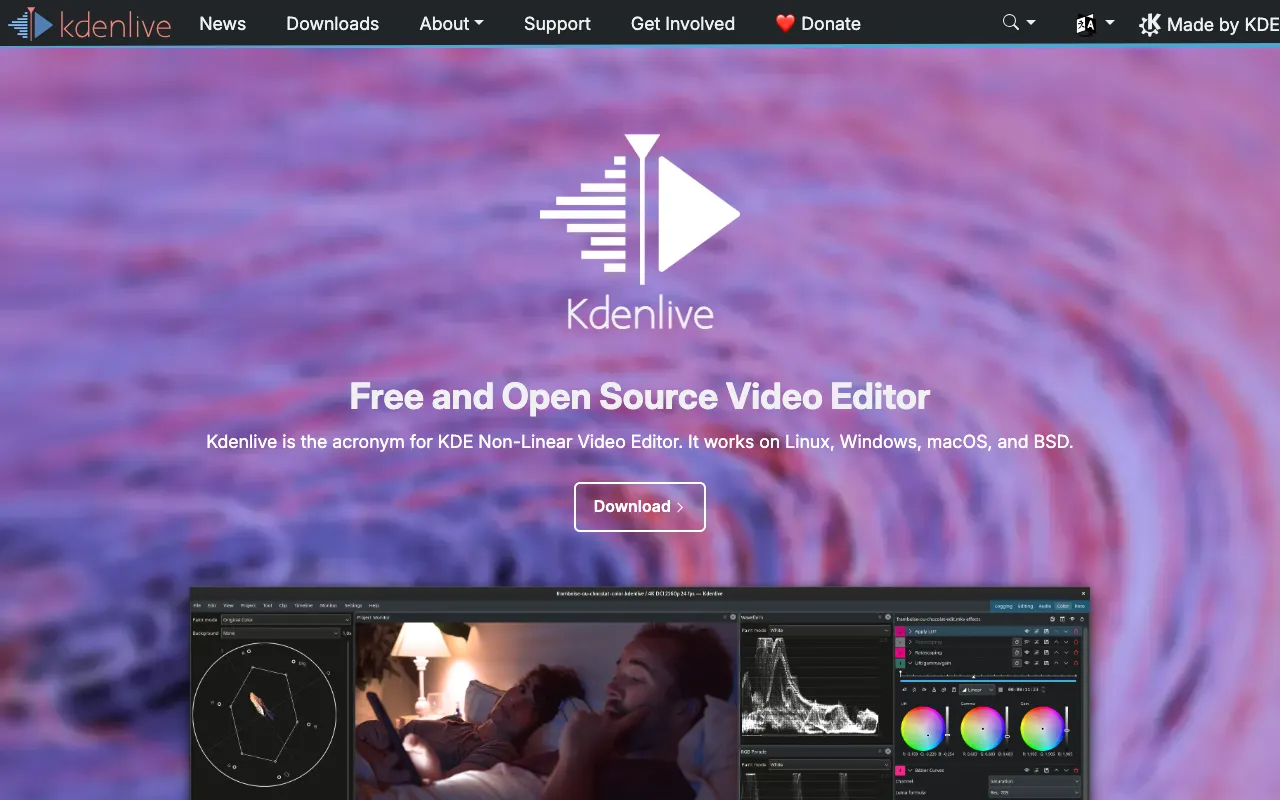
Kdenlive stands out as a premier, completely free, and open-source non-linear video editor, empowering creators on Linux, Windows, and macOS. Designed to bridge the gap between basic editing apps and expensive professional suites, Kdenlive delivers a robust, multi-track timeline, a vast array of effects and transitions, and proxy editing for handling 4K footage smoothly. Whether you're a YouTuber, educator, marketer, or indie filmmaker, Kdenlive provides the professional toolkit you need without the subscription fees or platform limitations.
What is Kdenlive?
Kdenlive is a sophisticated, non-linear video editing application built on open-source foundations like MLT, FFmpeg, and Frei0r. It transcends the typical 'free editor' label by offering a depth of features typically found in paid software, including multi-track editing, keyframeable effects, color correction, and audio mixing. Its cross-platform nature ensures a consistent, powerful editing experience whether you're on Linux, Windows, or macOS, making it an indispensable tool for creators who value freedom, flexibility, and professional results.
Key Features of Kdenlive
Multi-Track, Non-Linear Editing
Work with unlimited video and audio tracks for complex projects. Easily layer clips, images, titles, and audio with intuitive drag-and-drop functionality, giving you complete creative control over your narrative structure.
Proxy Editing for 4K & High-Resolution Workflows
Edit high-resolution and 4K video smoothly on modest hardware. Kdenlive automatically creates low-resolution proxy files for editing, then seamlessly re-links to your original high-quality files for final rendering, eliminating playback lag.
Extensive Effects & Transitions Library
Access a comprehensive suite of visual and audio effects, including color correction tools, blurs, distortions, and GPU-accelerated effects. Combine with a wide variety of transitions to create polished, professional videos.
Advanced Audio Editing & Keyframing
Fine-tune your audio with a dedicated mixer, volume keyframing, and effects. Visually keyframe virtually any effect parameter—from position and scale to effect intensity—for precise, animated control over your visuals.
Flexible Titling & Animation Tools
Create animated titles, lower thirds, and credits with Kdenlive's built-in title editor. Animate text properties with keyframes or choose from pre-made animation templates to enhance your video's production value.
Who Should Use Kdenlive?
Kdenlive is ideal for a wide range of video creators who seek professional capabilities without the cost. It's perfect for Linux users who need a powerful native editor, Windows and macOS creators looking for a free alternative to premium software, YouTubers and content creators, educators producing course material, non-profit organizations, indie filmmakers on a budget, and anyone learning video editing. Its balance of advanced features and approachable interface supports both beginners and experienced editors.
Kdenlive Pricing and Free Tier
Kdenlive is 100% free and open-source software. There is no paid tier, subscription, or premium version. The entire feature set—including proxy editing, multi-track timelines, effects, and all future updates—is available at no cost. It is funded and developed by a dedicated community of developers and supporters, ensuring it remains a powerful, accessible tool for all video editors forever.
Common Use Cases
- Creating professional YouTube videos and tutorials with multi-camera editing
- Editing documentary and short film projects with color grading and audio mixing on Linux
- Producing educational content and online courses with animated titles and effects
Key Benefits
- Eliminate software subscription costs with a fully-featured, permanently free video editor
- Achieve professional-grade edits with multi-track timelines, proxy workflows, and keyframe animation
- Enjoy platform freedom with native performance on Linux, Windows, and macOS systems
Pros & Cons
Pros
- Completely free and open-source with no hidden costs or feature limitations
- Cross-platform compatibility ensures workflow consistency across Linux, Windows, and macOS
- Professional features like proxy editing and audio mixing rival paid software
- Active community development ensures regular updates and improvements
- Highly customizable interface and workflow to suit different editing styles
Cons
- The interface may feel less polished or intuitive compared to some commercial editors initially
- Advanced troubleshooting may require community support, as there is no official paid customer service
- Rendering performance can vary depending on the specific codecs and hardware configuration
Frequently Asked Questions
Is Kdenlive completely free to use?
Yes, Kdenlive is 100% free and open-source software (FOSS). There are no subscriptions, in-app purchases, or premium features. The entire application is available for free download and use on Linux, Windows, and macOS, funded by its community.
Is Kdenlive good for professional video editing?
Absolutely. Kdenlive is a powerful tool for professional video editing, offering essential pro features like multi-track non-linear editing, proxy workflows for 4K video, color correction, keyframing, and advanced audio mixing. Many professional creators, educators, and indie filmmakers use it as their primary editor, especially within the Linux ecosystem.
Can I use Kdenlive on Windows or macOS?
Yes. While Kdenlive has its roots in Linux, it is fully supported on Windows and macOS. You can download official installers for all three operating systems from the Kdenlive website, providing a consistent, powerful editing experience regardless of your platform.
What video formats does Kdenlive support?
Kdenlive supports a wide range of video formats through its FFmpeg backend, including MP4, MOV, AVI, MKV, and more. It can also handle professional codecs and is excellent for editing footage from DSLRs, mirrorless cameras, and smartphones.
Conclusion
For video editors seeking a powerful, cost-effective, and cross-platform solution, Kdenlive represents an outstanding choice. It successfully delivers professional-grade editing capabilities—from proxy workflows and multi-track timelines to keyframe animation—without imposing any financial barrier. Its commitment to being free and open-source ensures it will continue to evolve as a tool *for* creators, *by* creators. If you value software freedom, need a robust editor on Linux, or simply want to escape subscription models, Kdenlive is a top-tier video editor that deserves a place in your creative toolkit.