Go back
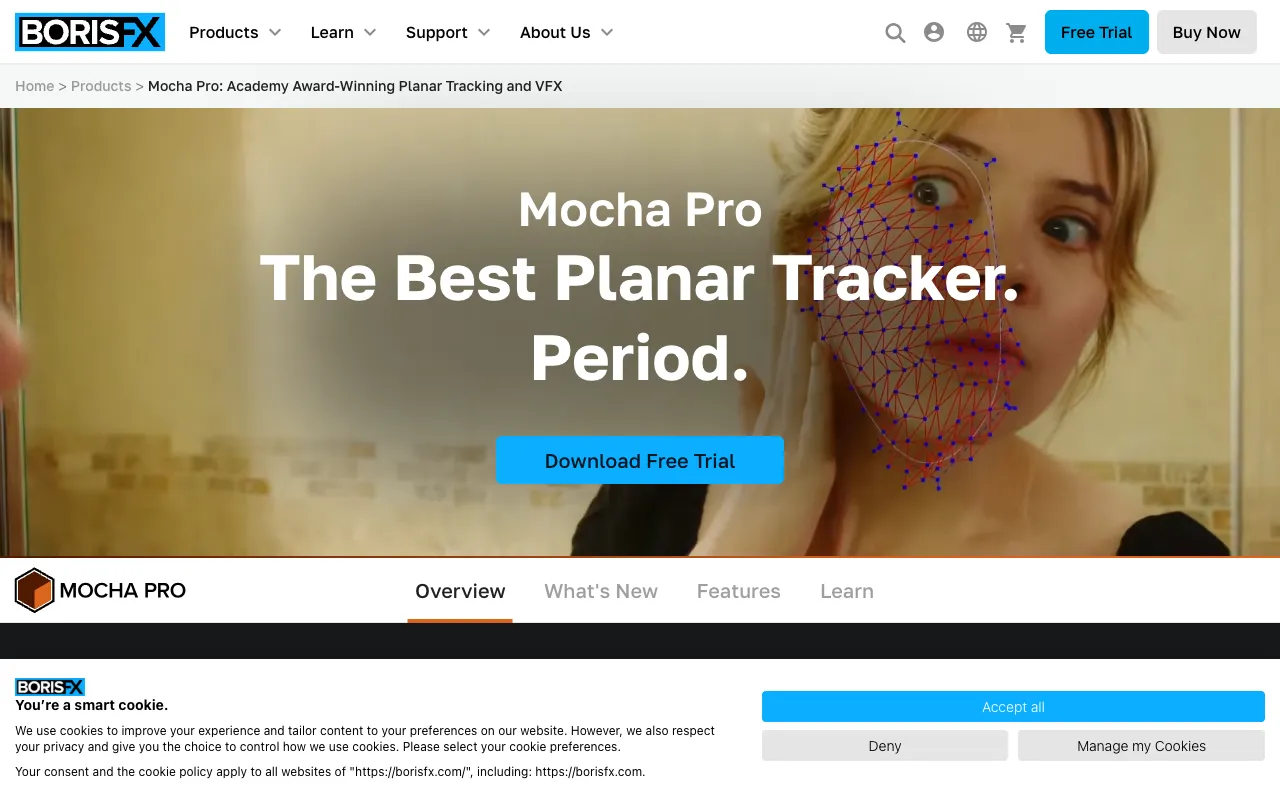
Image of Mocha Pro – Best Planar Tracking & Rotoscoping Software for Video Editors

Mocha Pro – Best Planar Tracking & Rotoscoping Software for Video Editors

Mocha Pro is the definitive solution for advanced planar tracking and rotoscoping in professional video editing and visual effects pipelines. As an industry-standard plugin used on major film and television productions, Mocha Pro empowers VFX artists, editors, and motion designers to tackle complex tasks like object removal, screen replacements, and intricate masking with unparalleled speed and precision. It stands out by delivering pixel-accurate results that manual keyframing and point trackers simply cannot match.

What is Mocha Pro?

Mocha Pro is an Academy Award-winning planar tracking and roto-masking software plugin developed by Boris FX. It uses a unique, advanced algorithm to track planes of motion within a video clip, such as walls, ground, or any flat surface, rather than just points. This makes it exceptionally powerful for visual effects tasks where perspective changes and object deformation occur. Its primary purpose is to automate and drastically speed up labor-intensive post-production work like rotoscoping, stabilization, object removal, and inserting graphics onto moving surfaces. It is an essential tool for visual effects artists, motion graphics designers, and post-production professionals working in Adobe After Effects, Premiere Pro, DaVinci Resolve, Avid Media Composer, and other major hosts.

Key Features of Mocha Pro

Planar Surface Tracking

Mocha's core technology tracks texture and motion across planes, providing stable, sub-pixel accurate data even with motion blur, occlusion, and complex camera moves. This is far more reliable than traditional point trackers for tasks involving perspective shifts.

Powerful Roto and Masking Tools

Create detailed masks and splines with magnetic and bezier tools. The software's planar tracking data can be applied directly to masks, making rotoscoping dynamic objects like cars or people much faster and more accurate than manual frame-by-frame work.

Object Removal & Clean Plating

Effortlessly remove unwanted objects, wires, logos, or people from your footage. Mocha Pro analyzes the surrounding tracked planes to generate clean background plates, seamlessly filling in the removed area.

3D Camera Solver & Module

Export tracked planar data as a 3D camera solve for integration into 3D applications. This feature is crucial for matching CGI elements to live-action plates with perfect perspective alignment.

Stabilization & Lens Correction

Smooth shaky footage using planar tracking for more natural stabilization. Mocha Pro also includes tools to remove lens distortion, ensuring your tracks and composites remain accurate.

Insert Module

Replace screens, billboards, or any planar surface with new content. The Insert Module warps and tracks your new graphic to match the perspective, motion blur, and lighting of the original surface in the shot.

Who Should Use Mocha Pro?

Mocha Pro is designed for professional video editors and visual effects artists who require precision and efficiency. Ideal users include: Feature film and TV VFX artists needing flawless object removal and compositing; Commercial and corporate video editors adding graphics to moving surfaces; Motion graphics designers creating complex animated masks and titles; Freelancers and post-production studios looking to significantly reduce roto and tracking time; Anyone working in DaVinci Resolve, Adobe Creative Cloud, or Avid who regularly encounters challenging tracking shots that standard tools cannot solve.

Mocha Pro Pricing and Free Tier

Mocha Pro operates on a perpetual license model with an annual maintenance plan for updates, or as a subscription. It does not have a traditional 'free tier,' but Boris FX offers a fully-functional, 14-day free trial for users to test all features within their host application. After the trial, a paid license is required. Pricing is tailored for professional studios and individual artists, reflecting its position as a premium, industry-leading tool. Educational discounts are often available for students and teachers.

Common Use Cases

Key Benefits

Pros & Cons

Pros

  • Industry-standard tool trusted by Hollywood studios and broadcasters
  • Unmatched planar tracking accuracy for complex shots with motion blur and occlusion
  • Significant time savings over manual techniques for roto, object removal, and screen inserts
  • Deep integration with Adobe, Blackmagic Design, Avid, and other major NLEs and compositors

Cons

  • Steep learning curve for users new to planar tracking concepts
  • Premium pricing places it out of reach for casual hobbyists or beginners
  • No permanent free version, only a time-limited trial is available

Frequently Asked Questions

Is Mocha Pro free to use?

Mocha Pro is not a free software. However, Boris FX offers a full-featured, 14-day free trial. After the trial period, you must purchase a license to continue using the software. There is no free or limited-feature version.

Is Mocha Pro good for video editors?

Absolutely. Mocha Pro is one of the best tools a video editor can add to their toolkit for visual effects. It solves specific, high-difficulty problems—like tracking graphics onto a moving surface or cleanly removing an object—that are often impossible or extremely time-consuming with the native tools in editing software like Premiere Pro or DaVinci Resolve.

What is the difference between Mocha Pro and Mocha AE?

Mocha AE is a streamlined, planar tracking version included for free with Adobe After Effects. Mocha Pro is the full, standalone application with advanced features like the 3D Camera Solver, Object Removal, Insert Module, and support for many more host applications beyond After Effects. For professional VFX work, Mocha Pro is the necessary upgrade.

Can I use Mocha Pro in DaVinci Resolve?

Yes, Mocha Pro offers a dedicated plugin for DaVinci Resolve Studio (the paid version of Resolve). This integration allows you to work on planar tracking, rotoscoping, and object removal directly within the Resolve Fusion page, streamlining your color grading and VFX pipeline.

Conclusion

For professional video editors and visual effects artists, Mocha Pro is not just another plugin—it's a critical investment in quality and efficiency. Its unique planar tracking engine solves real-world production challenges that other software simply cannot, saving countless hours on complex shots. While the learning curve and cost position it as a professional tool, the return on investment in terms of capability, time saved, and quality of output is unparalleled. If your work regularly involves advanced masking, object removal, screen replacements, or any tracking task where perspective changes, Mocha Pro is the definitive, industry-proven solution to elevate your post-production workflow.