Go back
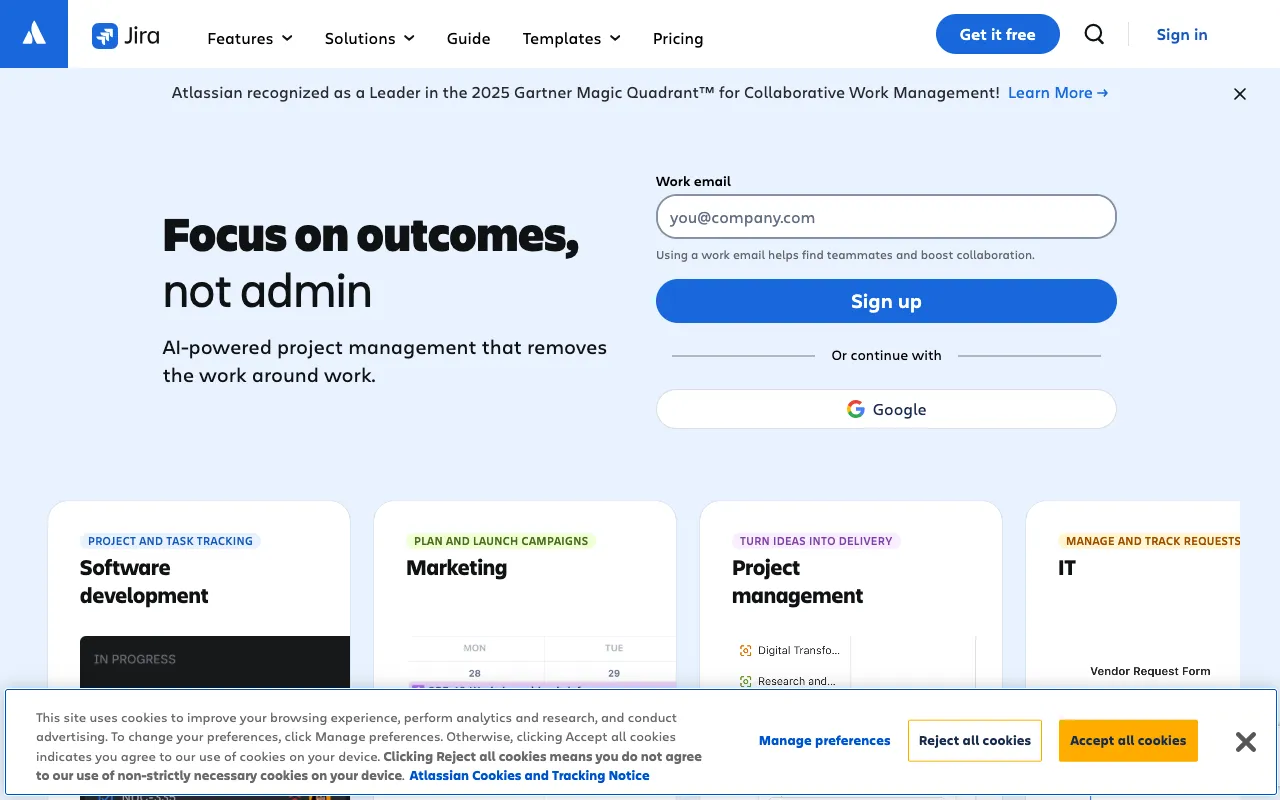
Image of Jira – The #1 Agile Project Management Tool for Web Developers

Jira – The #1 Agile Project Management Tool for Web Developers

Jira is the industry-standard project management software built by Atlassian for agile software teams. It empowers web developers, engineering managers, and product teams to plan, track, and release software with unprecedented clarity and efficiency. From granular bug tracking to complex sprint planning across multiple teams, Jira provides the structured workflow and real-time visibility needed to ship high-quality code consistently.

What is Jira Software?

Jira is a powerful, customizable work management platform developed by Atlassian. At its core, it's designed for agile software development, serving as a centralized hub for issue and bug tracking, sprint planning, and project reporting. Unlike generic task managers, Jira speaks the language of developers with native integration for code repositories, CI/CD pipelines, and developer tools. It structures work into customizable projects, issues (like tasks, bugs, or stories), and workflows that mirror real-world development processes, making it an indispensable tool for teams practicing Scrum, Kanban, or hybrid methodologies.

Key Features of Jira for Developers

Advanced Bug & Issue Tracking

Create, assign, and prioritize bugs with detailed descriptions, attachments, and reproduction steps. Link issues to code commits, track resolution status in real-time, and maintain a clean, auditable backlog. Custom fields and screens allow teams to capture exactly the data they need for efficient triage and resolution.

Agile Boards (Scrum & Kanban)

Visualize your workflow with drag-and-drop Scrum or Kanban boards. Plan sprints by estimating story points, capacity, and velocity. Manage work-in-progress (WIP) limits, track sprint progress with burn-down charts, and adapt your process on the fly for maximum team productivity and predictability.

Powerful Customization & Automation

Tailor Jira to your team's unique process with custom workflows, issue types, and fields. Use no-code automation rules (like Jira Automations) to reduce manual overhead—auto-assign bugs based on component, update status when code is merged, or send notifications to Slack, saving developers hours each week.

Deep Developer Tool Integrations

Jira connects seamlessly with the tools developers use daily. Integrate with GitHub, GitLab, or Bitbucket to link commits and pull requests directly to Jira issues. Connect to CI/CD tools like Jenkins or CircleCI to see build statuses. This creates a unified context, breaking down silos between code and project management.

Real-Time Reporting & Insights

Gain actionable insights with built-in reports like velocity charts, cumulative flow diagrams, and version reports. Understand team performance, identify bottlenecks in your workflow, and make data-driven decisions to improve your development lifecycle and delivery forecasts.

Who Should Use Jira?

Jira is ideal for software development teams of all sizes, from fast-moving startups to large enterprise organizations. It's particularly powerful for: **Web Development Teams** managing complex feature backlogs and bug queues; **Engineering Managers & Tech Leads** needing visibility into team capacity and project health; **Product Managers & Owners** prioritizing roadmaps and defining user stories; **QA/Testing Teams** tracking test cycles and defect resolution; and **DevOps & SRE Teams** managing incidents and operational work. If your work involves writing, testing, or deploying code, Jira provides the structured framework to manage it effectively.

Jira Pricing and Free Tier

Jira offers a generous **Free tier** for up to 10 users, which includes unlimited projects, Scrum and Kanban boards, 2GB of file storage, and community support—perfect for small teams or startups to get started. Paid plans (Standard, Premium, Enterprise) scale for larger teams with advanced features like user roles, audit logs, unlimited automation, 24/7 support, and enhanced security controls. Pricing is per user, per month, making it a scalable investment that grows with your team's needs.

Common Use Cases

Key Benefits

Pros & Cons

Pros

  • Industry-leading tool with deep, native integrations for developers (Git, CI/CD)
  • Highly customizable workflows, fields, and automations to fit any team process
  • Powerful reporting and analytics for data-driven agile management
  • Robust free plan suitable for small teams and startups
  • Strong ecosystem of third-party apps and plugins via the Atlassian Marketplace

Cons

  • Can have a steep learning curve and feel overwhelming for new users
  • High level of customization can lead to overly complex setups if not governed
  • Performance can sometimes lag with very large datasets or complex configurations
  • Pricing for premium features can become significant for large enterprise teams

Frequently Asked Questions

Is Jira free to use for web developers?

Yes, Jira offers a robust Free plan for up to 10 users. This includes core features like agile boards (Scrum & Kanban), backlog management, basic reporting, and 2GB storage, making it an excellent starting point for small development teams, freelancers, or open-source projects.

Is Jira good for agile web development?

Absolutely. Jira was built for agile software development. Its Scrum and Kanban boards, sprint planning tools, story point estimation, and velocity tracking are designed specifically to support agile methodologies. It's the tool of choice for countless development teams practicing Scrum or Kanban to deliver software iteratively.

What's the difference between Jira Software and Jira Service Management?

Jira Software is tailored for development teams to plan, track, and release software. Jira Service Management (formerly Jira Service Desk) is designed for IT, operations, and support teams to manage service requests, incidents, and SLAs. They can be used together, allowing dev teams to handle bugs reported by internal or external customers seamlessly.

Can Jira integrate with GitHub?

Yes, Jira offers deep, bi-directional integration with GitHub (and GitLab/Bitbucket). You can create branches from Jira issues, see commit and pull request status directly in Jira, and have Jira issues automatically transition (e.g., from 'In Progress' to 'In Review') based on development activity, creating a unified workflow.

Conclusion

For web development teams serious about professional project management, Jira remains the definitive solution. It strikes a powerful balance between rigid structure for process clarity and immense flexibility to adapt to your team's unique workflow. While the initial setup requires thoughtful configuration, the payoff in streamlined collaboration, reduced friction, and data-driven insights is substantial. Whether you're a startup leveraging the free tier or an enterprise scaling agile practices, Jira provides the foundational system to track work from idea to deployment, making it an essential tool in any developer's toolkit for managing complex software projects.