Go back
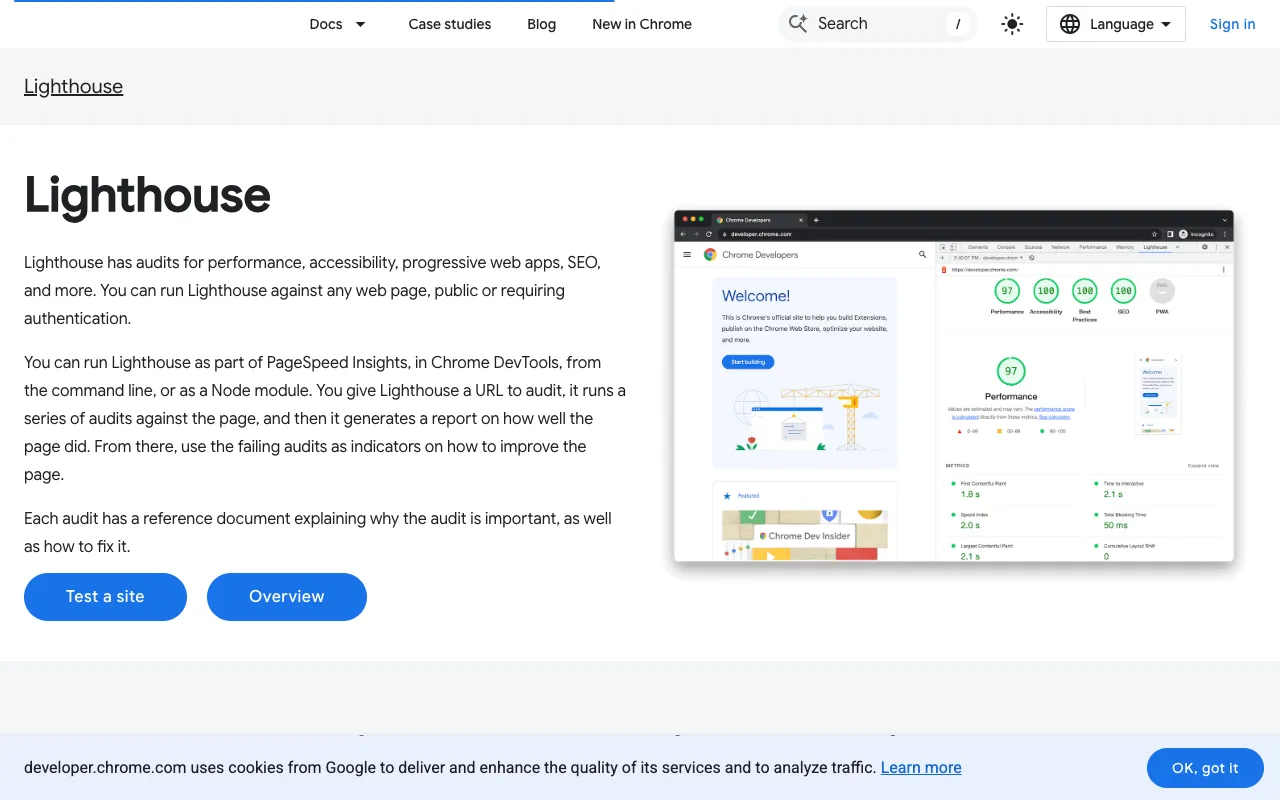
Image of Lighthouse – The Essential Web Quality & Performance Audit Tool

Lighthouse – The Essential Web Quality & Performance Audit Tool

Lighthouse is the definitive open-source auditing tool for modern web developers. Built by Google and integrated directly into Chrome DevTools, it automates the process of testing web page quality across critical metrics like performance, accessibility, SEO, and adherence to best practices. Whether you're a front-end developer, SEO specialist, or site owner, Lighthouse provides data-driven, actionable reports to help you build faster, more accessible, and user-friendly websites that rank better and convert more effectively.

What is Google Lighthouse?

Google Lighthouse is a comprehensive, automated auditing tool designed to help developers create high-quality web experiences. It runs a series of tests against any web page (public, private, or local) and generates a detailed report with scores and specific recommendations for improvement. As a core part of the Chrome ecosystem, it audits against metrics that directly impact user experience and search engine ranking, such as Core Web Vitals, mobile-friendliness, and semantic HTML structure. It’s not just a performance checker; it’s a holistic quality assurance tool for the web.

Key Features of Lighthouse

Performance Auditing

Lighthouse measures key performance metrics like Largest Contentful Paint (LCP), First Input Delay (FID), and Cumulative Layout Shift (CLS)—collectively known as Core Web Vitals. It provides a performance score (0-100) and identifies specific opportunities to speed up your page, such as optimizing images, eliminating render-blocking resources, and reducing unused JavaScript.

Accessibility Auditing

Ensure your website is usable by everyone. Lighthouse automatically checks for common accessibility issues, including insufficient color contrast, missing alt text for images, improper ARIA attributes, and keyboard navigation problems. Each finding is linked to the corresponding WCAG guideline, making it easier to build inclusive web experiences.

SEO Auditing

Lighthouse evaluates on-page SEO fundamentals. It checks for mobile-friendliness, proper meta tags, crawlable links, descriptive link text, and a logical heading structure. While it doesn't replace comprehensive SEO tools, it provides a solid technical SEO foundation to ensure search engines can properly index and understand your content.

Best Practices & PWA Audits

Beyond core metrics, Lighthouse audits for modern web development best practices, including HTTPS usage, correct image aspect ratios, and safe cross-origin policies. For Progressive Web Apps (PWAs), it verifies critical PWA features like a valid web app manifest, service worker registration, and a responsive design.

Multiple Run Methods

Run Lighthouse directly from Chrome DevTools for quick audits, from the command line (Node.js module) for CI/CD integration, or via a programmatic API for custom automation. This flexibility makes it perfect for both ad-hoc development checks and automated quality gates in your build pipeline.

Who Should Use Lighthouse?

Lighthouse is indispensable for front-end developers, web performance engineers, UX designers, SEO professionals, and QA teams. It's used by agencies to deliver higher-quality sites to clients, by product teams to monitor user experience, and by individual developers to learn and apply web best practices. If you build, maintain, or optimize websites, Lighthouse provides the objective data you need to make informed improvements.

Lighthouse Pricing and Free Tier

Lighthouse is 100% free and open-source. There is no paid tier, subscription, or premium version. All features—performance, accessibility, SEO, and PWA audits—are available at no cost. It is maintained by Google and the open-source community, making it one of the most powerful and accessible tools in a web developer's toolkit.

Common Use Cases

Key Benefits

Pros & Cons

Pros

  • Completely free and open-source with no feature limitations
  • Direct integration with Chrome DevTools for instant feedback
  • Provides actionable, prioritized recommendations for improvement
  • Audits against industry-standard metrics (Core Web Vitals, WCAG)
  • Supports automation via CLI and Node.js for CI/CD workflows

Cons

  • Performance scores are lab data (synthetic testing), not real-user data (field data)
  • Primarily focused on single-page audits; site-wide crawling requires other tools
  • Some advanced SEO factors (like backlinks or content quality) are outside its scope

Frequently Asked Questions

Is Lighthouse free to use?

Yes, Lighthouse is completely free and open-source. All its auditing capabilities for performance, accessibility, SEO, and best practices are available at no cost. It is built into Chrome DevTools and available as a Node.js module.

Is Lighthouse good for web developers?

Absolutely. Lighthouse is considered an essential tool for modern web developers. It provides immediate, data-driven feedback on critical aspects of web quality directly in the browser, helping developers build faster, more accessible, and search-engine-friendly websites as they code.

What's the difference between Lighthouse and PageSpeed Insights?

PageSpeed Insights uses the Lighthouse auditing engine under the hood but often provides additional real-user field data (CrUX data) alongside the lab data. Lighthouse itself is the open-source tool you can run locally, while PageSpeed Insights is a web interface that runs Lighthouse on Google's servers.

Can I use Lighthouse on a local development site?

Yes, you can audit localhost and development sites. Using the Chrome DevTools method or the Lighthouse CLI, you can run audits on locally hosted web pages, which is perfect for catching issues before code is deployed to production.

Conclusion

For any developer serious about building high-quality web experiences, Google Lighthouse is a non-negotiable part of the workflow. It transforms subjective guesswork into objective, actionable data across the most critical dimensions of the modern web: speed, accessibility, and findability. Its seamless integration into Chrome and powerful automation capabilities make it the go-to tool for continuous improvement. Whether you're launching a new site or optimizing an existing one, running a Lighthouse audit is the first and most important step toward a better web.