Go back
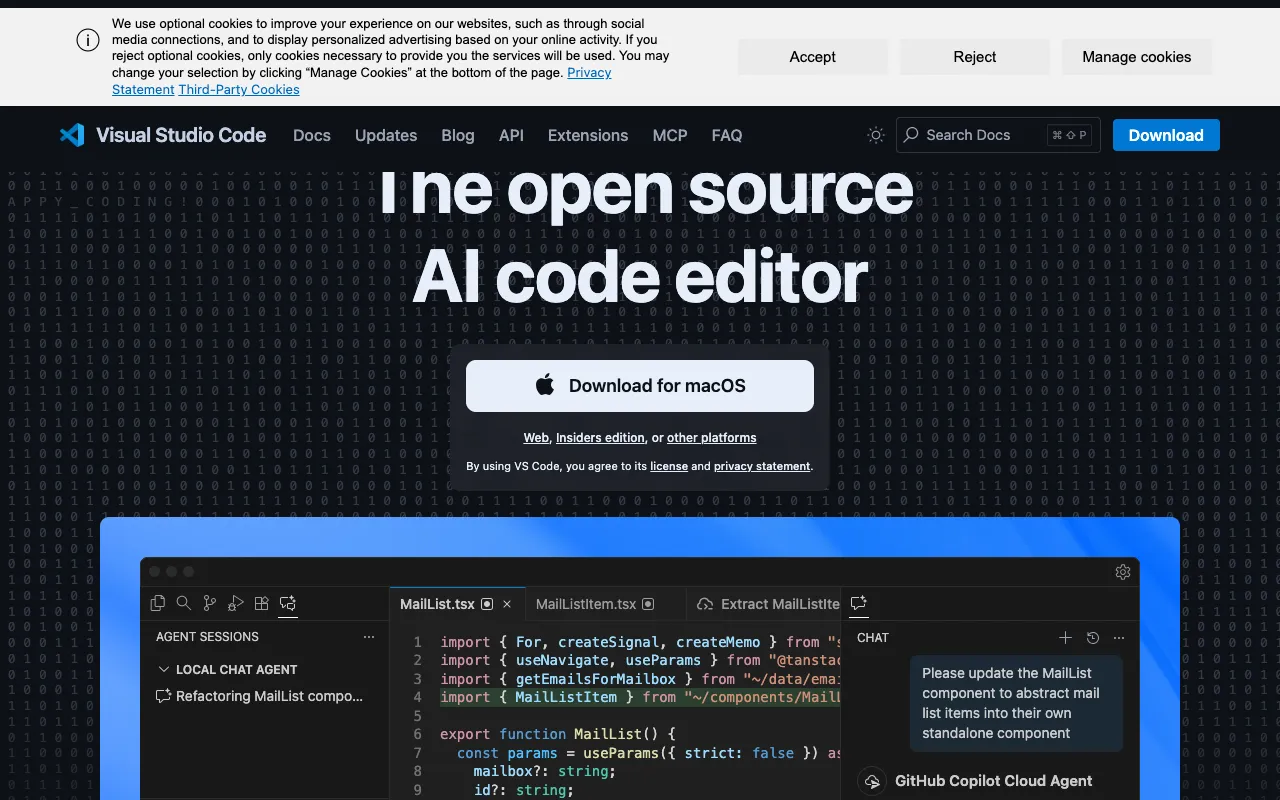
Image of Visual Studio Code – The Best Free Code Editor for Web Developers

Visual Studio Code – The Best Free Code Editor for Web Developers

Visual Studio Code (VS Code) is the premier free, open-source code editor that has become the standard tool for modern web development. Developed by Microsoft, it combines the simplicity of a lightweight editor with the power of an IDE, featuring built-in debugging, intelligent code completion (IntelliSense), Git integration, and access to a massive extension marketplace. Whether you're building a simple website, a complex JavaScript application, or working with frameworks like React, Angular, or Vue.js, VS Code provides the tailored environment web developers need to code faster and more efficiently.

What is Visual Studio Code?

Visual Studio Code is a free, cross-platform source code editor redefined for building and debugging modern web and cloud applications. It's not just a text editor; it's a powerful development tool that supports dozens of programming languages right out of the box. Its core design philosophy focuses on providing developers with just the right amount of features—like syntax highlighting, bracket matching, and auto-indentation—while remaining fast and responsive. The true power of VS Code lies in its extensibility, allowing you to install extensions for languages, debuggers, themes, and tools to create your perfect personalized coding workflow.

Key Features of Visual Studio Code for Web Dev

Intelligent Code Completion (IntelliSense)

VS Code's IntelliSense goes beyond basic syntax highlighting and autocomplete. It provides smart completions based on variable types, function definitions, and imported modules. For JavaScript, TypeScript, and JSON, it offers advanced suggestions, speeding up development and reducing errors by understanding your code's context.

Integrated Debugging

Step away from console.log. VS Code includes a powerful built-in debugger for Node.js and can debug JavaScript running in Chrome. You can set breakpoints, step through code, inspect variables, and view the call stack directly within the editor, creating a seamless debugging experience without switching contexts.

Integrated Git Commands

Manage your source code without leaving the editor. VS Code has built-in Git support, allowing you to review diffs, stage files, make commits, pull, and push to remote repositories. It visually highlights changes and provides a straightforward interface for common version control tasks.

Extensible via Marketplace

The VS Code Extension Marketplace hosts thousands of free extensions that supercharge the editor. Install extensions for frameworks (ES7+ React/Redux snippets), linters (ESLint), theme customization, live servers, Docker integration, and more to tailor the environment to your specific web development stack.

Terminal & Task Runner Integration

Launch a fully integrated terminal (PowerShell, Command Prompt, bash) directly inside VS Code. Run build scripts, npm/yarn commands, or database migrations without switching windows. You can also configure and run tasks through Gulp, Grunt, or npm scripts as part of your build process.

Who Should Use Visual Studio Code?

Visual Studio Code is the ideal code editor for front-end developers, full-stack engineers, JavaScript/TypeScript developers, and students entering web development. It's perfect for professionals working with modern frameworks like React, Angular, Vue, and Svelte, as well as developers building backends with Node.js. Its low barrier to entry (free and easy to install) makes it excellent for beginners, while its deep customization and powerful features satisfy the demands of senior engineers working on large-scale applications.

Visual Studio Code Pricing and Free Tier

Visual Studio Code is completely free and open-source. There is no paid tier, subscription, or license fee. You can download it for Windows, macOS, and Linux directly from the official website and use all its core features—including debugging, IntelliSense, Git integration, and extension support—without any cost. This makes it one of the most accessible and powerful tools available to web developers of all levels.

Common Use Cases

Key Benefits

Pros & Cons

Pros

  • Completely free and open-source with no feature limitations
  • Lightweight and fast performance compared to full IDEs
  • Unmatched extension ecosystem for customizing your development environment
  • Excellent built-in tools for Git, debugging, and terminal access
  • Strong community support and frequent updates from Microsoft

Cons

  • Can become resource-intensive with many extensions installed simultaneously
  • Some advanced IDE features (like full project refactoring) require specific extensions
  • Primarily optimized for JavaScript/TypeScript and web technologies out of the box

Frequently Asked Questions

Is Visual Studio Code free to use?

Yes, Visual Studio Code is completely free and open-source. You can download it for Windows, macOS, or Linux and use all its features, including extensions and updates, at no cost. There is no paid version or subscription.

Is Visual Studio Code good for web development?

Absolutely. Visual Studio Code is widely considered the best code editor for web development. Its built-in support for JavaScript, TypeScript, CSS, and HTML, combined with powerful extensions for frameworks like React, Vue, and Angular, debugging tools, and Git integration, creates an ideal environment for building modern websites and web applications.

Can I use VS Code for Python or other languages?

Yes. While optimized for web technologies, VS Code is a polyglot editor. By installing official language extensions from the marketplace (like the Python extension by Microsoft), you get rich IntelliSense, debugging, linting, and support for dozens of other programming languages including Python, Java, C++, Go, and PHP.

How does VS Code compare to WebStorm or Sublime Text?

VS Code strikes a balance between the lightweight speed of Sublime Text and the powerful, language-specific features of WebStorm. Unlike Sublime (which is paid for continued use) and WebStorm (which is a paid, specialized IDE), VS Code is completely free, highly extensible, and provides an excellent 'just right' feature set that makes it the most popular choice among web developers.

Conclusion

For web developers seeking a powerful, customizable, and completely free coding environment, Visual Studio Code stands as the definitive choice. It successfully bridges the gap between a simple text editor and a full-featured IDE, providing the essential tools—intelligent code completion, integrated debugging, and Git support—while allowing you to build your perfect setup via its vast extension library. Its performance, active development, and strong community make it more than just a tool; it's the foundational platform for modern web development workflows. Download VS Code today to experience why it's the editor of choice for millions of developers worldwide.