Go back
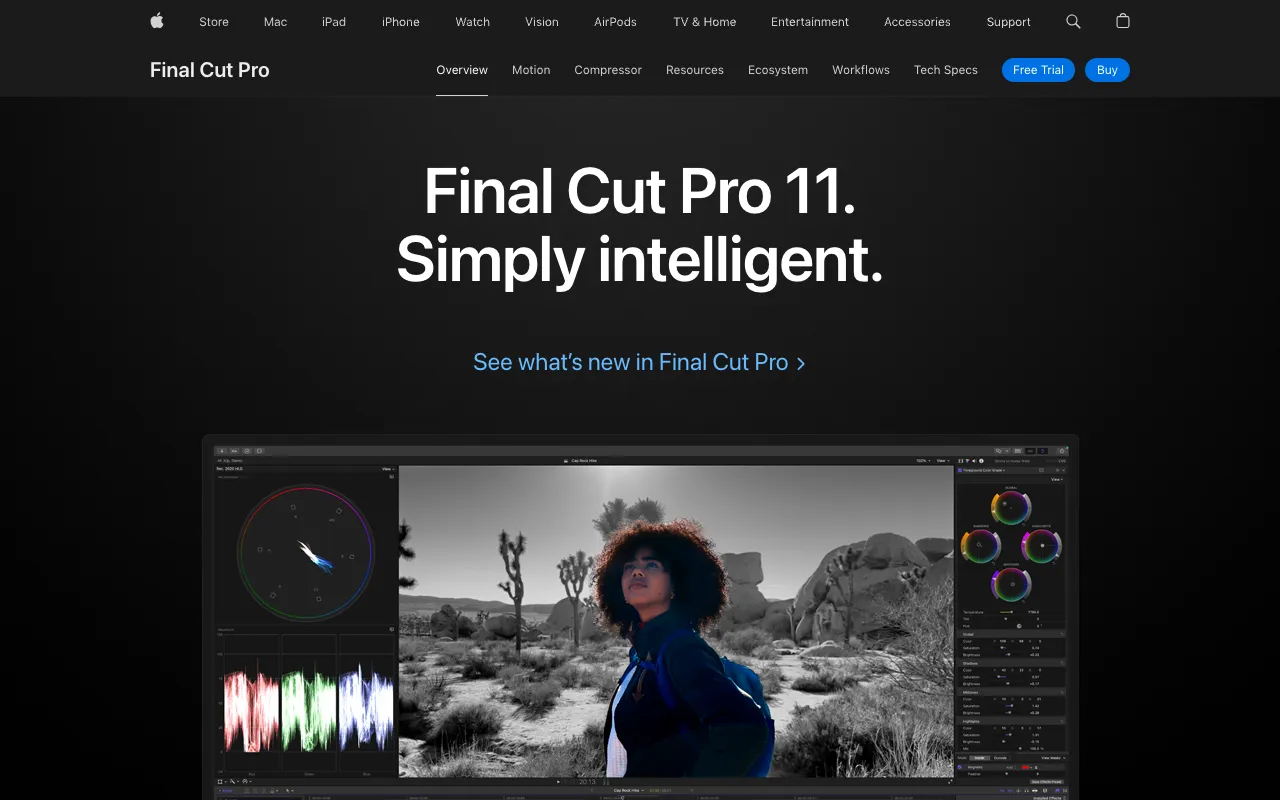
Image of Final Cut Pro – Best Professional Video Editing Software for YouTubers

Final Cut Pro – Best Professional Video Editing Software for YouTubers

Final Cut Pro is the definitive video editing platform for serious YouTubers and content creators on macOS. Built from the ground up for modern workflows, it combines a revolutionary magnetic timeline, professional-grade color grading and effects, and industry-leading performance optimized for Apple silicon. Whether you're producing daily vlogs, in-depth tutorials, cinematic short films, or high-energy gaming content, Final Cut Pro provides the speed, precision, and creative freedom to make your YouTube channel stand out.

What is Final Cut Pro?

Final Cut Pro is Apple's flagship professional non-linear video editing software, exclusively for macOS. It's engineered for filmmakers, video editors, and ambitious YouTubers who demand power, efficiency, and reliability. At its core is the innovative Magnetic Timeline, which eliminates clip collisions and sync issues, allowing for fluid, non-destructive editing. It's not just an editing tool; it's a complete post-production ecosystem with built-in color correction, audio editing, motion graphics titling, and seamless integration with other pro apps like Motion and Compressor. For YouTubers, it's the engine that transforms raw footage into polished, engaging, and algorithm-friendly content.

Key Features of Final Cut Pro for YouTubers

Magnetic Timeline

The game-changing Magnetic Timeline lets you edit freely without worrying about clip collisions, gaps, or sync problems. Just drag and drop clips, and the timeline intelligently rearranges itself. This feature dramatically speeds up the editing process, especially for YouTubers who frequently rearrange B-roll, soundbites, and graphics to improve pacing and storytelling.

Advanced Color Grading & HDR

Final Cut Pro includes powerful color wheels, curves, and the industry-standard Color Board for precise color correction and cinematic grading. With comprehensive HDR tool support, you can edit and deliver stunning high dynamic range videos that look incredible on modern devices, giving your YouTube content a professional, premium look that captures viewer attention.

Object Tracker & 360° Video Editing

Easily add text and effects that automatically follow people or objects in your frame with the built-in object tracker—perfect for dynamic lower-thirds or highlighting products in reviews. It also includes robust 360° video editing tools, allowing travel and VR YouTubers to create immersive experiences directly within the app.

Optimized Performance on Apple Silicon

Final Cut Pro is optimized to harness the full power of M-series Macs. This means buttery-smooth playback of multiple streams of 4K and 8K ProRes video, incredibly fast rendering and export times, and efficient background processing. For YouTubers on tight deadlines, this performance boost means less time waiting and more time creating.

Pro-Level Audio Editing

Clean audio is critical for YouTube success. Final Cut Pro offers a comprehensive set of audio tools, including role-based organization, a built-in noise removal tool, and support for third-party audio plugins. You can easily balance dialogue, music, and sound effects to achieve broadcast-quality audio for your videos.

Who Should Use Final Cut Pro?

Final Cut Pro is ideal for YouTubers who are ready to elevate their production quality beyond basic editing software. It's perfect for professional creators, filmmaking-focused channels, tech reviewers, educators producing high-end courses, and businesses using YouTube for marketing. If you value a streamlined, powerful, and integrated editing experience on a Mac, prioritize speed without sacrificing quality, and aim to produce cinema-grade content for your audience, Final Cut Pro is your tool. It has a learning curve steeper than consumer apps but rewards investment with unparalleled efficiency.

Final Cut Pro Pricing and Free Trial

Final Cut Pro is available for a one-time purchase of $299.99 USD from the Mac App Store. This includes all future updates at no additional cost—a significant advantage over subscription-based competitors. While there is no permanent free tier, Apple offers a generous 90-day free trial, giving you ample time to test its full capabilities on your projects. This one-time fee makes it a highly cost-effective long-term investment for dedicated YouTubers compared to ongoing monthly subscriptions.

Common Use Cases

Key Benefits

Pros & Cons

Pros

  • One-time purchase with free lifetime updates offers exceptional long-term value.
  • Industry-leading performance and stability, especially on M-series Macs.
  • Innovative Magnetic Timeline and powerful media organization streamline complex edits.
  • Deep integration with macOS and other Apple pro apps for a cohesive ecosystem.

Cons

  • Exclusively available for macOS, limiting access for Windows-based creators.
  • The professional feature set and unique timeline have a steeper initial learning curve than consumer apps.
  • The one-time upfront cost is higher than entry-level software, though often cheaper over time.

Frequently Asked Questions

Is Final Cut Pro free to use?

Final Cut Pro is not permanently free. It requires a one-time purchase of $299.99. However, Apple offers a full-featured 90-day free trial, allowing you to test it extensively before buying.

Is Final Cut Pro good for YouTube beginners?

Final Cut Pro is powerful but can be complex for absolute beginners. Ambitious newcomers willing to learn will benefit long-term, but those seeking simplicity might start with iMovie (which is free) before upgrading. For creators aiming for professional results, it's an excellent investment.

Can Final Cut Pro export videos optimized for YouTube?

Yes, absolutely. Final Cut Pro includes dedicated export presets for YouTube (and other platforms) that automatically configure the optimal resolution, codec (like H.264), and frame rate. You can also use Compressor for even more customized export settings.

How does Final Cut Pro compare to Adobe Premiere Pro for YouTube?

Both are industry-standard. Final Cut Pro often excels in raw performance and stability on Macs, with a unique, fast magnetic timeline. Premiere Pro offers deeper integration with other Adobe apps (After Effects, Photoshop) and cross-platform support. The choice often comes down to preferred workflow, ecosystem (Apple vs. Adobe), and whether you prefer a subscription (Premiere) or one-time purchase (Final Cut).

Conclusion

For the YouTuber committed to quality, efficiency, and a professional workflow on macOS, Final Cut Pro stands as a top-tier choice. Its combination of a revolutionary editing interface, blistering performance on modern Macs, and a one-time purchase model delivers immense value. While the initial investment—both in money and learning time—is significant, the payoff is a powerful, reliable toolkit that can grow with your channel for years. If you're ready to take your YouTube content from good to cinema-grade, the 90-day free trial of Final Cut Pro is the perfect place to start your journey.